
Introduction to the Samsung Galaxy SmartTag
The Samsung Galaxy SmartTag is a compact and innovative device designed to help you locate your everyday belongings like keys, bags, and more. Whether you tend to forget where you placed your items or simply want peace of mind, this tiny tracker offers an effortless solution to keep your essentials within reach. By connecting your device via the dedicated Galaxy SmartTag app, you can easily find, manage, and customize your smart tags for optimal usability. Its seamless integration with Samsung's ecosystem makes smart location tracking more reliable and user-friendly, providing a smart way to avoid the frustration of misplaced belongings.
Key Features of the Galaxy SmartTag App
The Galaxy SmartTag app acts as your control center, offering all the information and tools needed to manage your smart tags effectively. After downloading and installing the app, users gain access to a comprehensive platform that guides them through setup, configuration, and ongoing use. The app is compatible with the SmartTag and SmartTag+, enabling users to tailor their experience based on their specific device.
Setup and Configuration
Setting up your smart tags is straightforward. Once you connect your device with the app, you can configure settings such as notifications, alarms, and device management options. A dedicated section called Galaxy SmartTag / SmartTag + configuration guides you step-by-step through the process, ensuring your device is ready to help you find your belongings quickly and easily.
Additional Tips and Features
The app offers useful SmartTag tips and guides to maximize your experience. It also provides insights on use of smart beacon, which enhances the locator’s range and accuracy. For maintenance, users can find detailed instructions for battery replacement and customizing the layout of multiple tags. While the Galaxy SmartTag app is not an official application, it serves as an educational tool sourced from reliable information to assist users in understanding the device's capabilities.
Design and Practicality of the Galaxy SmartTag
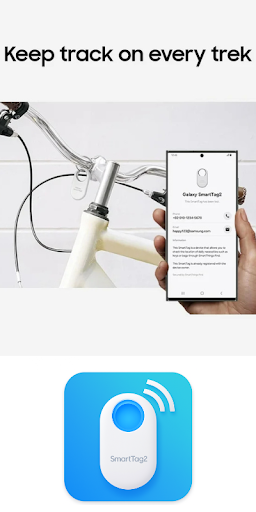
When first experiencing the Samsung Galaxy SmartTag, users will notice its tiny yet powerful design. It's lightweight and fits comfortably on keychains, backpacks, or anywhere you want to keep track of your items. Its sleek appearance blends into everyday items, making it discreet yet effective.
Functionality and Performance
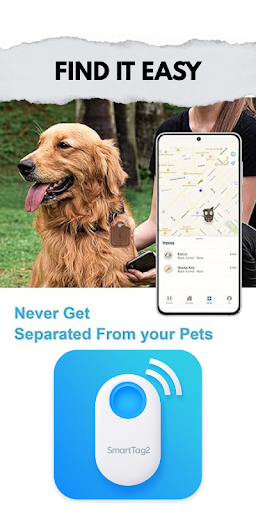
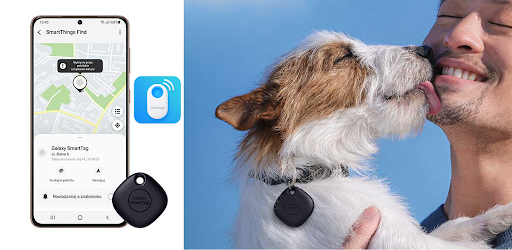
Once paired with a compatible Samsung smartphone using the SmartThings app, the SmartTag provides reliable performance. You can make the device ring loudly within a Bluetooth range of approximately 120 meters, ideal for locating misplaced items at home or nearby. Additionally, double-pressing the button on the tag triggers your phone to ring, providing instant convenience. For beyond Bluetooth range, the SmartThings Find network utilizes nearby Galaxy devices to help locate your lost items, creating a communal and efficient tracking system.
Battery Life and Maintenance
A common concern is battery longevity, but the Galaxy SmartTag impresses with a battery life of up to one year. When the battery depletes, replacing it is simple—just open the device and insert a standard CR2032 battery. This ease of maintenance ensures your SmartTag remains functional without hassle.
Why Choose the Samsung Galaxy SmartTag?
For anyone prone to losing everyday items, the Samsung Galaxy SmartTag offers a practical and reliable solution. Its integration with Samsung devices, user-friendly app interface, and impressive features like community-based tracking make it a must-have accessory for busy individuals and households. Not only does it help you find your items efficiently, but it also provides peace of mind, knowing your belongings are just a tap or a click away. Whether for personal use or gifting, the SmartTag is a smart investment to reduce the stress of lost possessions.
Pros
- Assists in easily locating lost items
- Compatible with the SmartThings application
- Offers extended battery longevity
- Small, portable, and easy to carry
- Works with both Android and iOS devices
Cons
- Limited functionality outside of network range
- Requires a Samsung account for use
- Does not have GPS tracking features
- Can be easily misplaced or lost
- Has limited support for third-party integrations











