

Introducing Type Machine: Your Personal Text Backup Companion
Key Features & Benefits of Type Machine
Comprehensive and Automatic Logging
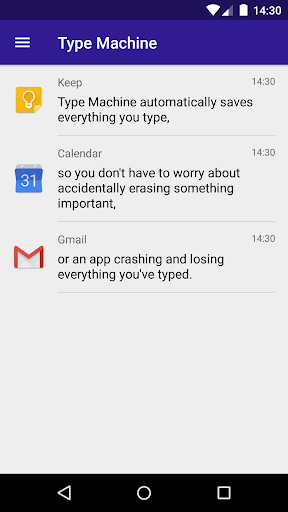
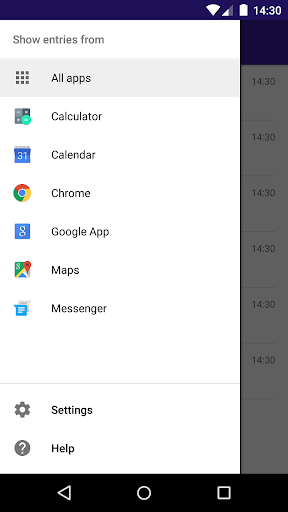
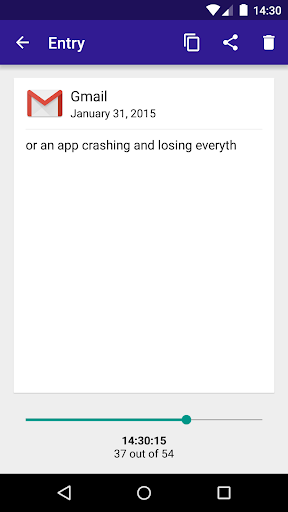
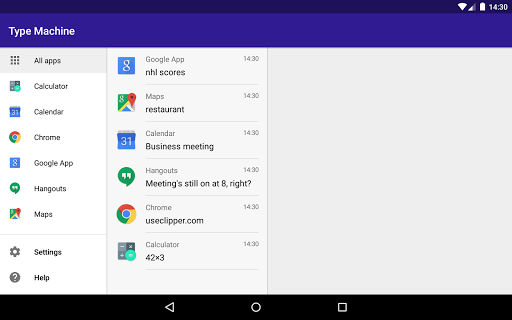
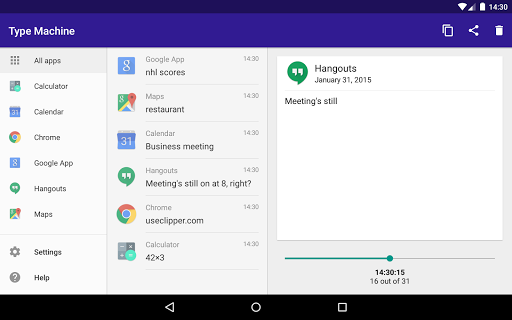
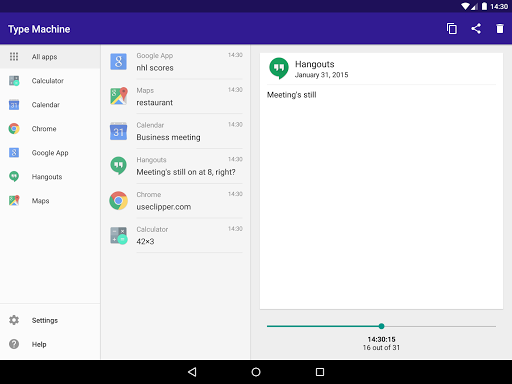
Type Machine logs everything typed within every native Android app—no manual saving needed. It's completely automatic and seamless, capturing your input without interfering with your usual app experience. The app allows you to browse through your complete typing history, filter entries by specific apps, and even drag a history slider to see your text evolve letter by letter. Want to copy a particular entry? Just tap on it and effortlessly copy to your clipboard. This makes recovering lost texts or referencing past inputs simple and effective, turning your Android device into a powerful digital diary of your keystrokes.
Simple User Interface & Ease of Use
The interface of Type Machine is designed with usability in mind. It’s clean, minimalistic, and intuitive—no clutter or complex menus. After installation, activating the collection involves a straightforward setup process, with clear instructions provided. Its tablet-friendly layout makes it accessible across various device sizes, and you can toggle the service on or off via the system Accessibility Settings. Ultimately, the app stays out of your way until you need it, and when you do, it provides quick access to your entire typing history.
Privacy & Security
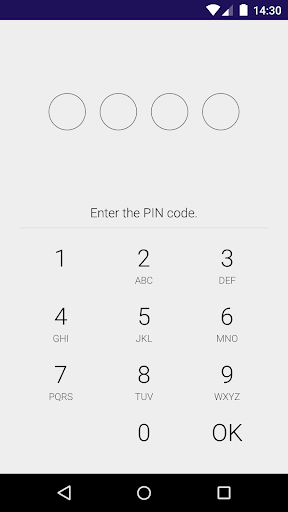
Many users worry about privacy when it comes to log-keeping apps, and rightly so. Rest assured, Type Machine prioritizes your data privacy. It does not require unnecessary permissions and stores all saved data locally on your device. You can enhance security further by setting a PIN lock on your history list, preventing unauthorized access. Old entries are automatically deleted based on your preferences, and a customizable blacklist allows you to exclude specific apps from beinglogged. These features ensure that your sensitive information remains private and protected at all times.
Compatibility & Performance
Built to work with most Android apps that use native frameworks, Type Machine reliably logs keystrokes without impacting your device’s performance. The app runs silently in the background, using minimal resources and battery. It’s designed to be trustworthy and unobtrusive, making it suitable for daily use across various applications. Additionally, features like run at startup for scheduled deletion and notification alerts enhance its functionality, providing an extra layer of convenience and automation.
Easy Setup & Configuration
Getting started with Type Machine is straightforward. Once installed, enable collection through your device’s accessibility settings—detailed instructions are provided within the app. Be aware that other accessibility services may interfere with its operation, so proper configuration is key. Once enabled, you’re free to customize your blacklist, set security options, and enjoy continuous auto-logging of your favorite apps.
Final Thoughts
In summary, Type Machine is a game-changing app for anyone who relies on their device for typing. Whether you’re a professional writer, a social media enthusiast, or simply someone who values their digital notes, this app acts as a reliable safety net. It guarantees you’ll never lose an important message or a fleeting thought. Its privacy-conscious design combined with effortless usability makes it an indispensable tool for safeguarding your typed data. Give Type Machine a try—once you experience its benefits, you might wonder how you ever managed without it!
Pros
- User-friendly interface enhances user experience
- Automatic backup safeguards data against loss
- Supports multiple languages
- Effectively monitors app usage
- Consumes minimal battery power
Cons
- Limited options for cloud storage
- No synchronization across devices
- Application may occasionally crash
- Requires payment without offering a free trial
- Interface does not allow customization











