

Introducing Network Analyzer Pro
Are you tired of dealing with unreliable Wi-Fi connections or mysterious network issues? Network Analyzer Pro is the perfect solution to diagnose and troubleshoot a wide range of network problems, whether it's your local Wi-Fi setup, internet connectivity, or remote server issues. This comprehensive app acts like a personal network expert in your pocket, equipped with powerful tools that help you understand and optimize your network performance with ease.
Key Features of Network Analyzer Pro
Advanced Wi-Fi Analysis
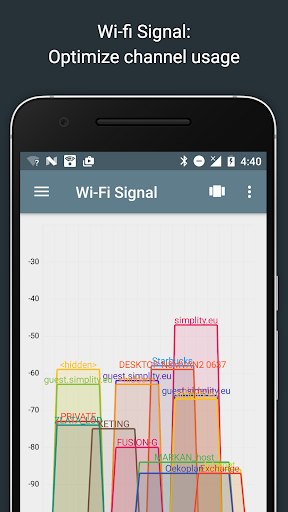
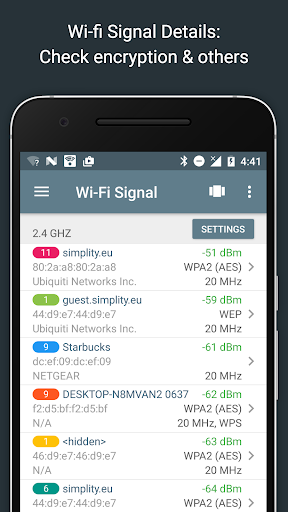
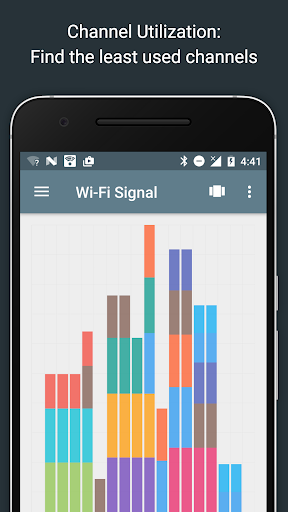
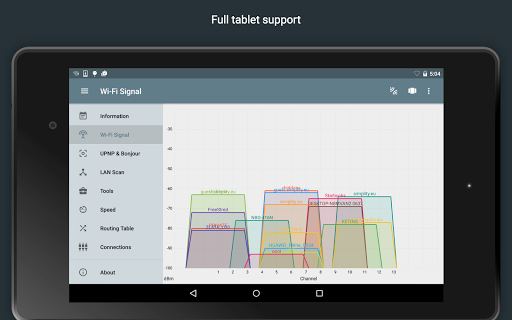
The • Wi-Fi signal meter feature provides both graphical and textual representations of your wireless signals. You can view • network channels utilization, signal strength, and other critical details like • WEP, WPA, WPA2 encryption types and • BSSID (router MAC address). The app also indicates • router manufacturer and support for • WPS, helping you find the best wireless channel for your router to maximize signal strength and reduce interference. For Android users (6 and newer), bandwidth details further assist in network management.
LAN Device Discovery and Management
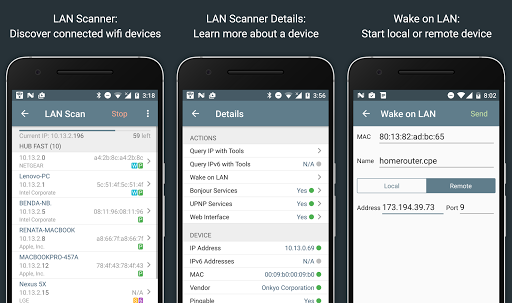
The • LAN scanner enables rapid detection of all connected devices on your local network, displaying • IP addresses, • device names, and details from • NetBIOS, • mDNS (Bonjour), • LLMNR, and • DNS. It also provides • pingability tests for these devices, supports IPv6 detection and remote • Wake on LAN (WOL), and allows scanning custom IP ranges. With filtering and search capabilities, managing your network devices has never been easier.
Routing Table and Network Diagnostics
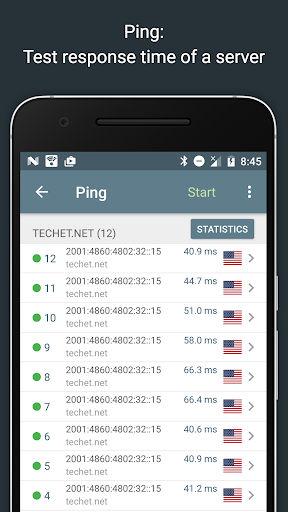
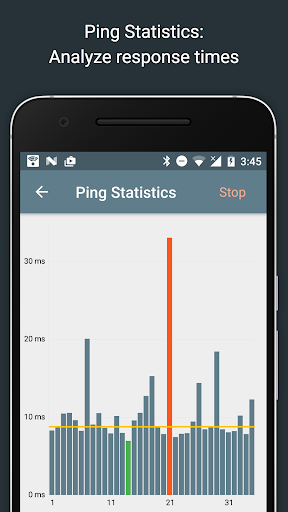
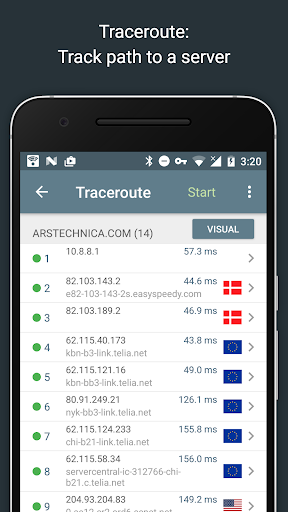
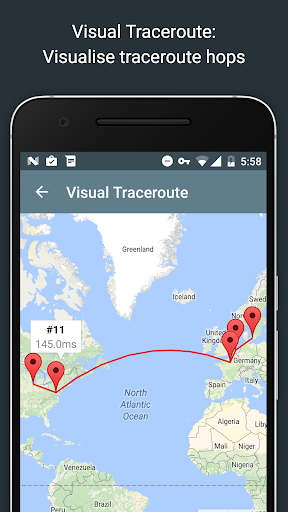
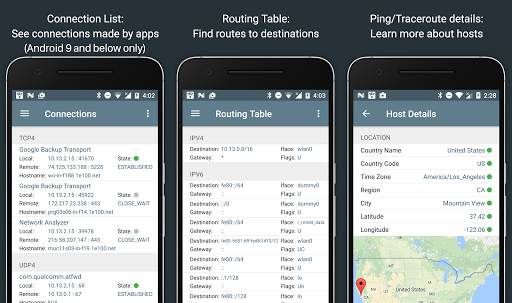
Network Analyzer Pro displays detailed • routing table information, showing destinations, gateways, interfaces, and flags. Its • ping and • traceroute features visualize round-trip delays to network nodes, with geolocation data (latitude, longitude, country, city, time zone), • AS number, and • network name. The complete trace route visualization on a map helps pinpoint network issues visually. Graphical, real-time ping statistics further enhance troubleshooting capabilities.
Port Scanning and Security Checks
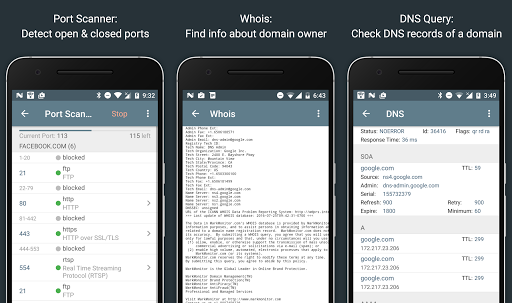
The • port scanner provides a fast, adaptive algorithm to check common or user-defined port ranges. It detects • open, • closed, or • firewalled ports, and describes known services running on open ports. This helps identify potential security vulnerabilities or unauthorized access points in your network setup.
Domain and DNS Lookup Tools
The built-in • DNS lookup supports standard records like A, AAAA, MX, CNAME, NS, TXT, and more. It functions similarly to nslookup or dig, allowing you to investigate domain and IP address details efficiently. The • Whois feature provides registration data for domains, IP addresses, and AS numbers, further enhancing your network analysis toolkit.
Internet Speed and Connection Testing
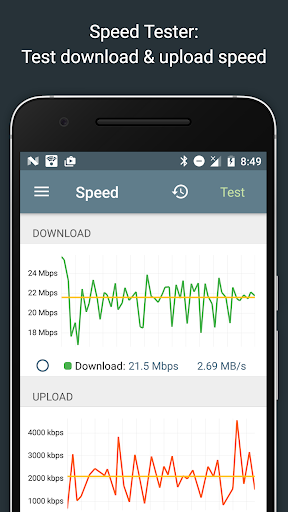
Test your download and upload speeds with the • speed test tool, which offers a graphical view and maintains a history of previous tests. This feature helps you verify your internet service provider’s performance and identify possible issues affecting your browsing, streaming, or gaming experiences.
Comprehensive Network Information
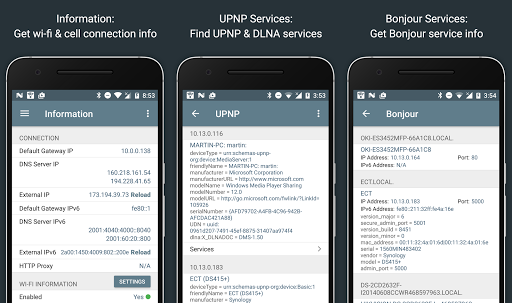
The app displays crucial network details such as the • default gateway, external IPs (v4 and v6), DNS servers, and HTTP proxy settings. For Wi-Fi networks, see SSID, BSSID, IP address, subnet mask, and signal strength. Cellular network info (3G, LTE) like MCC, MNC, and signal strength are also available, providing a complete picture of your network environment.
Local Service Discovery and Compatibility
Discover services on your network with the • Bonjour and • UPNP/DLNA browsers. These features enable you to locate connected media devices, printers, or other shared resources seamlessly. Plus, the app supports full • IPv6 functionality across all tools, ensuring compatibility with modern network standards.
User-Friendly and Versatile
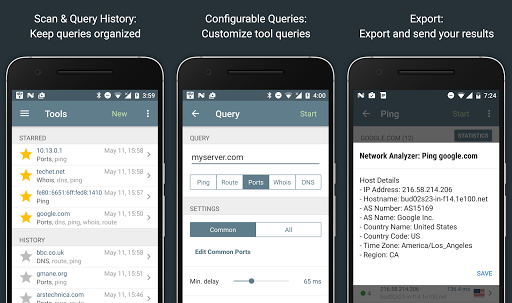
Network Analyzer Pro keeps a record of all your performed tasks, allows exporting reports via email or copy-paste, and supports regular updates with new features and improvements. Its straightforward interface makes it accessible to both tech-savvy users and novices alike, providing an all-in-one solution for network diagnostics and security checks.
Why Choose Network Analyzer Pro?
If you depend on a reliable internet connection for work, gaming, streaming, or browsing, Network Analyzer Pro is an essential app to have. It empowers users to identify issues quickly, optimize Wi-Fi signals, detect unauthorized devices, and keep their networks secure. This app transforms complex network troubleshooting into an intuitive experience, saving you time and frustration. Whether you're a casual user or a professional network administrator, Network Analyzer Pro offers everything needed for effective network management and diagnostics.
Pros
- Accurate network diagnostics
- User-friendly interface
- Real-time monitoring
- Wide range of features
- Supports IPv6
Cons
- Some features are paid
- Interface could be modernized
- Occasional connectivity issues
- Limited customer support
- Consumes battery quickly











