

Introducing 1DM+: Browser & Video Download — The Ultimate Media Downloader for Android
Ever wondered how to seamlessly download videos and media files from the internet on your Android device? Look no further than 1DM+: Browser & Video Download. This powerful app transforms your media management experience, offering a comprehensive suite of features designed to handle all your downloading needs with ease and efficiency.
Getting Started with 1DM+: A User-Friendly Experience
Setting up 1DM+: Browser & Video Download is straightforward. Simply download the app from the app store, and you'll find yourself equipped with an intuitive interface that makes navigation effortless. Whether you’re a tech novice or a seasoned user, this app serves as your personal media hub, consolidating browsing and downloading functionalities into one seamless experience. From discovering videos online to downloading multiple files simultaneously, every aspect is designed to be simple and efficient.
Key Features of 1DM+: Why It's a Must-Have
Built-in Browser with Media Detection
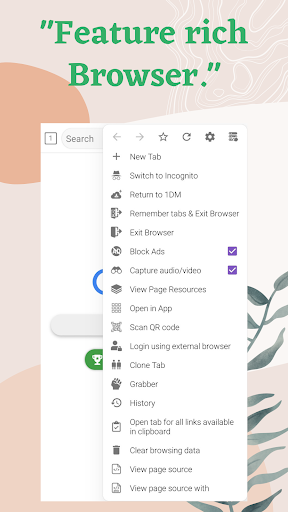
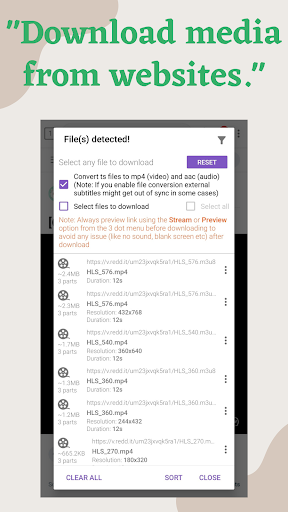
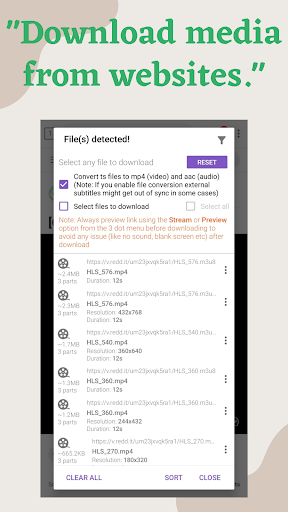
One of the most impressive features of 1DM+ is its integrated web browser. This isn’t your average browser; it’s optimized to automatically detect media files—be it videos or music—on web pages. When you visit a webpage with downloadable media, the app prompts you with options to download the content directly. Say goodbye to searching for elusive download buttons or relying on third-party services, making your media saving process swift and clutter-free.
Support for Multiple Downloads and Download Management
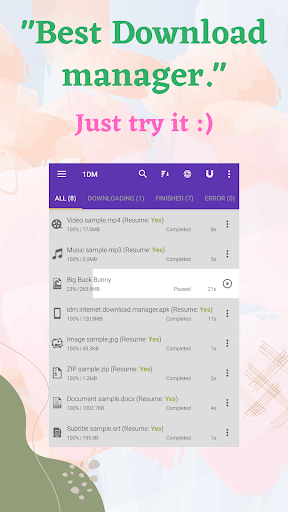
The app allows you to queue several files for simultaneous download, significantly saving your time. You can easily pause, resume, or remove downloads as needed. Whether you're downloading large videos, music, or documents, 1DM+ ensures you stay in control. Its robust download scheduler lets you plan downloads during off-peak hours, and you can even import or export download links for added convenience.
Enhanced Performance and Compatibility
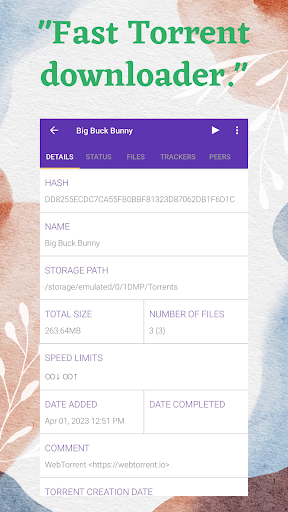
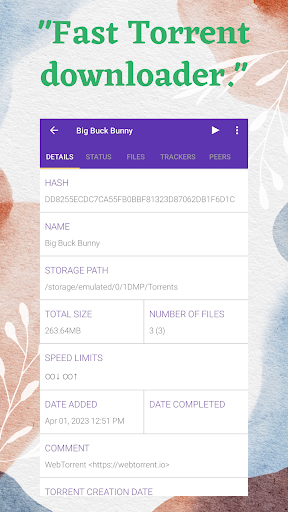
Performance-wise, 1DM+ excels at managing multiple downloads without overloading your device's resources. It supports torrent downloads via magnet links or torrent files, broadening your media options. With options like speed limiting, refreshing expired links, and support for password-protected files, this app covers all the bases for versatile media management on Android devices.
Advanced Features for Power Users
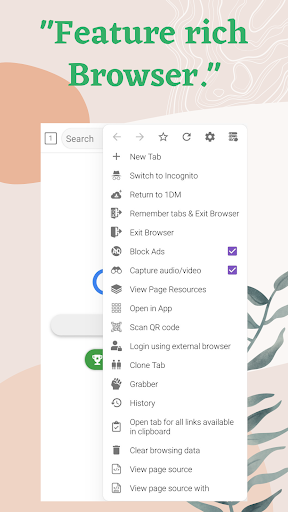
For the more advanced user, 1DM+ offers features such as multi-part downloading—supporting up to 32 parts per download—proxy support, and MD5 checksum calculations for verifying file integrity. The built-in web browser supports multiple tabs, history, bookmarks, and incognito mode, enhancing your browsing experience while keeping your activity private.
Additional Functionalities
This app supports direct download to SD cards, background downloading without performance loss, and intelligent error handling to prevent data loss. Plus, notifications alert you when downloads complete, with options for vibration and sound, making sure you’re always updated on your media downloads.
Why You Should Use 1DM+: Benefits for Every User
If you frequently download media files from websites, 1DM+ simplifies the entire process. Its ability to support multiple browsers like Chrome, Firefox, and the default Android browser ensures compatibility across different sources. With features like download scheduling, import/export links, and support for various media formats including archives, music, videos, documents, and programs, it’s a comprehensive solution for managing all your downloads efficiently.
Additionally, although it cannot download from YouTube due to their terms of service, it excels at handling media from most other platforms. Continuous updates and developers’ commitment to security mean you get the latest features and improvements regularly. 1DM+ is truly a versatile tool that combines browsing, downloading, and media management into one powerful app, saving you time and effort.
Important Notes and Permissions
The app requires permissions for internet access, storage modification, vibration, and wake lock to keep your downloads running smoothly. Please be aware that downloading copyrighted content without permission is illegal in many regions. Use 1DM+ responsibly and adhere to copyright laws in your country.
Conclusion
In summary, 1DM+: Browser & Video Download offers a feature-rich, efficient, and user-friendly solution for managing all your media downloads on Android. Whether you’re downloading videos from websites, managing torrent files, or saving music and documents, this app provides the tools you need in one package. Its reliability, speed, and versatility make it an essential app for anyone looking to enhance their media consumption experience. Give it a try today and discover how effortless managing downloads can be!
Pros
- Fast download speeds
- Supports various file formats
- Pause and resume downloads
- User-friendly interface
- Built-in browser
Cons
- Contains ads
- Lacks advanced download options
- Occasional crashes
- Limited support for streaming sites
- Requires permissions for full functionality











