







SupportPay: Split Expenses - The Ultimate Family Expense Management App
Key Features of SupportPay
- • Multiple Families: Users can manage multiple parent/child relationships or share expenses with various family members by adding an unlimited number of families. Each family relationship can be independently managed.
- • Add More Than 2 People as Users: SupportPay allows an unlimited number of family members or users to be part of the account, enabling effective financial collaboration and responsibility sharing.
- • Bill Pay: Upload bills and send payments directly to merchants or third parties. The app also supports check payments, streamlining reimbursements and eliminating uncertainties.
- • Effortless Expense Management: Easily add, view, and save expenses, payments, and receipts. SupportPay's receipt scanning technology automates data entry from uploaded receipts, making expense tracking seamless.
- • Import Old Expenses: Migrate existing financial data into the app, saving you from manual entry and ensuring all records are kept in one place.
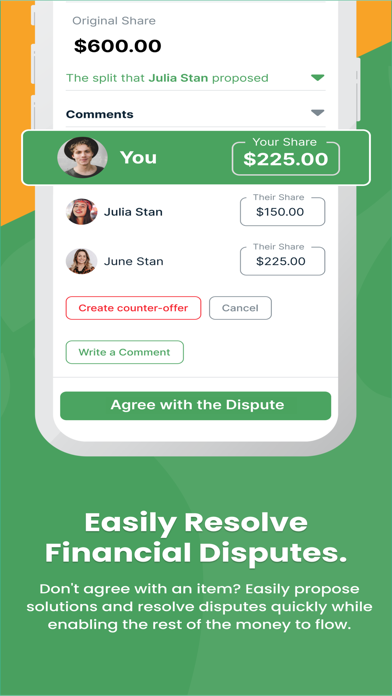
- • Streamlined Conflict Resolution: Resolve financial disagreements using advanced conflict management tools. SupportPay helps review, dispute, and resolve issues smoothly.
- • Secure Payment Options: Send and receive payments securely via bank transfers or PayPal. The platform maintains privacy of sensitive data and supports multiple payment methods including cash, credit cards, checks, and state systems.
- • Customizable Expense Tracking: Tailor your tracking categories, merchants, and assign expenses to specific family members.
- • Certified Legal Records: Store, export, and print legally admissible records for court cases, taxes, or legal purposes, ensuring compliance.
- • Seamless Tracking: Use SupportPay for personal expense tracking or collaborate with family members for automatic updates, disputes, and transparent management.
Benefits of Using SupportPay
- Transparency and Fairness: Promotes clear and fair sharing of expenses, making it easy for all parties to track contributions and payments.
- Streamlined Communication: Centralizes dialogue related to financial matters, reducing miscommunication and confusion among family members.
- Organizational Efficiency: Keeps your finances well-organized with intuitive tools, saving time and reducing stress during expense management.
- Legal Compliance: Maintains accurate records required for legal or tax purposes, ensuring your financial documentation meets legal standards.
Download SupportPay today and take control of your family's financial caregiving journey with confidence and ease.
Why SupportPay: Split Expenses Is Your Best Financial Companion
Features That Make a Difference
One feature I particularly enjoyed was the ability to automate recurring payments. Whether it’s rent, utilities, or grocery bills, scheduling automatic transactions means you’ll never forget a due date. Another invaluable feature is document storage, which allows uploading and organizing receipts directly within the app. This digital filing cabinet makes expense tracking a breeze, especially for those who love staying organized and verified with proof of purchase.
What Sets SupportPay Apart
The core strength of SupportPay: Split Expenses lies in its commitment to transparency and effective communication. All parties involved can view expenses, outstanding balances, and payments in real time. This level of visibility builds trust, especially where finances are sensitive. Additionally, the app supports multiple currencies, making it ideal for international families and friends. This thoughtful feature ensures everyone stays aligned, regardless of currency differences, making cross-border financial sharing effortless.
Final Thoughts
Pros
- Simplifies expense tracking.
- User-friendly interface.
- Supports multiple currencies.
- Integrates with bank accounts.
- Automates bill reminders.
Cons
- Subscription required for full features.
- Occasional sync issues.
- Limited free version capabilities.
- Customer service can be slow.
- App updates can be infrequent.











