

Introducing AAWireless for Android Auto™
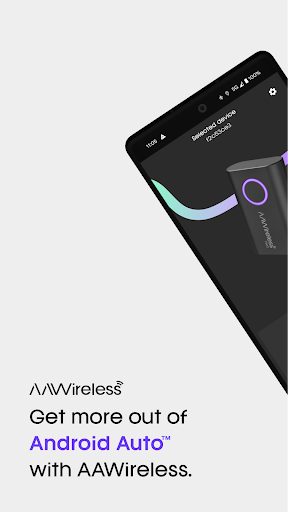
Are you tired of dealing with cumbersome cables when using your Android Auto™ system? The AAWireless for Android Auto™ app is here to revolutionize your driving experience by enabling seamless wireless connectivity between your smartphone and your vehicle's infotainment system. Designed for ease of use, reliability, and customization, this app, in conjunction with the AAWireless adapter, offers a streamlined and clutter-free way to enjoy Android Auto™ on the go.
Key Features of AAWireless for Android Auto™
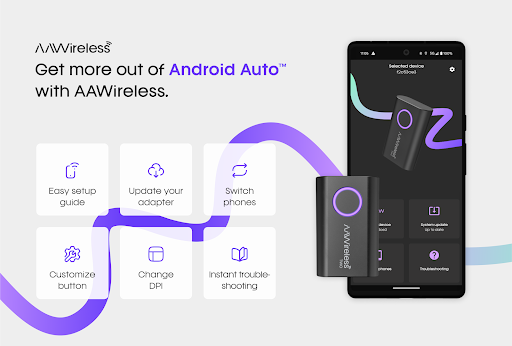
The AAWireless app serves as a powerful companion to the wireless adapter, providing users with a suite of features that enhance usability and performance. Whether you're setting up for the first time or seeking to optimize your connection, this app has something to offer everyone. Here are some of the standout features:
• Easy Setup Guide
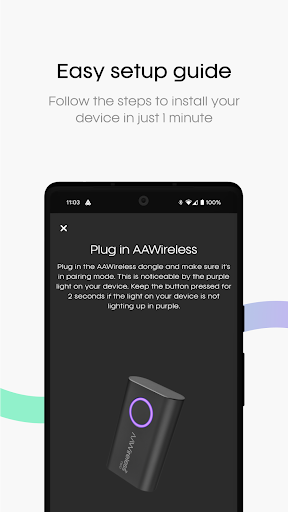
Getting started is incredibly straightforward. The app offers a step-by-step setup guide that walks you through connecting your smartphone to the AAWireless adapter. Simply plug the device into your car’s USB port, follow the on-screen instructions, and you'll be ready to enjoy wireless Android Auto™ in no time. The intuitive process makes it accessible even for users new to wireless car tech.
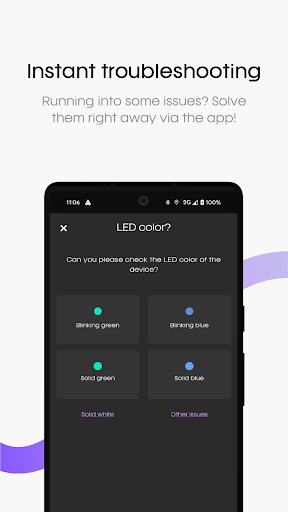
• Instant Troubleshooting
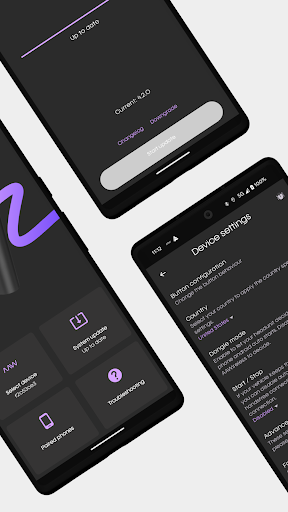
Encountered a hiccup? The app provides quick troubleshooting options to resolve common issues instantly. This means fewer trips to forums or customer support, ensuring your wireless Android Auto™ experience remains smooth and hassle-free.
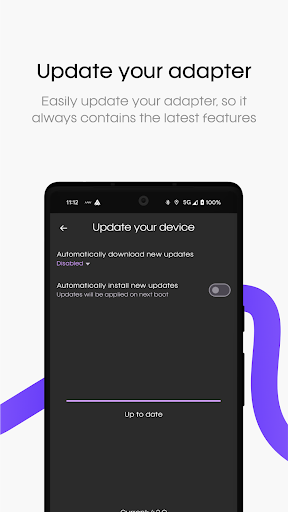
• Update Your Adapter
Stay current with the latest features and compatibility improvements. The app allows you to easily update your AAWireless adapter, ensuring your device benefits from ongoing enhancements and bug fixes. Regular updates help maintain a reliable connection across different phone models and vehicle systems.
• Customize Button Functionalities
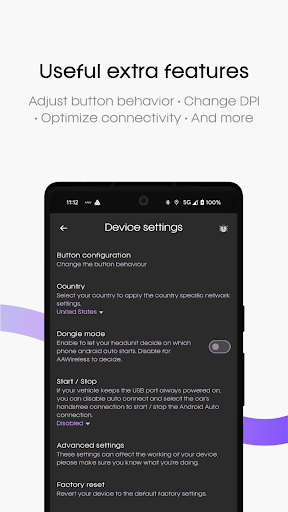
Personalize your driving interface by customizing button functions. Whether remapping controls or adjusting shortcuts, this feature allows you to tailor the experience to your preferences, making every drive more intuitive.
• Change DPI
Optimize visual clarity by adjusting the dots per inch (DPI). Whether you prefer larger icons for easier tapping or a more compact display, this customization improves overall usability.
• And More
Beyond these features, the app offers additional options to further refine your wireless Android Auto™ experience, making it a versatile tool for tech-savvy drivers.
Why Choose AAWireless for Android Auto™?
If you've ever wished to ditch the cables and enjoy a more streamlined, wireless experience, AAWireless is the perfect solution. This innovative gadget promises effortless setup, reliable performance, and ongoing support, making it a top choice for upgrading your car's connectivity. The device's compact design ensures it blends seamlessly into your vehicle, without cluttering the dashboard or causing distractions.
Seamless Wireless Connection
One of the first things users notice is how quickly and easily the connection is established. The process is as simple as pairing a Bluetooth device—plug in the adapter, follow the on-screen prompts, and you're set. This fuss-free setup eliminates the need for tangled cables, allowing you to focus more on the road and less on managing wires.
Reliable Performance
preocupado by connection lag or dropouts? Rest assured, AAWireless delivers smooth streaming of navigation, music, and app interactions without noticeable lag. This reliability makes it suitable for long drives, daily commutes, and even road trips where consistent connectivity is crucial.
Broad Compatibility and Future Updates
Supporting most vehicles compatible with Android Auto™, the AAWireless adapter paired with the app ensures broad usability. Developers continuously push updates to maintain compatibility with new phones and vehicle models, offering peace of mind that your setup remains current and functional for years to come.
Design and Portability
Its small, discreet size allows you to leave the adapter plugged in without it being an eyesore or distraction. This thoughtful design enhances overall driving comfort and convenience.
Final Thoughts on AAWireless for Android Auto™
For drivers seeking a clutter-free, wireless Android Auto™ experience, the AAWireless app paired with the AAWireless adapter stands out as a top-tier choice. Its ease of setup, reliable performance, and customizable features provide immense value, transforming your vehicle into a smart, connected environment. Say goodbye to cables, enjoy seamless connectivity, and elevate your driving experience with this innovative wireless solution for Android Auto™ enthusiasts.
Pros
- Seamless Android Auto connectivity
- Compact and portable device
- Easy setup with user-friendly app
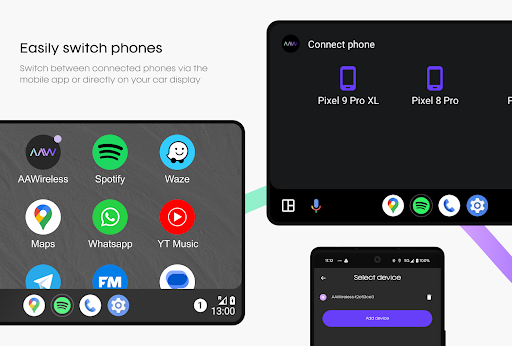
- Supports multiple devices
- Regular firmware updates
Cons
- May experience occasional disconnections
- Limited to Android devices
- Requires initial Bluetooth pairing
- Dependent on car's USB port
- Battery drain with prolonged use











