

Introduction to Graphics Manager : GFX Addon
Discover the powerful Graphics Manager : GFX Addon, an essential tool designed to elevate your mobile gaming experience. This innovative addon is specifically developed for gamers who want to maximize the graphical performance of their devices. Compatible with version 1.4 or above of Gamers GLTool, it seamlessly integrates to provide additional features beyond the default capabilities of Gamers GLTool. Whether you're an avid gamer seeking smoother visuals or a performance enthusiast aiming to unlock your device's full potential, the GFX Addon delivers a range of enhancements to transform your gaming sessions.
Compatibility and Installation
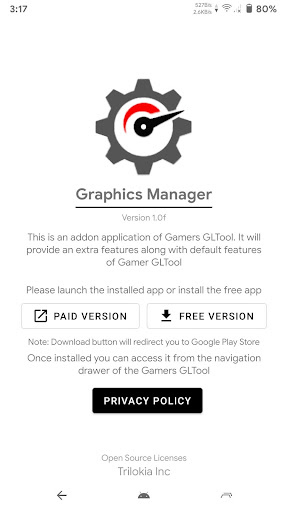
Please note that Graphics Manager : GFX Addon is only compatible with Gamers GLTool version 1.4 or higher. To enjoy the benefits of this addon, first, you need to install the base app free version of Gamers GLTool or upgrade to the Pro version. Once installed, you can easily access the features of the GFX Addon directly from the navigation drawer within Gamers GLTool. This straightforward setup makes it simple to customize your gaming experience without complicated configurations.
Enhancing Your Mobile Gaming Experience
Let's explore what makes Graphics Manager: GFX Addon a must-have for mobile gamers. If you love squeezing every ounce of performance out of your smartphone, this app is like having a secret weapon at your fingertips. It empowers you to tweak and optimize your game graphics, resulting in smoother gameplay and eye-catching visuals. Whether you're playing graphics-intensive AAA titles or indie games, the GFX Addon provides tools to enhance the visual fidelity and responsiveness, turning your device into a more capable gaming machine. It's designed for gamers who are passionate about getting the most out of their mobile devices.
Key Features of the GFX Addon
Graphics Optimization and Customization
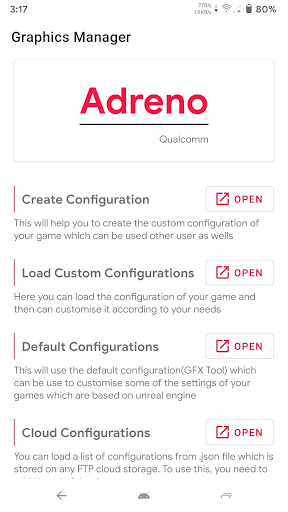
The core feature of the Graphics Manager : GFX Addon is its ability to modify graphical settings. Users can easily adjust resolution, unlock higher frame rates, and enable HDR graphics in compatible games. This level of customization allows you to tailor the gaming experience to your device’s capabilities and personal preferences, ensuring stunning visuals without sacrificing performance.
Performance Improvement
One of the most valuable benefits of this addon is its ability to boost performance. By optimizing graphics settings, it helps reduce lag and frame drops, resulting in smoother and more responsive gameplay. For gamers who have experienced frustration with stuttering or decreased frame rates during intense action scenes, the GFX Addon offers a noticeable enhancement. Additionally, it helps manage power consumption, allowing you to play longer without the constant need to recharge.
Ease of Use and Compatibility
Getting started with Graphics Manager: GFX Addon is simple, thanks to its user-friendly interface. The app supports a wide range of games, making it accessible to most mobile gamers. You can easily navigate through options to customize graphics and performance settings, giving you full control over your gaming setup. This flexibility ensures that whether you're playing on a mid-range device or a high-end smartphone, you can optimize your gaming experience efficiently.
Is the GFX Addon Worth It?
If you're serious about mobile gaming and eager to push your device's graphical capabilities, Graphics Manager : GFX Addon is definitely worth considering. It provides tangible improvements in visual quality and gameplay responsiveness, transforming your gaming sessions from ordinary to extraordinary. While it doesn't turn your device into a flagship overnight, it certainly elevates the potential of your current hardware. The simplicity of installation and customization makes it a favorite among mobile gaming enthusiasts.
Conclusion
In summary, Graphics Manager : GFX Addon is a versatile and effective tool that enhances the graphics and performance of your mobile games. Designed for gamers who want to get the most out of their devices, this addon offers easy-to-use features that significantly improve visual quality and gameplay smoothness. Whether you're looking to unlock higher resolutions, enable HDR, or optimize frame rates, the GFX Addon delivers powerful capabilities in a simple package. If you're passionate about mobile gaming and wish to elevate your gaming experience, trying this app could unlock new levels of satisfaction. Discover what your phone can really do with the Graphics Manager : GFX Addon and enjoy a more immersive gaming adventure.
Pros
- Enhances game graphics significantly
- User-friendly interface
- Compatible with many games
- Customizable settings
- Improves device performance
Cons
- May cause overheating
- Battery drains faster
- Requires high-end devices
- Frequent app updates
- May void game warranties










