
Discover the Powerful Features of the 2025 Calendar Launcher
Manage your monthly schedule effortlessly and stay organized with the 2025 Calendar Launcher. This innovative app offers quick and easy access to your calendar directly from your home screen, making planning smoother than ever. With just a simple swipe, you can view, create, and manage events like birthdays, dinner dates, and business meetings without opening a separate app. It’s designed to be a launcher app that transforms your device’s home screen into a personalized scheduling hub, helping you stay on top of your commitments with minimal hassle.
Seamless Access and Intuitive Home Screen Integration
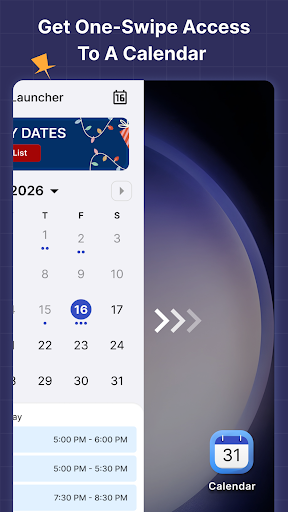
One of the standout benefits of the 2025 Calendar Launcher is its one-swipe access. From your home screen, a quick swipe to the right instantly opens your monthly view, allowing you to see upcoming events at a glance. Additionally, the app features a customizable home screen widget that displays the current time, weather updates, and your scheduled events, all in one convenient location. This widget not only enhances your productivity but also adds a touch of personalization with a variety of themed wallpapers to match your style.
Customizable Wallpapers and Shortcuts for Enhanced Personalization
Make your device truly yours by customizing your background with a broad selection of beautiful themed wallpapers. Whether you prefer vibrant visuals or minimalistic designs, the app lets you personalize your home or lock screen. Moreover, take advantage of the home screen shortcut feature—quickly access your calendar planner anytime with a simple tap, streamlining your daily routine. This level of customization ensures that your scheduling tool fits seamlessly into your personal or professional life.
Multi-Point Search and Smart Event Management
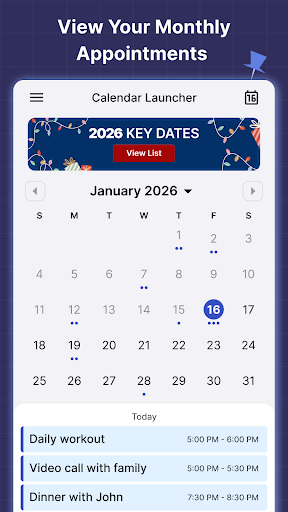
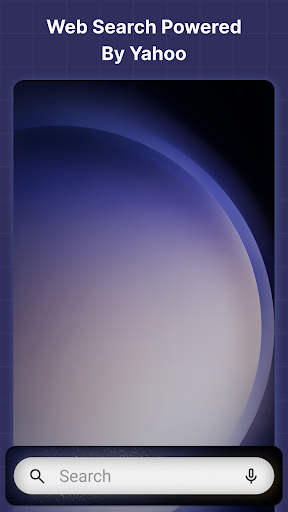
Searching for apps or browsing the web has never been easier with the multi-touchpoint search feature. Quickly find installed applications or look up information online through integrated web search powered by Yahoo, all from multiple access points. When it comes to managing your schedule, the monthly calendar view provides a clear overview of your upcoming events. Easily switch between months, view specific dates, and plan your activities with just a few taps, ensuring you never miss an important moment.
Key Features for Effective Schedule Organization
The 2025 Calendar Launcher boasts a variety of features tailored to streamline your scheduling and reminder management:
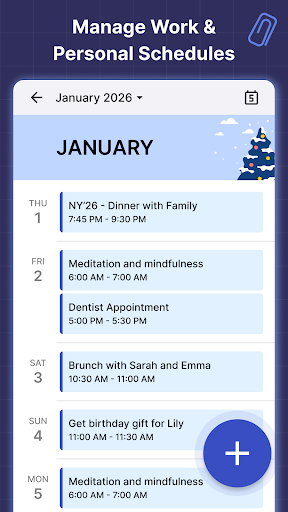
- Event scheduling: Add appointments, deadlines, and social events effortlessly.
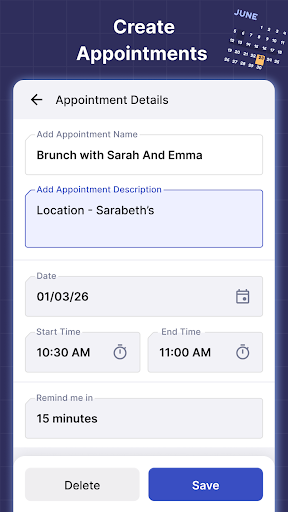
- Reminders: Set alerts for birthdays, anniversaries, business meetings, or personal calls to stay organized.
- Easy schedule management: Switch between months, view specific dates, and get a comprehensive picture of your commitments in one place.
Effortless Event Creation and Custom Reminder Alerts
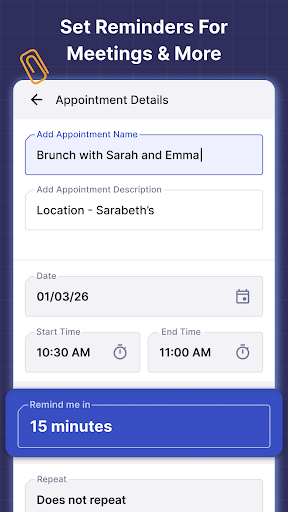
Planning ahead is simple with the 2025 Calendar Launcher. Whether it’s a vital work appointment or a casual brunch with friends, you can quickly add events directly within the app. Moreover, reminders ensure that you receive timely alerts for upcoming events like vacations, birthdays, or business meetings. This proactive approach helps you manage your time better and avoid last-minute surprises, giving you peace of mind throughout your busy days.
Easy Scheduling in a User-Friendly Interface
Designed for simplicity, the Calendar Launcher offers a sleek and intuitive interface that makes navigation effortless. The responsive layout adapts to your needs whether you’re planning your week or checking your upcoming month. The quick add feature allows you to jot down new events without navigating complicated menus—ideal for busy mornings or on-the-go updates. Overall, it’s a reliable tool that makes managing your schedule quick and stress-free.
Download and Customize Your Calendar Today
Take control of your schedule with the 2025 Calendar Launcher. This simple yet powerful app helps you create events, set reminders, and customize your display to match your personal style. With seamless integration and user-friendly features, it’s a must-have for anyone looking to enhance their productivity and stay organized. Download the app from Google Play™ today and see how it can transform your daily routine.
Important Notes and Support
Please be aware that as a launcher app, the home screen layout may change after installation, but don’t worry—your apps are still on your device; they might just be in different locations. You can uninstall the app at any time if you wish to revert to your default launcher. For further details, updates, or to provide feedback, visit our FAQ section. Your support and suggestions help us improve the app to better serve your scheduling needs.
Pros
- User-friendly interface for quick access.
- Seamless integration with existing calendars.
- Customizable widget for the home screen.
- Supports voice input for creating events.
- Consumes low battery power.
Cons
- Limited customization options.
- No offline mode available.
- Occasional synchronization delays.
- Advertisements present in the free version.
- Lacks task management features.











