
Introducing AI Photo Editor - PhotoArt
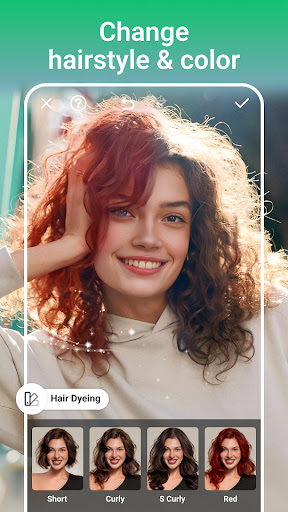
AI Photo Editor - PhotoArt is a comprehensive and innovative AI-powered photo editing application designed for users of all levels. Whether you're a casual photographer or a professional, this all-in-one photo editor offers a rich suite of features that enable you to enhance, retouch, and transform your images effortlessly. Its advanced AI-driven tools are built to meet every editing demand, from simple touch-ups to creative masterpieces, allowing users to craft high-quality, watermark-free art suitable for sharing across social media platforms like Instagram and Facebook. Experience the perfect blend of power and simplicity with PhotoArt and turn your photos into stunning visual stories.
Creative Filters and Effects
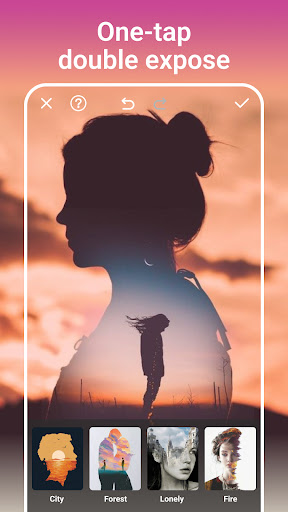
Embrace your unique style with over 100 filters & effects. Explore a broad spectrum of creative options, including textures, lighting effects, and mood settings such as night scenes, vintage styles, black & white, retro, and cinematic filters. For a more artistic touch, choose from 70+ light effects like rainbow, fog, and love, which add depth and atmosphere to your photos. Double Exposure effects allow you to blend images in surprising ways, creating artistic compositions. Additionally, a simple tap can blur backgrounds, emphasizing subjects and producing breathtaking portraits or scene shots with professional finesse.
Powerful & User-Friendly Editing Tools
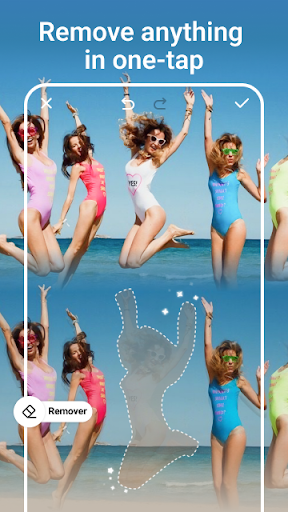
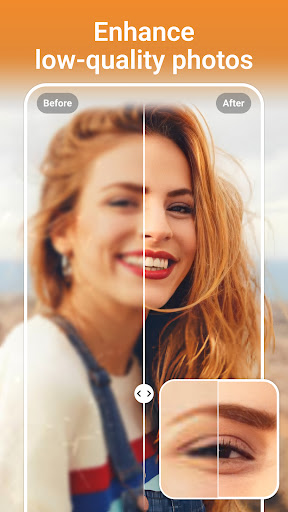
PhotoArt offers intuitive yet sophisticated tools such as color adjustment via HSL, Highlight, and Split Tone features, allowing precise control over hues, brightness, and shadows. The Curve tool helps balance and harmonize colors for vibrant, captivating images. Elevate your editing workflow by boosting resolution, restoring treasured old photos, or removing unwanted elements with an intelligent, one-tap cleanup feature that seamlessly fills gaps, hiding distractions.
Background Removal and Creative Composition
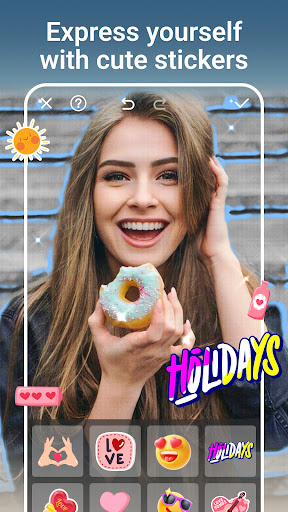
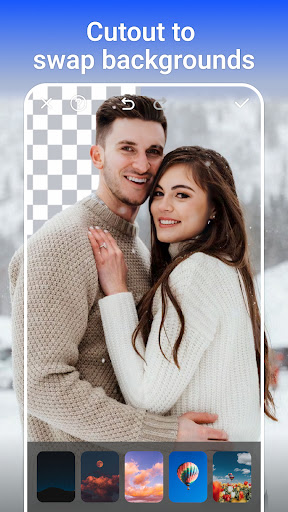
Seamlessly change or remove backgrounds with AI assistance, transforming a portrait into a scene from paradise or a professional setting. Isolating subjects with complex textures becomes effortless, enabling you to personalize your images with customized backgrounds, stickers, and text. Add fun elements like tattoos or accessories to create engaging edits. This feature is perfect for both casual imaging and professional content creation.
Collage Creation and Artistic Storytelling
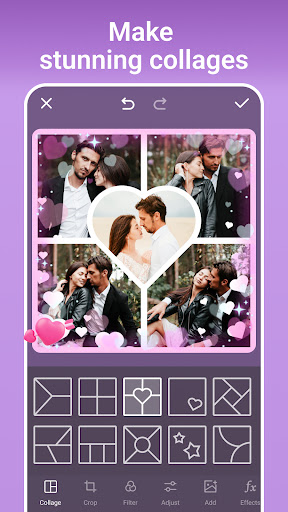
Make your own visual stories with easy-to-create collages. Select favorite snapshots and combine them into appealing layouts, grids, and storytelling compositions. Adjust backgrounds, borders, and overlaps to customize your presentation. Whether for personal memories or social media content, PhotoArt simplifies the process of blending multiple images into a cohesive narrative.
Portrait Enhancement & Special Effects
Effortlessly improve portraits by enhancing natural beauty, fixing imperfections, or trying out trendy filters. Use face reshaping tools to achieve the perfect look or experiment with stylish makeup options. For full-body shots, realistic height adjustments are available, helping you create the ideal pose or figure. The app also enables you to make your portraits stand out with unique effects and enhancements.
Transformative AI Features
Discover the revolutionary AI tools that bring your images to life. The Age Changer allows you to travel through time by aging or rejuvenating faces, while the Sky Replacement feature enables replacing dull skies with vibrant, clear backgrounds for stunning outdoor scenes. The Open Eyes feature ensures your subjects look lively and expressive, eliminating closed or blinking eyes. These innovative tools empower you to refine and reimagine your photos with ease.
Additional Creative Features
Adjust aspect ratios for different social media formats effortlessly. Add playful body effects such as tattoos, cat ears, or glasses. Decorate your images with graffiti or other artistic overlays, expanding your creative possibilities. The app's flexibility makes it suitable for personal projects, content creation, and professional portfolios alike.
Conclusion
PhotoArt stands out as a comprehensive, AI-powered photo editing app that combines ease of use with professional-grade features. Whether you're enhancing portraits, creating captivating collages, or reimagining backgrounds, this app provides all the tools necessary to unleash your imagination. Its intelligent functionalities make complex editing tasks simple, saving you time while delivering high-quality results. If you're ready to elevate your photos effortlessly, download PhotoArt for free today and give your images the attention they deserve!
Pros
- Intuitive interface for simple navigation.
- Large selection of artistic filters available.
- Fast processing and exporting speeds.
- High-resolution outputs improve photo quality.
- Available on both Android and iOS platforms.
Cons
- Limited free features; many require purchase.
- Occasional advertisements can interrupt editing.
- Requires a network connection for full features.
- Does not support batch processing for multiple photos.
- Some features may be confusing for beginners.











