

Manage Your Verizon Business Services with the My Verizon For Business App
The My Verizon For Business app provides business owners with a convenient way to manage their Verizon wireless services directly from their smartphones. Designed with user-friendliness in mind, this app allows you to oversee various aspects of your business mobile accounts, making it easier to stay productive on the go. Whether you need to upgrade devices, track data usage, or review bills, the app offers a comprehensive solution tailored for busy business owners.
Key Features of the My Verizon For Business App
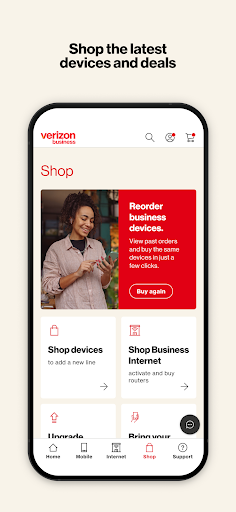
Latest Devices and Accessories
Stay up-to-date with the newest devices and accessories available for your business. The app simplifies the process of browsing product options, making it easy to keep your team equipped with the latest technology.
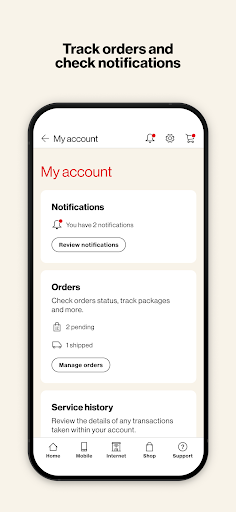
Device Upgrades and Order Tracking
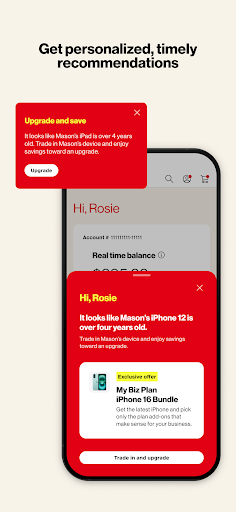
Easily upgrade your devices and monitor your order status from the palm of your hand. The app provides real-time updates, so you’re always informed about your purchase progress and delivery schedule.
Manage Wireless Numbers and Accounts
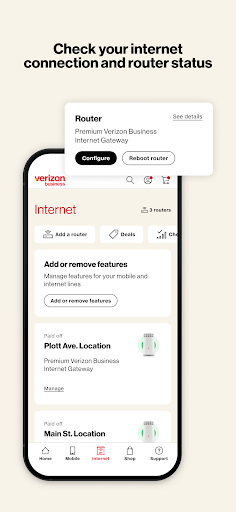
Handle multiple wireless lines seamlessly. The app allows you to view and manage all your business numbers, switch between lines, and adjust settings without hassle.
Monitor Data Usage
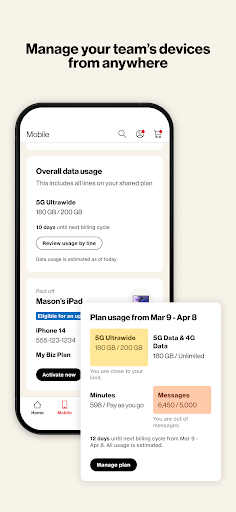
Keep a close eye on your data consumption to avoid surprises on your bill. With instant visibility into your usage, you can make informed decisions to optimize your plan.
Review and Pay Bills
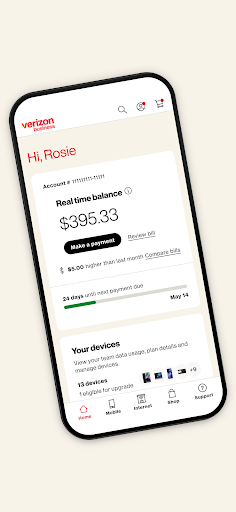
Never miss a billing cycle with quick and secure bill reviews and payments. The app streamlines this process to save you time and effort.
Change Features or Plans
Adjust your wireless features or plans effortlessly. Whether you need more data, additional lines, or plan modifications, the app makes changes straightforward and accessible.
For the complete app Terms and Conditions, visit this link.
Why Business Owners Love My Verizon For Business
If managing your Verizon business services feels overwhelming, the My Verizon For Business app acts like a personal assistant, putting control right at your fingertips. Business owners appreciate the intuitive interface that allows effortless management of devices, plans, and billing. It’s more than just a utility—it's a strategic tool that streamlines daily operations and saves precious time.
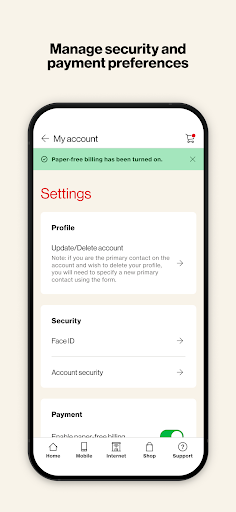
From tracking data usage to managing multiple accounts, this app offers comprehensive features tailored for small business owners and larger enterprises alike. The security features such as secure logins and encryption ensure your sensitive business information remains protected, fostering peace of mind. The consistent reliability of the app guarantees that business functions are not interrupted, supporting smooth operations and enhanced productivity.
Final Thoughts
Overall, the My Verizon For Business app is an essential tool for any business owner aiming to simplify their mobile management. It's designed with your needs in mind, making it effortless to handle everything from device upgrades to billing, all from a single, easy-to-use platform. Plus, its robust security features ensure your company's data stays safe and confidential.
If you're ready to elevate your business’s mobile management experience, download the My Verizon For Business app today. Discover how seamless managing Verizon business services can be and enjoy the convenience of having a comprehensive control center right in your pocket.
Pros
- Easy account management
- Real-time data insights
- Seamless billing process
- User-friendly interface
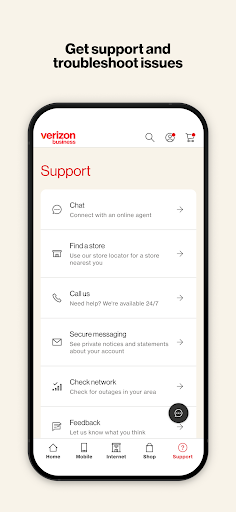
- Strong customer support
Cons
- Limited customization options
- Occasional app crashes
- Requires strong internet connection
- Complex initial setup process
- Limited features for international users











