
Blue Yonder Workforce App: Empowering Modern Workforce Management
The Blue Yonder Workforce app is a cutting-edge mobile solution designed to enhance employee self-service and streamline workforce management. Tailored for organizations seeking to synchronize desktop and mobile experiences, this app offers a comprehensive suite of features that facilitate efficient scheduling, attendance tracking, and personal profile management. With Blue Yonder Workforce, employees can access essential tools anytime and anywhere, promoting autonomy and operational flexibility.
Core Features of Blue Yonder Workforce
Employee Self-Service Capabilities
The app provides a range of ESS functionalities that mirror desktop features, ensuring users can perform crucial tasks seamlessly on their mobile devices. Key features include:
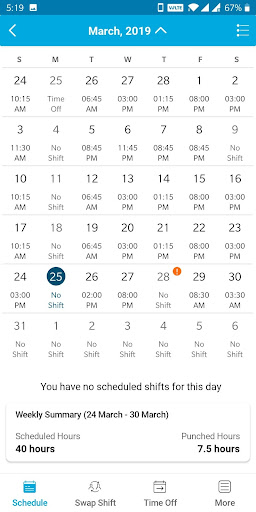
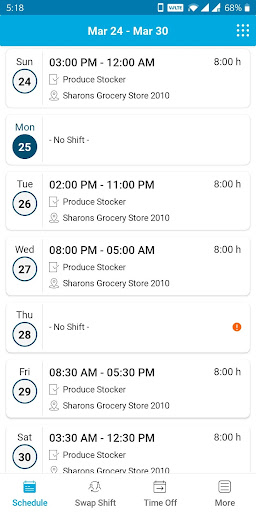
- Schedule: View your upcoming work schedule for better planning.
- Shift Offer: Propose or accept shift offers efficiently.
- Swap Shift: Easily swap shifts with colleagues without the need for lengthy emails or calls.
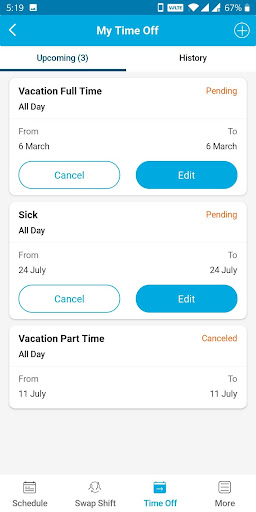
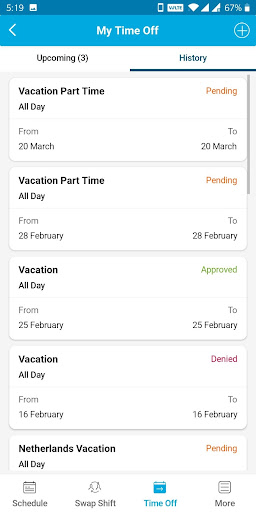
- Time Off: Request leave or time off directly through the app.
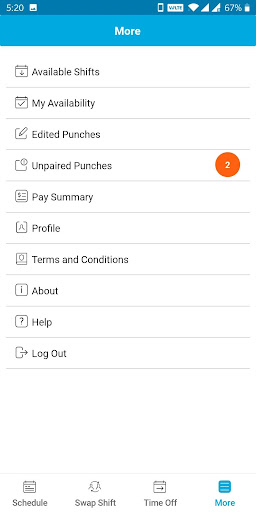
- Available Shifts: Browse open shifts to pick up additional hours.
- My Availability: Manage your availability preferences to facilitate scheduling.
- Edited Punches: Adjust or review punch-in and punch-out times as needed.
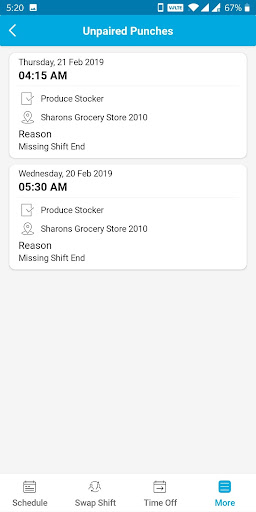
- Unpaired Punches: Monitor unmatched clock-in or clock-out entries for accuracy.
- Pay Summary: Access quick summaries of your earnings and hours worked.
- Profile: Update personal information and employment details.
Note: Usage of Blue Yonder Workforce requires a valid Blue Yonder enterprise license. If users encounter a persistent loading screen, they can resolve this by clearing app data via device settings.
Enhancing User Experience
User Interface and Accessibility
The Blue Yonder Workforce app features a clean, intuitive interface that is user-friendly for employees at all levels. The straightforward navigation and visually appealing layout enable quick access to vital functions, reducing training time and increasing productivity.
Reliability and Performance
Designed for stability, this workforce app delivers smooth performance even with substantial data loads. Users report minimal lag and no crashes, making it a dependable tool for daily operations. Such reliability is essential when managing critical workforce activities in dynamic work environments.
Benefits for Employers and Employees
With Blue Yonder Workforce, organizations can significantly improve communication, scheduling flexibility, and employee engagement. The app's real-time notifications and shift management features enable managers and staff to coordinate effortlessly, reducing administrative overhead. Employees benefit from greater transparency over their schedules, easier shift swaps, and simplified leave requests—transforming traditional workforce management into a streamlined digital experience.
Moreover, the app’s robust functionality supports dynamic scheduling needs, promotes workforce agility, and enhances overall operational efficiency. Whether you’re managing a small team or a large enterprise, Blue Yonder Workforce offers scalable solutions to meet your organizational requirements.
Conclusion
Overall, Blue Yonder Workforce stands out as a powerful mobile application tailored for modern workforce management. Its rich feature set—including shift management, attendance tracking, and profile management—combined with an emphasis on usability and reliability, makes it a valuable tool for organizations aiming to optimize their employee self-service options. If you're seeking a comprehensive, user-friendly mobile workforce solution, Blue Yonder Workforce is well worth exploring.
Pros
- User-friendly interface
- Real-time schedule updates
- Efficient task management
- Seamless shift swapping
- Supports multiple languages
Cons
- Limited offline functionality
- Occasional sync issues
- Complex initial setup
- Requires constant updates
- High data usage











