PA Toll Pay: Simplifying Your Pennsylvania Toll Road Experience
For travelers navigating the numerous toll roads across Pennsylvania, managing toll payments efficiently can significantly enhance your driving experience. PA Toll Pay is a dedicated mobile application designed to offer seamless management of your Pennsylvania Turnpike E-ZPass and Toll By Plate accounts. Whether you're a daily commuter or an occasional road tripper, this app aims to make toll payments straightforward, quick, and hassle-free.
Key Features of PA Toll Pay
View and Manage Accounts
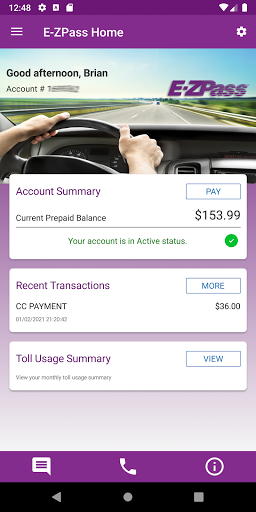
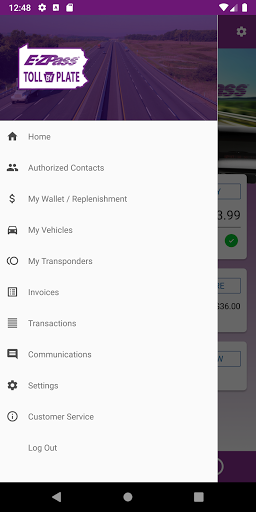
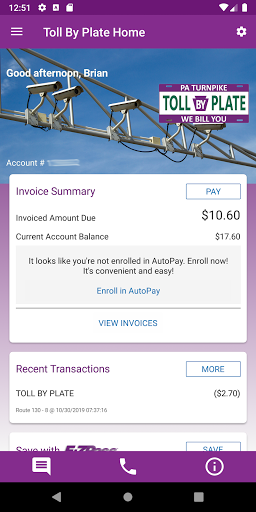
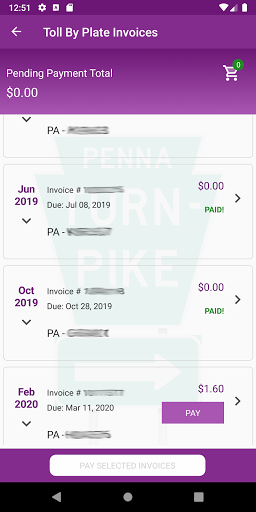
The primary benefit of PA Toll Pay is the ability to view and manage your Pennsylvania Turnpike E-ZPass and Toll By Plate accounts in one centralized platform. The app provides a comprehensive dashboard where users can monitor their trip history, manage multiple vehicles, and oversee their account balance. This flexibility is especially useful for those who own more than one vehicle or travel frequently across the state. Additionally, the app allows you to easily top up your E-ZPass account, ensuring you’re always prepared for toll crossings.
Ease of Setup and User Experience
Getting Started Quickly
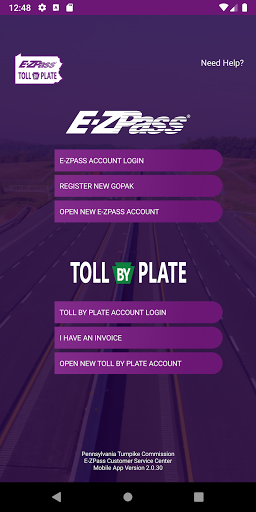
Setting up with PA Toll Pay is straightforward and user-friendly. Downloading from the App Store takes mere minutes, and the initial account setup prompts you to enter essential details such as vehicle information and payment preferences. The app’s intuitive interface guides you seamlessly through each step, making it accessible even for first-time users. This simplicity ensures that you can start managing your toll accounts promptly without navigating complex menus.
On the Road: Enhancing Your Driving Experience
Automatic Toll Payments
One of the standout features of PA Toll Pay is its automatic toll payment capability. As you drive through toll points, the app communicates with the toll system, allowing you to pass through without stopping or fumbling for cash. This contactless process not only saves time but also reduces congestion at toll booths. Plus, the app sends you notifications after each transaction, keeping you informed about your spending on the move.
Real-Time Traffic Updates
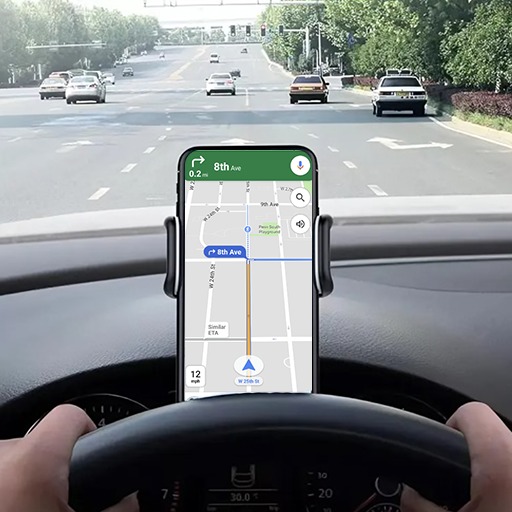
The app also functions as a smart travel companion by providing real-time traffic updates. During peak hours or unexpected delays, PA Toll Pay suggests alternative routes to help you avoid congestion, saving you valuable time and fuel. This feature effectively turns your smartphone into a personalized GPS assistant that cares about your journey’s efficiency.
Managing Your Toll Accounts Effectively
Trip History and Financial Tracking
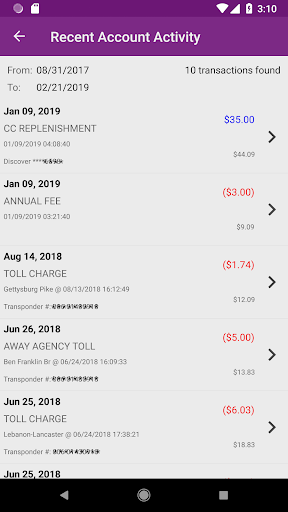
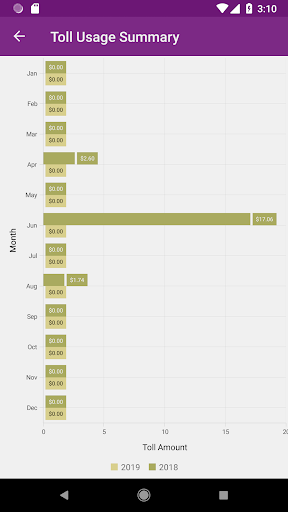
The app’s detailed dashboard records all your toll transactions, offering a transparent view of your expenses. Users can download statements for personal records or expense claims, making financial management more straightforward. Whether you’re tracking toll costs for business or personal reasons, PA Toll Pay provides the tools needed for meticulous account oversight.
Multiple Vehicle Support
If you switch vehicles frequently, no worries — the app allows you to manage multiple vehicles under a single account. This flexibility ensures you’re never caught off guard, and vehicle management remains simple and organized.
Final Thoughts: Is PA Toll Pay Worth It?
For anyone regularly traveling on Pennsylvania toll roads, PA Toll Pay is a game-changer. Its combination of automatic payments, real-time traffic alerts, and comprehensive account management simplifies toll crossing routines dramatically. Whether you’re a daily commuter or an occasional driver, this app ensures your toll experience is as smooth and hassle-free as possible. Embracing this innovative tool can transform your travel experience, making toll payments effortless and efficient. Give PA Toll Pay a try, and discover a smarter way to navigate Pennsylvania’s busy toll roads.
Pros
- Easy toll payment process
- Supports multiple payment methods
- User-friendly interface
- Quick account setup
- Real-time toll notifications
Cons
- Limited to Pennsylvania tolls
- Occasional app crashes
- Requires internet connection
- No dark mode option
- Customer support response time varies