

Introduction to PDF Pro - View PDF
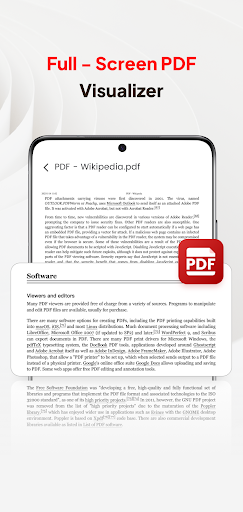
If you're looking for a reliable and user-friendly PDF reader, your search ends with PDF Pro - View PDF. This versatile application is crafted to meet all your PDF management needs, allowing you to easily view, organize, and share your PDF files anytime and anywhere. Whether you're on the move or working from home, PDF Pro - View PDF provides a seamless experience that combines speed, convenience, and a sleek interface.
Main Features that Elevate PDF Pro - View PDF
The app boasts an intuitive design coupled with a host of powerful features that set it apart from standard PDF viewers. Here’s what makes PDF Pro - View PDF a must-have component of your digital toolkit:
- Instant PDF Access: With a single tap, you can open your PDFs without any delays, making document retrieval quick and effortless.
- Complete File Accessibility: All your PDF files are organized neatly in one place, granting you easy access regardless of where they are stored on your device.
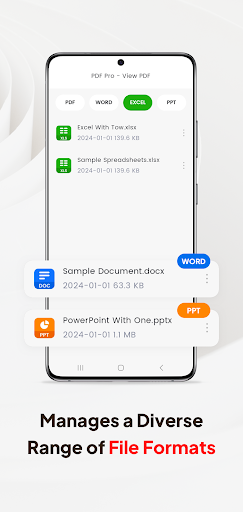
- Multiple Document Compatibility: Beyond PDFs, this app supports various file formats including Doc, PPT, and Excel, streamlining your document management in one application.
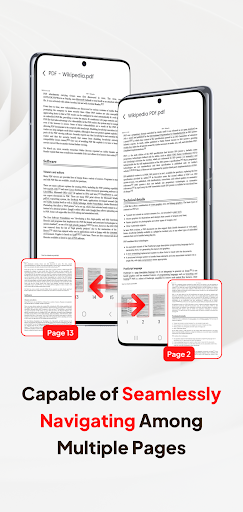
- Smooth Page Navigation: Quickly flip through pages with an intuitive scrolling feature, enhancing your reading experience.
Advanced Document Handling and Sharing Capabilities
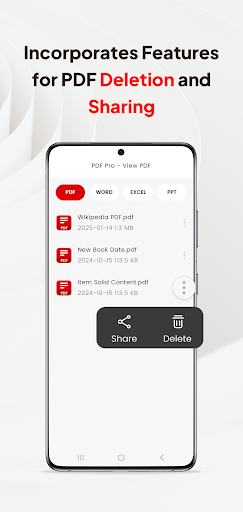
Beyond basic viewing, PDF Pro - View PDF excels in file management and sharing. You can perform tasks such as scanning new documents, organizing your PDF collection, and sharing files directly from the app. The seamless sharing functionality makes it easy to collaborate with colleagues or share personal files without needing additional software.
Powerful File Management and Conversion Tools
This application is equipped with a suite of file management tools that allow you to organize your documents efficiently. You can delete old files, rename, or move PDFs to different folders. Additionally, PDF Pro - View PDF supports converting PDFs into other formats like Word and Excel. This feature is particularly handy when you need to edit or extract data from your documents, all without resorting to third-party converters.
User Experience and Performance
Users praise PDF Pro - View PDF for its minimalist yet functional interface, making navigation straightforward for both tech-savvy users and beginners. The app runs smoothly even with large files, ensuring swift loading times and responsive interactions. Cloud integration with services like Google Drive and Dropbox further enhances convenience, allowing you to access your PDF files from multiple sources seamlessly.
Security and Privacy in PDF Management
Security is a critical consideration, and PDF Pro - View PDF ensures your documents stay private with features such as password protection. Unlike many other apps, it doesn't push intrusive ads or request unnecessary permissions, making it a trustworthy option for managing sensitive information.
Final Thoughts on PDF Pro - View PDF
Overall, PDF Pro - View PDF offers a comprehensive suite of features that cater to both casual users and professionals who need a powerful PDF viewer and file manager. Its combination of ease of use, fast performance, and robust document tools makes it one of the top apps in the PDF reading and document management space. Whether you need to quickly view, annotate, convert, or share PDFs, this app stands out as a reliable and efficient solution for your digital workspace.
Pros
- User-friendly interface
- Supports multiple file formats
- Advanced editing features
- Fast document loading
- Secure file encryption
Cons
- Limited free version features
- Occasional app crashes
- Ads in free version
- Requires internet for full features
- No night mode available










