





Discover the Ultimate Entertainment with iHeartRadio for Google TV
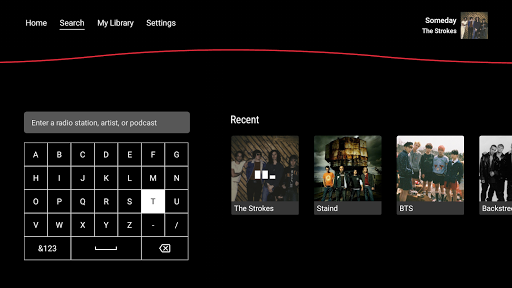
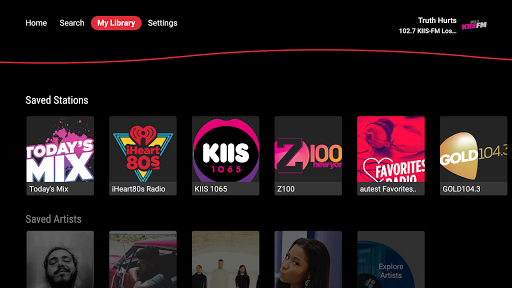
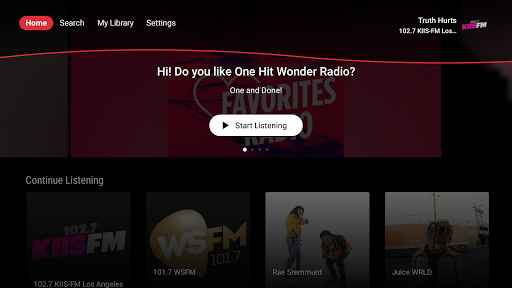
Imagine having your favorite music, radio stations, and podcasts accessible directly on your TV screen. iHeartRadio for Google TV brings a personalized audio experience right into your living room, allowing you to enjoy high-quality content without the need for multiple devices or complicated setups. Designed with a user-friendly interface and deep integration with Google TV, this app transforms your TV into a powerful media hub that caters to all your audio entertainment needs.
Features & Benefits of iHeartRadio for Google TV
Endless Content at Your Fingertips
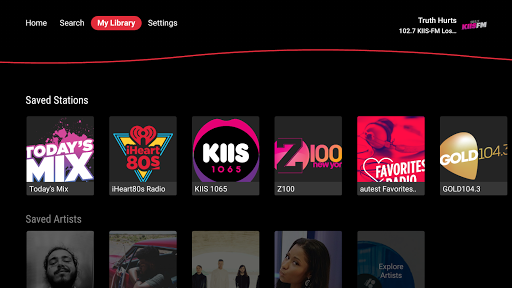
With iHeartRadio for Google TV, you gain access to a vast library of live radio stations, podcasts, and playlists. Whether you're a fan of •live radio:, dedicated podcast enthusiast, or someone looking for curated music playlists, this app covers it all. Discover •local stations: from your area or explore top stations from cities worldwide. The app streams thousands of •live AM and FM radio: stations and popular talk, sports, and comedy shows, giving you a rich, immersive audio experience.
Personalized Listening Experience
One of the standout features is the ability to create personalized •music stations: based on your favorite artists or genres. The app intelligently learns from your listening habits to suggest content tailored specifically to your tastes. You can explore genres like •Pop, •Hip Hop, •Country, •Rock, and many more. Additionally, features like •free playlists: organized by mood, activity, or decade make discovering new music easy and enjoyable.
Seamless Integration with Google TV
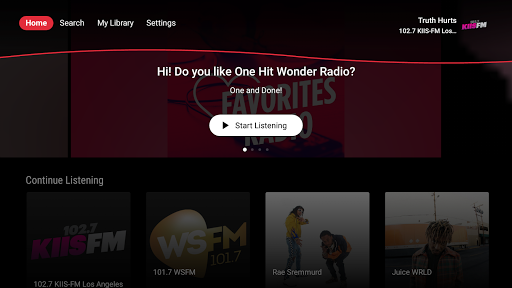
Designed to work smoothly with your Google TV ecosystem, iHeartRadio for Google TV feels like a natural extension of your device. Enjoy effortless navigation and control via your remote or voice commands using •Google Assistant:. Switching stations, playing podcasts, or browsing playlists can all be done with simple voice prompts, enhancing your overall multimedia experience.
Discover New Content & Podcasts
Beyond music and radio, this app excels as a •podcast platform:. Dive into popular shows from creators like NPR, ESPN, Wondery, and many influential personalities. Follow your favorite podcasts, download episodes for offline listening, and stay updated with trending shows. The app's •Top 100 chart: refreshes every Monday, helping you stay current with the latest and most popular content.
Control & Customization Options
Enjoy the freedom to customize your listening with features like •ad-free playlists, on-demand song skipping, and playlist creation. For avid music lovers, upgrading to •iHeartRadio Plus or •All Access provides additional benefits such as offline listening, unlimited skips, and unlimited playlist customization. Start a •30-day free trial and experience a premium level of control over your audio content.
Why Choose iHeartRadio for Google TV?
If you're searching for a comprehensive, free, and easy-to-use •music and podcast app: that integrates seamlessly with your TV, then iHeartRadio for Google TV is an excellent choice. Its broad content library, personalized recommendations, and simple voice controls make it a standout option for entertainment lovers who prefer a one-stop platform for all their audio needs. Whether relaxing at home, working out, or hosting a gathering, this app provides the perfect soundtrack or talkshow to suit any mood.
Pros
- User-friendly interface with easy navigation.
- Wide selection of live radio stations.
- Customizable playlists and favorites.
- High-quality streaming experience.
- Free version available with decent features.
Cons
- Limited offline listening options.
- Ads in the free version can be intrusive.
- Requires stable internet for optimal use.
- Some features are restricted to paid versions.
- Occasional app crashes reported by users.











