



PhotoRescue-Recover Files: The Ultimate Android Data Recovery App
Experiencing the loss of precious photos, videos, or important files on your Android device can be a stressful ordeal. Whether it’s an accidental deletion or data corruption, the fear of permanently losing cherished memories or vital documents is real. Fortunately, PhotoRescue-Recover Files emerges as a reliable solution, offering efficient recovery options for various types of deleted data. Designed with user-friendliness and versatility in mind, this app empowers users to restore a wide array of files, including images, videos, documents, and more, ensuring your important digital assets are never truly gone.
Key Features of PhotoRescue-Recover Files
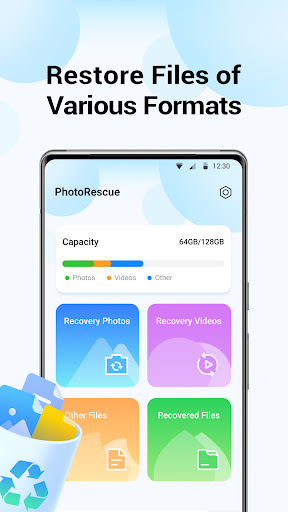
• Photo Recovery:
If you’ve accidentally deleted your favorite photos, PhotoRescue makes it easy to bring them back. The app performs comprehensive scans of your device, quickly identifying and recovering lost images. Whether it’s a candid shot from your latest trip or a treasured family photo, this tool helps you revive those moments effortlessly.
• Video Recovery:
Videos are often difficult to replace, especially if they contain irreplaceable memories or vital information. PhotoRescue specializes in video recovery, allowing you to restore deleted videos without hassle. Its efficient scanning process ensures even the most elusive video files are recoverable, giving you peace of mind that your videos are safe.
• File Recovery:
Beyond photos and videos, the app supports recovering various files such as documents, PDFs, and other data formats. Whether you accidentally deleted an important report or a creative project, PhotoRescue provides a versatile solution that covers multiple file types, making it a comprehensive tool for digital data recovery.
How It Works: Your Digital Rescue Mission
Have you ever felt that sinking feeling when an important file disappears from your device? PhotoRescue-Recover Files acts like a digital hero in such moments. Once installed, the app features an intuitive interface that makes file recovery straightforward—even for users with minimal technical skills.
After launching the app, it immediately begins scanning your device for deleted files. It supports a broad range of file formats, ensuring maximum versatility. You can choose a quick scan to find files deleted recently or opt for a deep scan to search for files long gone. During my experience, I was amazed to find files I had deleted months ago reappearing as if summoned from the past, demonstrating the app’s impressive effectiveness.
User Experience and Interface
In the world of data recovery, a complicated user interface can be frustrating, especially during stressful moments. PhotoRescue excels with its simple, clean layout designed for ease of use. Clear options guide you through each step, making the recovery process feel manageable and even reassuring.
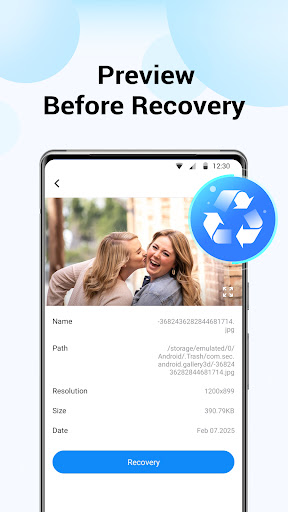
One standout feature is the preview function. Before restoring a file, you can preview its contents to confirm it’s the right one—saving time and frustration. This is particularly handy when recovering similar photos or documents, ensuring you get exactly what you need without guesswork.
Performance and Reliability
The app runs smoothly without noticeable lag, maintaining quick responsiveness throughout the recovery process. It’s lightweight, so it doesn’t strain your device’s resources, making it suitable for both low-end and high-end Android phones. PhotoRescue-Recover Files is dependable, providing consistent results and peace of mind that your data is in safe hands.
While the app requires access to your device storage—a standard feature for data recovery tools—it prioritizes your privacy and security. As with any recovery app, granting access is necessary for its functionality, but it’s advisable to review permissions carefully.
Final Thoughts: Why Choose PhotoRescue-Recover Files
If you’re someone who frequently worries about losing important files or just wants a safety net for accidental deletions, PhotoRescue-Recover Files is an excellent addition to your Android toolkit. Its ability to recover photos, videos, and a variety of other file types quickly and reliably makes it a top choice in the realm of Android data recovery applications.
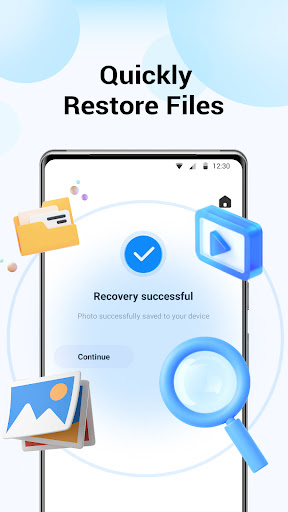
Next time you delete that adorable pet photo, crucial document, or memorable video—don’t panic. Just launch PhotoRescue, let it do its magic, and restore your files in moments. Having a powerful file recovery app like this is always smart, giving you confidence that your important data is just a few taps away from being recovered. Give it a try, and experience the peace of mind that comes with knowing your data is always protected and recoverable.
Pros
- User-friendly interface enabling quick navigation.
- Supports a broad spectrum of file formats.
- Fast recovery process that saves time.
- High success rate in data recovery.
- Includes a preview feature prior to recovery.
Cons
- Limited features available in the free version.
- Lacks real-time customer support.
- May consume significant device resources.
- Requires internet connection for full features.
- Occasional bugs on older device models.











