
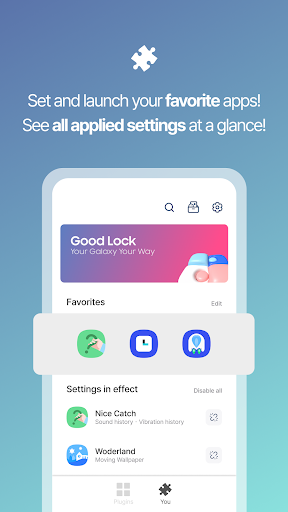
Introduction to Good Lock
Are you a Samsung smartphone user looking to enhance your device's usability and personalization? Look no further than Good Lock, an innovative app designed specifically for Samsung Galaxy devices. This powerful customization toolkit empowers users to tailor their smartphones to their preferences, transforming the standard Android experience into a unique and personalized environment.
Features and Capabilities of Good Lock
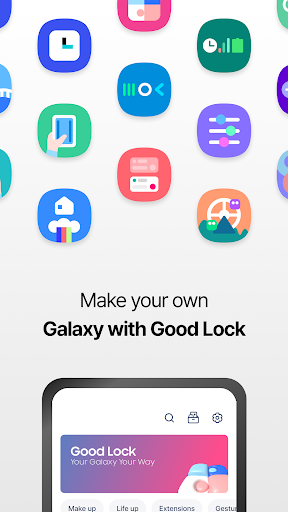
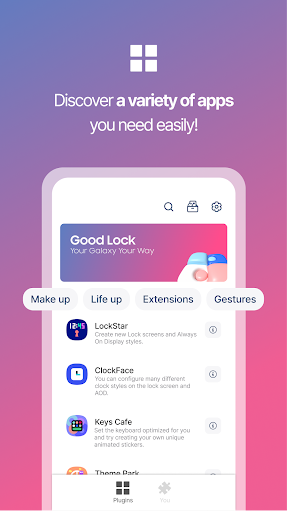
Good Lock offers a comprehensive suite of modules and plugins that enable deep customization of your device's interface and functionalities. From modifying the lock screen to reorganizing navigation buttons, the app provides tools that help you craft a smartphone experience that suits your lifestyle and aesthetic preferences.
One of its core strengths lies in the ability to customize key UI components such as the Status Bar, Quick Panel, Lock Screen, and Keyboard. Additionally, features like Multi Window, audio controls, and routines can be accessed more conveniently. Whether you're a multitasking enthusiast or someone who values aesthetic tweaks, Good Lock has something to offer.
Popular Plugins and Their Uses
LockStar
This plugin allows you to create new lock screen and Always-On-Display (AOD) styles. You can rearrange the placement of the clock, add custom shortcuts, and modify notification displays—making your lock screen a true reflection of your personality.
ClockFace
With ClockFace, you can select from a variety of clock styles for both the lock screen and AOD. From digital to analog designs, this plugin offers numerous customization options to match your style or mood.
NavStar
Organize navigation bar buttons and swipe gestures conveniently. This improves navigation efficiency, allowing you to assign custom functions to buttons or change the way you access essential features with gestures.
Home Up
An enhancement for the One UI Home experience, Home Up offers more flexible customization of your home screen layout, app drawer, and overall navigation experience.
QuickStar
This plugin simplifies the top bar and Quick Panel, enabling you to organize these areas with a design that fits your workflow and aesthetic preferences.
Wonderland
For those who love dynamic backgrounds, Wonderland creates moving wallpapers that respond to the motion of your device, adding a lively touch to your interface.
Why Choose Good Lock?
If you enjoy customizing your device beyond the standard settings, Good Lock is an essential app. It transforms your Samsung Galaxy into a personalized powerhouse, allowing you to modify almost every aspect of your user experience. Whether it’s creating custom lock screens, organizing your navigation bar, or designing unique themes, Good Lock provides the tools to make your smartphone truly yours.
Moreover, the app supports multiple languages including Korean, English, Chinese, and Japanese, making it accessible to a diverse user base. However, please note that Good Lock is compatible primarily with Android versions Oreo and Pie on supported Samsung devices, so some device limitations may apply.
Conclusion
In summary, Good Lock is a game-changing app for Samsung Galaxy users who want to customize and optimize their smartphones. Its extensive suite of modules and plugins provides unparalleled control over the device’s interface, allowing you to craft a user experience that is as unique as you are. If you're ready to break free from stock settings and turn your Galaxy device into a personalized masterpiece, installing Good Lock and exploring its features is highly recommended. Unlock the full potential of your Samsung smartphone today!
Pros
- Highly customizable interface options.
- Enhances overall system performance.
- Improves multitasking capabilities.
- Offers unique lock screen features.
- Regular updates with new features.
Cons
- Limited to Samsung devices only.
- Can be complex for beginners.
- Some features are region-locked.
- Consumes additional battery life.
- Occasional compatibility issues.











