

Discover the Powerful Castly App for Roku, Chromecast, and DLNA Streaming
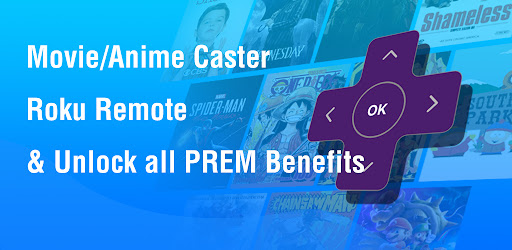
When it comes to seamlessly streaming your favorite videos, photos, and music from your mobile device to your smart TV or other compatible devices, Castly - Roku, Chromecast, DLNA stands out as an exceptional application. Designed for cord-cutters and streaming enthusiasts, this versatile app simplifies the process of enjoying media on the big screen with just a few taps. Whether you own a Roku, Chromecast, or a DLNA-compatible smart TV, Castly offers a reliable and user-friendly solution to elevate your viewing experience.
Key Features of Castly - Roku, Chromecast, DLNA
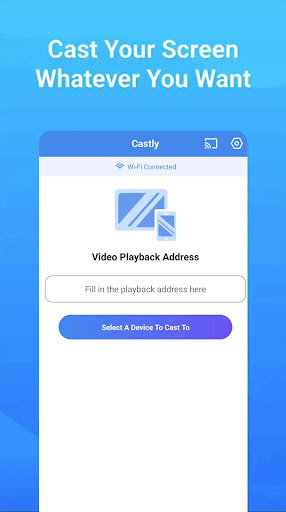
The main strength of Castly resides in its ability to cast videos, photos, and music from your phone directly onto your smart TV or streaming device. The app supports multiple content types, making it a one-stop solution for all your media needs. Additionally, it allows users to cast web videos or IPTV streams found online, transforming your device into a powerful multimedia hub.
Effortless Compatibility and Setup
One of the standout features of Castly is its broad compatibility. It works seamlessly with Roku TVs, Chromecast dongles, and DLNA-enabled smart TVs. Setting up the app is straightforward: simply download and install it, then sync it with your preferred streaming device. No complicated configurations are necessary—just a quick pairing, and you're ready to cast your favorite content. Moreover, the app supports a wide range of media formats, ensuring that whether you're sharing videos, photos, or music, everything functions flawlessly.
Intuitive User Interface for Easy Navigation
Castly boasts a sleek, user-friendly interface designed for ease of use. Browsing your media library is intuitive, allowing quick access to your files. The built-in web browser feature enables streaming content directly from websites, expanding the app's capabilities beyond local media. The connection stability is impressive, with minimal lag or interruptions, providing a smooth streaming experience. This reliability ensures that your favorite shows and movies won’t cut out mid-viewing.
Enhanced Control and Customization Options
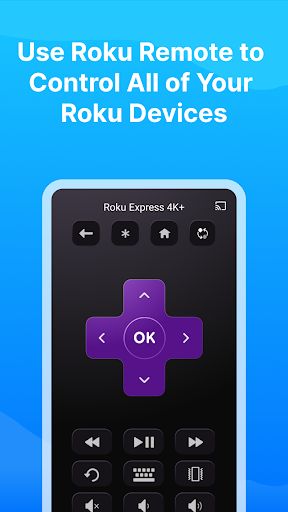
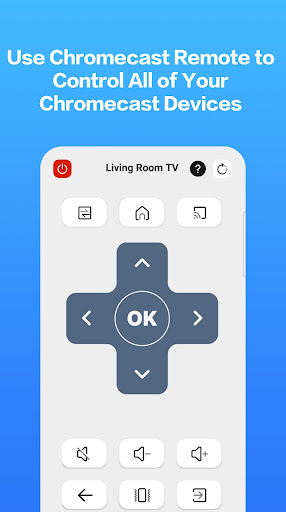
The app offers comprehensive playback controls right from your mobile device. You can pause, play, skip, or adjust volume with ease, eliminating the need to reach for your remote. For a better viewing experience, Castly lets users modify video quality settings based on their internet speed, optimizing performance for smoother streaming. Additionally, subtitle support and multiple audio track options are included, allowing for a personalized and accessible media experience.
Reliable Troubleshooting Tips for Optimal Streaming
To ensure uninterrupted casting, make sure your Wi-Fi connection is stable and on the same network as your streaming device. A strong internet connection is essential, especially when streaming online movies or IPTV streams. If you encounter connection issues, restarting your casting receiver or phone often resolves the problem quickly. These simple troubleshooting steps help maintain a seamless media streaming experience with Castly.
Why Choose Castly for Streaming?
In summary, Castly - Roku, Chromecast, DLNA is a versatile, easy-to-use app that enhances your media streaming setup. Its broad compatibility ensures that you’re not limited to a single device, while the intuitive interface and comprehensive controls make content casting effortless. If you want a reliable, feature-rich app to cast videos, photos, music, and web content from your mobile device to your TV, Castly is undoubtedly a top choice. Transform your viewing experience today with this powerful media streaming solution that combines ease of use with stellar performance.
Pros
- Smooth streaming across multiple devices.
- Compatible with a variety of media formats.
- Intuitive interface for straightforward navigation.
- Quick setup with minimal configuration required.
- Stable connection with minimal buffering.
Cons
- Limited features in the free version.
- Occasional disconnections.
- Advertisements can be disruptive at times.
- Requires a consistent internet connection.
- Some premium features are expensive.











