Disney Cruise Line Navigator App: Your Ultimate Cruise Companion
The Disney Cruise Line Navigator app is a must-have tool that enhances your Disney cruise experience from start to finish. Whether you're planning your trip from home or enjoying the voyage on board, this app offers a range of features that make every aspect of your adventure seamless, fun, and truly magical. With its user-friendly interface and comprehensive functionality, the Disney Cruise Line Navigator app truly transforms your cruise into a hassle-free journey filled with Disney magic.
Features of the Disney Cruise Line Navigator App
Plan Your Cruise Before You Depart
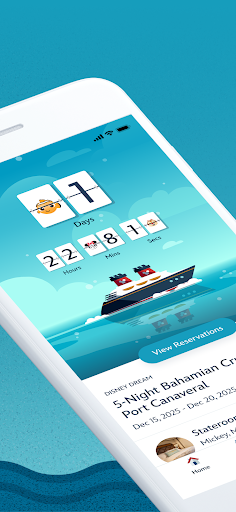
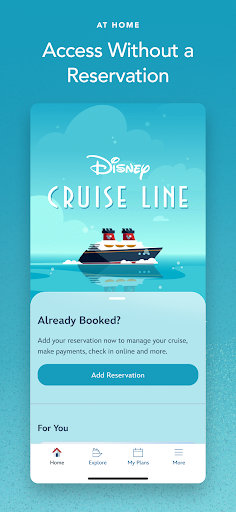
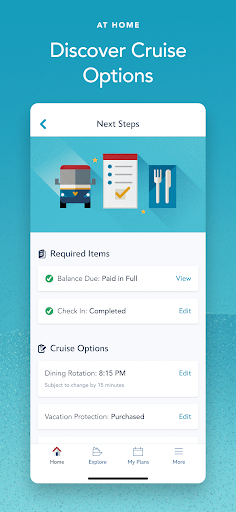
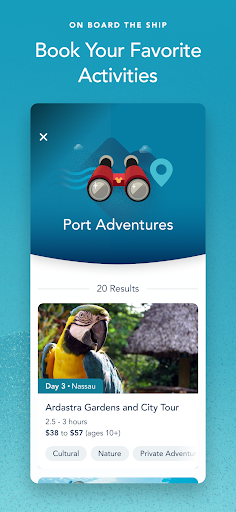
Get ready for your Disney voyage by using the app at home. Retrieve your reservation details to review everything from required documents to payment confirmations. Fill out your My Online Check-In forms, which include important travel documents and youth club registrations for your little ones. You can also explore onboard activities, entertainment options, and book your favorite activities—such as Port Adventures, Adult Dining, Onboard Fun, Spa & Fitness, or Nursery. Additionally, manage your dinner Seating assignments and add or modify your Protection Plan and Ground Transportation. This comprehensive planning feature ensures you're prepared before setting sail, making your vacation effortless and enjoyable.
Onboard Experience: Explore and Enjoy
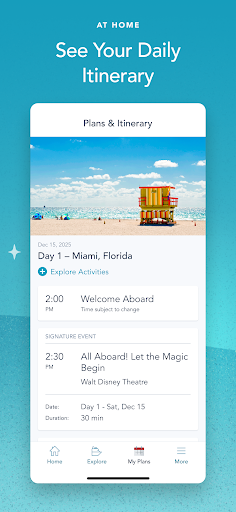
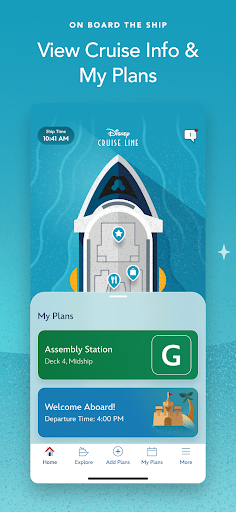
Once onboard, the Disney Cruise Line Navigator app becomes your personal guide to everything happening on the ship. View detailed Deck Plans to navigate your way from bow to stern and find all your favorite locations. Keep an eye on your Itinerary to stay informed about port calls, at-sea days, and daily activities. Browse menus—kids’ menus included—and access your dining schedule easily, ensuring you're always ready for mealtime. The app also showcases live entertainment options, shows, and special events, helping you plan your day with ease.
Save your preferred activities in a personalized list and review booked activities, including Port Adventures, Adult Dining, or Spa & Fitness. Don’t forget to look out for Disney Characters roaming the ship—they’re everywhere and ready to make your trip even more magical. If you need assistance, the app provides access to the new Help Center for support on the go.
Stay Connected During Your Cruise
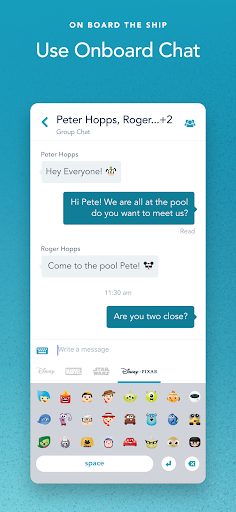
One of the standout features of the Disney Cruise Line Navigator app is Onboard Chat. This allows you to stay connected with family, friends, and fellow shipmates without using cellular data. Engage in one-on-one conversations or group chats using fun Disney emoticons to express yourself. This feature is perfect for coordinating meet-ups or sharing special moments—just remember that Onboard Chat requires your full name, stateroom number, and birthdate for security purposes. Children should always ask permission before using chat, and parents can control access through permissions settings.
Using the App: Tips and Important Information
Getting Started
To enjoy the full potential of the Disney Cruise Line Navigator app, simply download it before your trip. Once on board, connect to the ship’s complimentary Wi-Fi network and start exploring. The app is designed to be intuitive and easy to use, providing the convenience of planning and navigating your cruise directly from your device. Be sure to familiarize yourself with the privacy policies and terms of use, which are easily accessible within the app, to understand how your data is protected during your journey.
Additional Features and Support
Beyond planning and navigation, the Disney Cruise Line Navigator app offers ongoing updates about special offers, new experiences, and onboard promotions. Use the app to find Disney Characters across the ship, participate in special activities, and stay informed about everything Disney has to offer on your cruise. For assistance, visit the Help Center through the app for quick support and guidance, making your Disney cruise experience even more immersive and stress-free.
Conclusion: Why Download the Disney Cruise Line Navigator App?
If you're planning a Disney cruise, downloading the Disney Cruise Line Navigator app is an essential step toward a magical and well-organized vacation. Its extensive features—from pre-cruise planning to real-time updates onboard—make your journey smooth, fun, and truly enchanting. Whether you're a first-time cruiser or a seasoned Disney fan, this app is your personal digital assistant that brings the magic to your fingertips. Download it today and embark on your next Disney adventure with confidence and convenience!
Pros
- User-friendly interface for easy navigation
- Provides live updates on ship activities
- Wide range of dining and entertainment options
- Personalized travel itineraries and reminders
- Free onboard Wi-Fi accessible through the app
Cons
- Limited features when offline without Wi-Fi
- App may become slow during busy periods
- Sometimes encounters glitches in reservation system
- Few options to customize alerts
- Needs regular updates to include new features