
FillUp - Gas Mileage Log: Your Ultimate Fuel Economy Tracker
Are you tired of losing track of your vehicle's fuel efficiency and spending more than necessary on gas? FillUp - Gas Mileage Log is a user-friendly and efficient application designed to help you easily calculate and monitor your car's gas mileage. Whether you're a casual driver or a fuel economy enthusiast, this app makes tracking your fuel consumption straightforward and insightful, helping you optimize your vehicle's performance and save money.
Key Features of FillUp
This app offers a suite of powerful features tailored to provide a comprehensive overview of your vehicle's fuel economy:
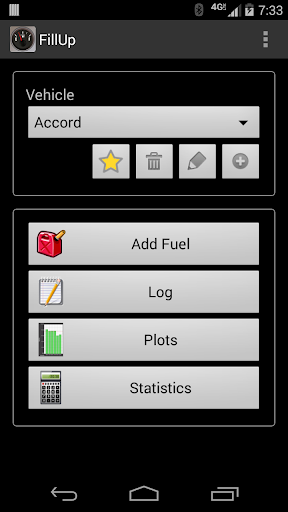
- • Manage data for multiple vehicles, ideal for owners of more than one car or fleet managers.
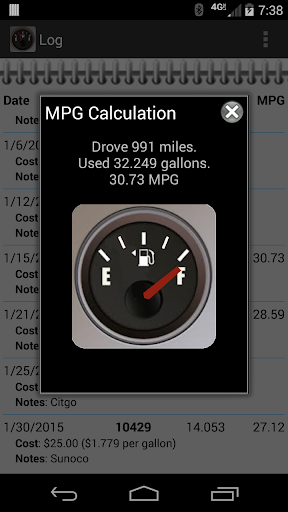
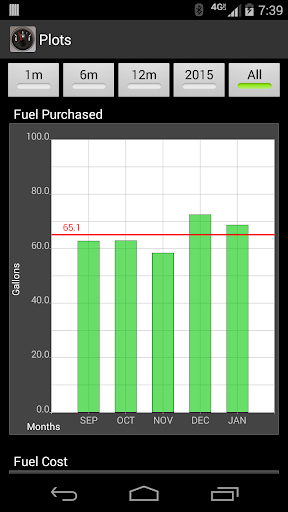
- • Calculate and plot average gas mileage to visualize your vehicle's fuel efficiency trends over time.
- • Monthly totals display total gas purchased and distance driven, giving a clear snapshot of your monthly fuel expenses and usage.
- • Data storage on your device ensures privacy as all information remains local without using your data plan.
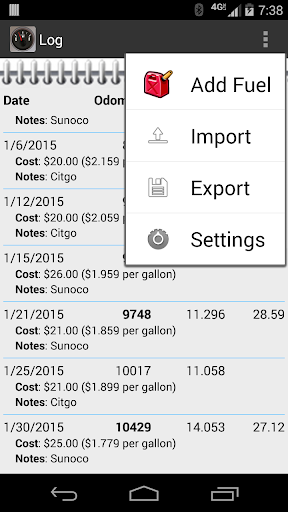
- • Import/export fuel records via CSV files stored on your SD card for easy backup and transfer.
- • Share data through CSV files with cloud services like Dropbox or email, facilitating seamless backups and data management.
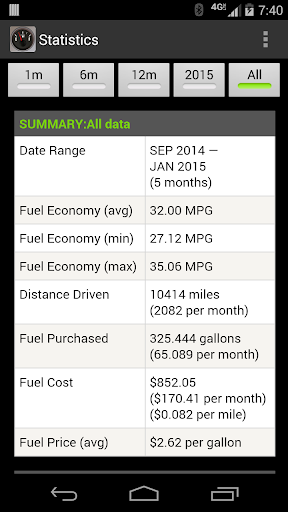
- • Generate HTML reports of your statistics for easy sharing or personal review.
- • Free and open source—enjoy the app without ads or restrictions.
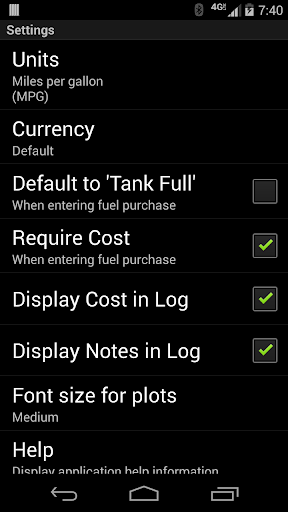
- • Customizable units of measurement to suit your preferences, including:
- • miles per gallon (MPG)
- • kilometers per liter (KM/L)
- • liters per 100 kilometers (L/100KM)
- • miles per imperial gallon (UK MPG) (from miles and liters)
- • miles per imperial gallon (UK MPG) (from kilometers and liters)
- • kilometers per gallon (KPG)
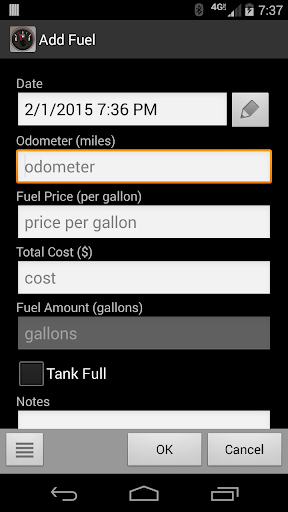
- • Flexible data entry modes: you can enter fuel purchase data in various ways, and the app will calculate missing values:
- Enter Total Cost and Fuel Amount, then calculate Fuel Price
- Enter Fuel Price and Total Cost, then calculate Fuel Amount
- Enter Fuel Price and Fuel Amount, then calculate Total Cost
Ease of Use and Personal Experience
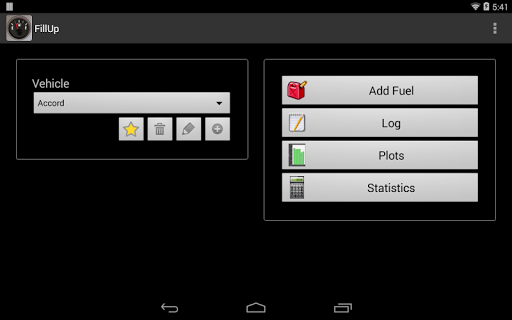
Getting started with FillUp is simple and quick. Once you open the app, setting up your vehicle details takes just a few moments. The clean, minimalistic interface ensures you’re not overwhelmed by unnecessary features, making it perfect for those who prefer a straightforward experience. Logging your fuel purchases is equally effortless—just enter the amount of fuel, the price, and your current odometer reading.
The app then automatically calculates your gas mileage and provides insightful charts and statistics. These visualizations help identify patterns and anomalies, such as periods when your car consumes more fuel than usual. The historical data reflect your driving habits over time, motivating better driving behavior and efficient fuel usage. Plus, tracking your expenses becomes fun and engaging, turning the mundane task of record-keeping into an insightful activity.
Additional Benefits and Customization
Beyond basic tracking, FillUp includes several thoughtful extras:
- • Multiple vehicle tracking — manage data for more than one car with ease.
- • Data backup — export and import your records using CSV files, safeguarding your data and enabling easy transfer between devices.
- • Data sharing — share your fuel statistics as HTML reports or CSV files with apps like Dropbox, email, or cloud storage.
- • Customizable preferences— tweak units of measurement and currency settings to match your needs, creating a personalized experience.
Final Thoughts
If you're looking for a reliable, easy-to-use gas mileage tracker that keeps your data safe and provides meaningful insights, FillUp is an excellent choice. Its straightforward approach, combined with powerful features like data import/export and flexible measurement units, makes it ideal for everyday drivers, professional fleet managers, or anyone eager to understand their vehicle's fuel economy better. Best of all, it's entirely free and open source, ensuring accessibility for everyone.
By regularly logging your fuel data, you'll gain a clearer understanding of your driving efficiency and discover opportunities to save money and reduce your carbon footprint. So, give FillUp a try and turn fuel monitoring into an engaging and rewarding experience. Happy tracking!
Pros
- User-friendly interface for easy navigation.
- Tracks fuel economy with detailed statistics.
- Supports multiple vehicles for family use.
- Syncs data across devices seamlessly.
- Customizable fuel types and units.
Cons
- Lacks integration with GPS for auto-fill.
- No cloud backup for data security.
- Limited export options for reports.
- Ads in free version can be intrusive.
- No reminders for maintenance schedules.











