

Discover the Ultimate Photography Experience with FotoCam: HD Camera
Are you eager to unlock your creative potential and elevate your photography and videography skills? FotoCam: HD Camera is your perfect companion, transforming your mobile device into a powerful tool capable of capturing stunning high-definition images and videos. Designed with both amateurs and enthusiasts in mind, this app offers a suite of advanced features wrapped in an intuitive interface to ensure every shot you take is flawless and memorable.
Advanced Camera Control for Professional Results
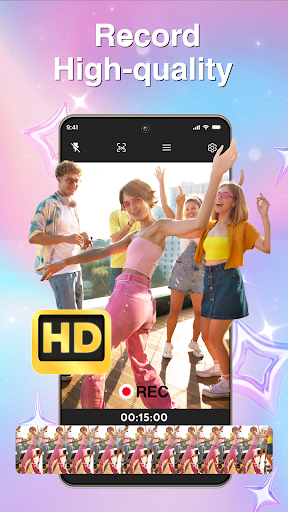
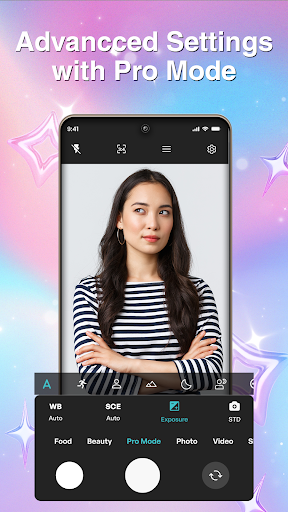
With FotoCam: HD Camera, you gain complete control over your photography experience. The app provides manual focus capabilities, allowing you to achieve sharp, crisp images tailored to your artistic vision. Whether capturing quick moments or recording extended video sessions, you can easily snap photos or record continuous videos, ensuring flexibility to suit any situation. Switching seamlessly between the front and rear cameras lets you capture selfies with clarity or take expressive shots of your surroundings. Enhanced image processing algorithms work behind the scenes to produce clearer photos, while precise zoom controls enable you to zero in on the smallest details for perfect framing.
Powerful Features to Elevate Your Creativity
Key features of FotoCam make it stand out among other camera apps:
- HD Camera: Capture your precious moments in stunning high definition, ensuring every detail is vivid and sharp.
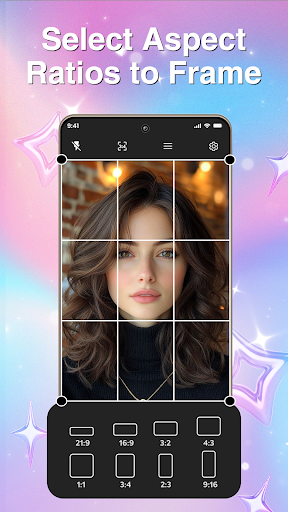
- Photo Ratio: Frame your shots perfectly with multiple aspect ratio options, whether for social media, prints, or personal collections.
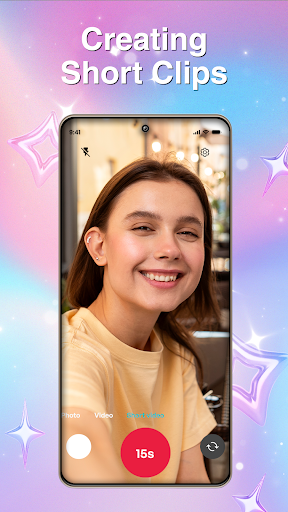
- Video Recording & Short Clips: Record long videos or create engaging short clips effortlessly, ideal for social media sharing.
- Pro Mode Adjustments: Take full control with settings like ISO, exposure, and focus, catering to those who want to fine-tune each shot.
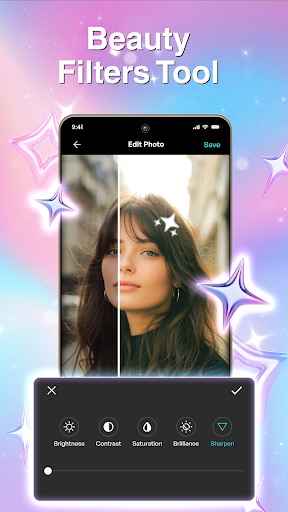
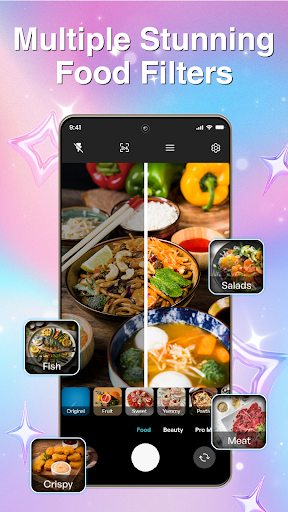
- Beauty & Food Filters: Enhance portraits and culinary shots with specially designed filters, making your photos more appealing and appetizing.
- Gallery: Organize and view all your captured moments in a streamlined gallery, making it easy to find and share your favorite photos and videos.
Why Photographers and Content Creators Choose FotoCam
The app’s improved quality output, combined with its user-friendly interface, makes it an ideal choice for anyone passionate about photography. Whether you want to express your creative style with diverse filters and professional settings or boost your social media engagement through short videos and creative effects, FotoCam delivers. Its efficient organization tools ensure your content stays accessible, helping you showcase your work without hassle.
Outstanding User Experience for Every Photographer
From the moment you open FotoCam: HD Camera, the sleek and intuitive interface welcomes you. It’s designed to be approachable for beginners yet robust enough for seasoned pros. The app speeds up your workflow with quick loading times and easy controls, so you won’t miss capturing fleeting moments. Built-in editing tools allow you to enhance your images right within the app—cropping, rotating, adjusting brightness, and contrast—giving you a complete photography solution in your pocket.
Final Thoughts: Your Pocket-Sized Professional Camera
In a digital age where capturing and sharing moments is second nature, FotoCam: HD Camera stands out as a dependable and feature-rich companion. Its combination of advanced controls, creative filters, and user-centric design makes it an essential app for both casual users and serious photographers. Whether you're documenting your adventures, food, or special events, this app ensures your photos and videos are always professional-grade. Download FotoCam: HD Camera now and start capturing your world with clarity and creativity like never before!
Pros
- High-resolution photo capture
- User-friendly interface
- Multiple shooting modes
- Fast shutter speed
- Customizable settings
Cons
- Limited free features
- In-app ads
- Requires significant storage
- Occasional crashes
- No RAW format support











