Introduction to Geotab Drive
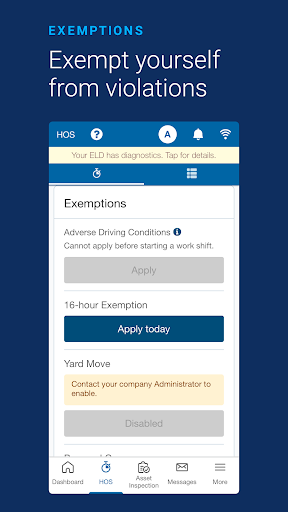
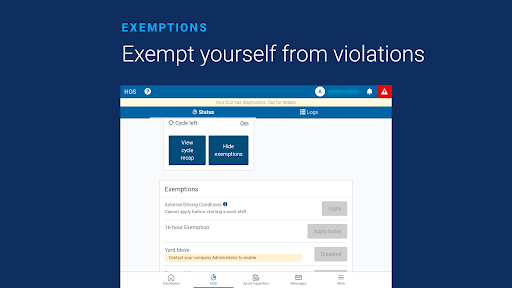
Discover Geotab Drive, an all-in-one driver compliance solution designed to streamline ELD compliance, facilitate asset inspection, enabling driver identification, and more. This innovative mobile app seamlessly integrates with the Geotab GO telematics device to help fleet managers meet regulatory requirements, enhance fleet productivity, and ensure driver safety. Whether you're managing a small fleet or a large operation, Geotab Drive offers a comprehensive platform to keep your fleet compliant and protected.
Key Features of Geotab Drive
Core Capabilities
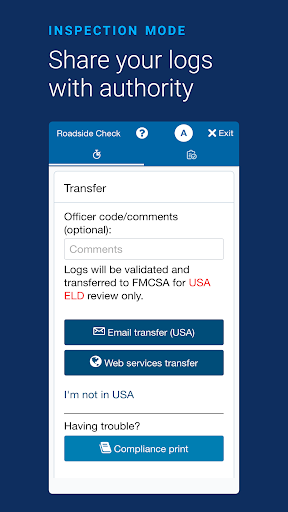
- FMCSA compliance — Meets Federal Motor Carrier Safety Administration standards
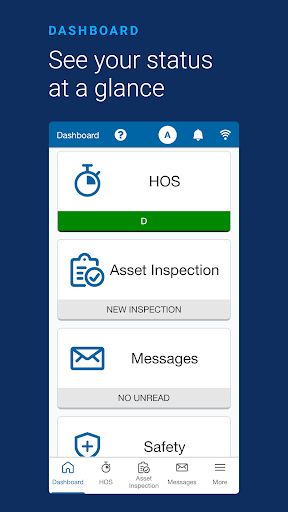
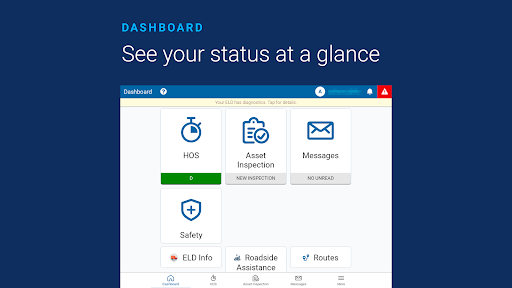
- User-friendly dashboard — Intuitive interface for easy navigation
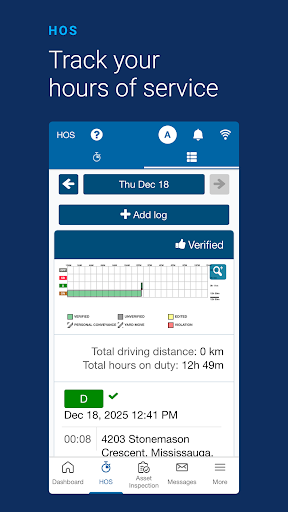
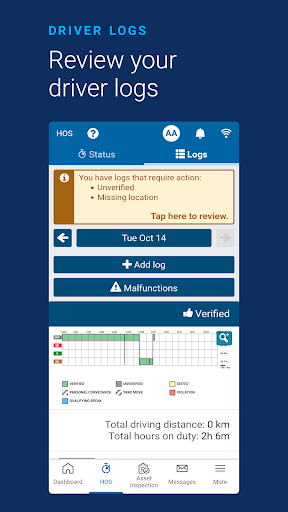
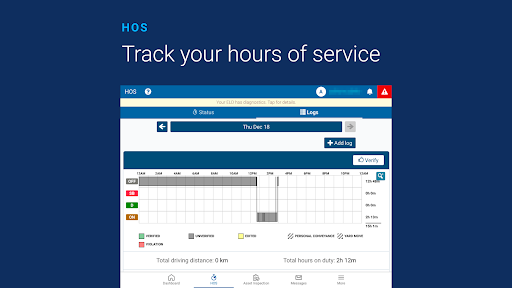
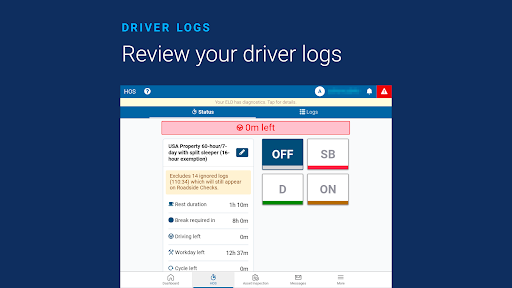
- Hours of Service reporting — Simplifies tracking driver hours to stay compliant
- Automatic duty status changes — Streamlines work/rest cycle reporting
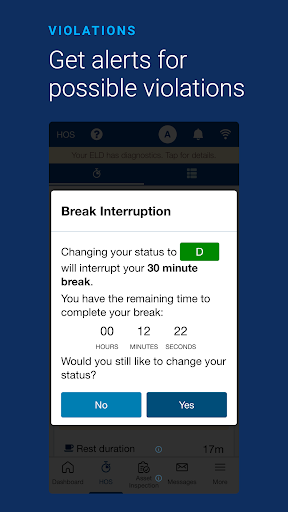
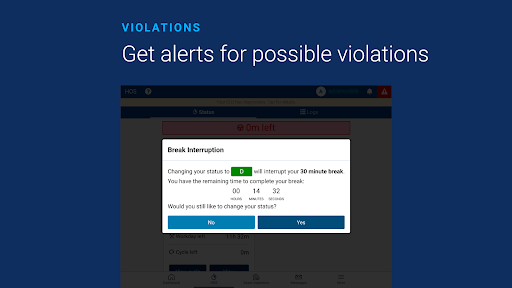
- Alerts for violations and drivers not logged in — Keeps you informed in real-time
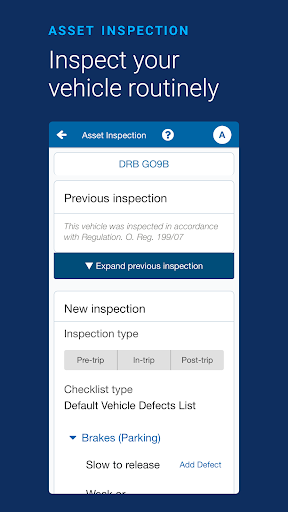
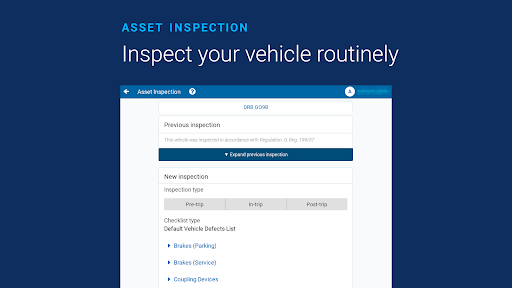
- End-to-end vehicle inspection workflow — Facilitates quick and accurate vehicle checks
- Driver identification — Ensures accurate driver logging
- Plug-&-Play installation — Easy setup without complex wiring
- Over-the-air (OTA) software and firmware updates — Keeps your system up to date effortlessly
- Compatibility with off-the-shelf Android and iOS devices — Enables broad device support
- Open and flexible integration — Compatible with other apps and systems
*Note: Devices must have an active data plan and location services enabled.*
Real-World Experience with Geotab Drive
Personal Insights and User Experience
Let me guide you through my personal experience with Geotab Drive, an app rapidly gaining popularity among fleet management professionals. If you’re overseeing a fleet of vehicles, then this tool might be your new best friend, offering a more streamlined and efficient approach to fleet operations.
Upon launching Geotab Drive, I was immediately impressed by its clean, intuitive interface. It’s designed to make fleet management as straightforward as possible, with features like vehicle tracking, driver logs, and real-time notifications feeling like having a dedicated co-pilot by your side. Monitoring vehicle health and driver behavior is now effortless—you can instantly see when a truck requires maintenance or if a driver is habitually braking hard, allowing you to take proactive measures.
Ease of Use and Reliability
One of the standout aspects of Geotab Drive is its user-friendliness. You don’t need specialized training to navigate the app; its straightforward menus and self-explanatory icons make it accessible to all users. The seamless integration with the Geotab GO device enhances the user experience, creating a cohesive fleet management solution.
On the road, the app proved to be highly reliable. Even in remote areas with limited connectivity, it continued functioning smoothly without crashes or significant delays. The real-time updates on vehicle locations and operational alerts ensured I remained well-informed throughout my journey. Additionally, the app’s compliance features, such as automatic ELD tracking and rule adherence, eases the burden of staying current with changing regulations, effectively acting as a personal compliance assistant.
Final Thoughts
In summary, Geotab Drive is like that dependable companion in fleet management—reliable, efficient, and easy to use. Whether you operate a handful of vehicles or manage a large fleet, this app simplifies complex tasks, enhances safety, and boosts productivity. Its blend of simplicity, advanced features, and robustness makes fleet operations smoother and more manageable. If you’re seeking a powerful platform to elevate your fleet management, give Geotab Drive a try and see how it transforms your daily operations. Happy driving!
Pros
- User-friendly interface for easy navigation.
- Efficient real-time GPS tracking.
- Comprehensive vehicle diagnostics.
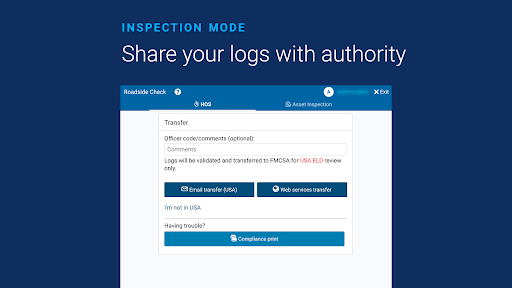
- Supports compliance with FMCSA regulations.
- Customizable dashboard for individual needs.
Cons
- Requires constant internet connection.
- Limited offline functionality.
- Can be complex for new users.
- Monthly subscription costs.
- Occasional sync issues with data.