Introducing the TQL Carrier Dashboard: Your Ultimate Freight Management Tool
When your office is behind the wheel of a truck, efficiency and convenience become your top priorities. The TQL Carrier Dashboard is designed precisely for professional carriers who want to streamline their daily operations and maximize productivity. As part of one of the largest freight brokerages in North America, TQL offers a robust, technologically advanced platform that empowers truck drivers and logistics providers to manage loads seamlessly via their mobile devices.
Key Features of the TQL Carrier Dashboard
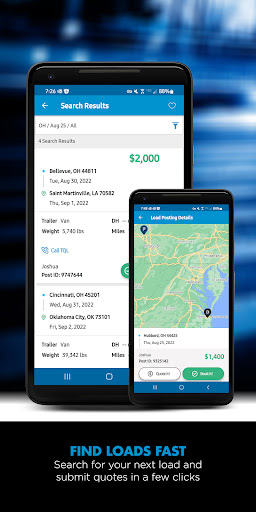
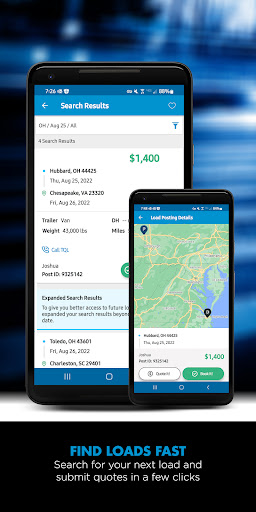
The TQL Carrier Dashboard provides a comprehensive suite of tools that allow carriers to search, quote, book loads instantly, and handle paperwork efficiently. With access to an extensive load board featuring over 65,000 available loads weekly, carriers can find the right shipments quickly and easily. The platform supports unlimited load searches and facilitates instant load booking with the innovative Book it Now feature, enabling drivers to dispatch themselves without waiting for phone calls.
Enhanced Load Management
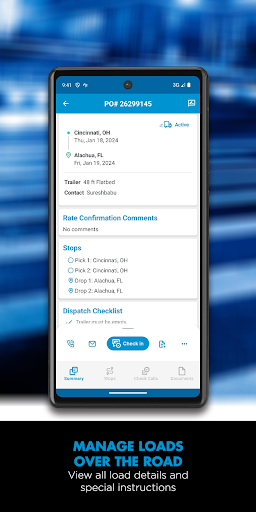
Carriers can view detailed shipment information, including addresses, directions, and load numbers, all within the app. The dashboard also allows users to submit quotes for loads they’re interested in, making bidding on freight more straightforward than ever. With personalized filters, carriers can tailor their search to specific lanes and routes, and even find loads returning to their home base from their current location—optimizing routes and reducing empty miles.
Streamlined Communication and Documentation
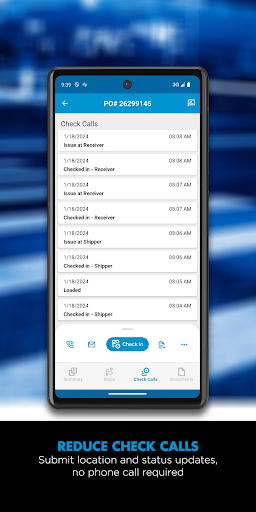
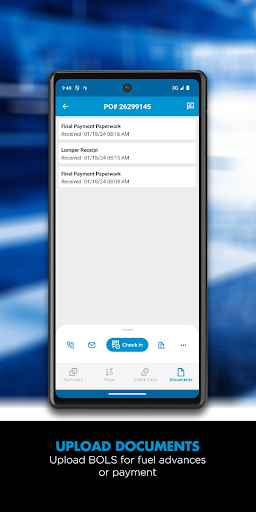
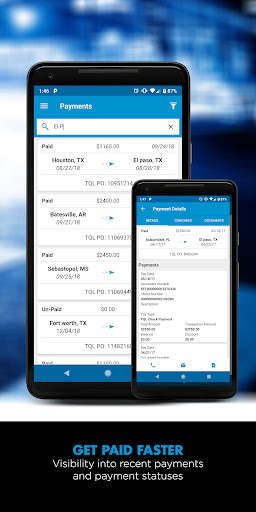
The platform reduces the need for traditional check calls by allowing carriers to submit location and status updates directly through the app. Uploading documents such as bills of lading or proof of delivery is made effortless with your phone’s camera, ensuring faster payment processing. Carriers can also review their payment history, providing clear insight into earnings and loads completed.
Additional Advantages
The TQL Carrier Dashboard offers the unique ability to let the right load find you by posting your truck to the load board. Custom filters help refine searches based on your preferred load criteria, while bilingual customer support ensures assistance is available in multiple languages. All these features combine to make the carrier’s job more manageable, more profitable, and less stressful.
Why Carriers Trust TQL’s Technology and Customer Support
Reliable technology paired with industry-leading customer support makes the TQL Carrier Dashboard a must-have tool for freight professional drivers. Whether hauling full truckloads across the country or managing a local fleet, the platform’s intuitive design and real-time updates help drivers stay informed and responsive. It’s designed to let you focus on what matters most — delivering freight efficiently while managing your business with ease.
Getting Started with the TQL Carrier Program
New carriers can begin their journey by visiting www.tqlcarriers.com to register and become part of the TQL network. The process is straightforward, and dedicated support is available to help you get set up. Enjoy the benefits of a comprehensive freight management solution tailored to meet the needs of today's professional carriers.
Experience the Benefits of TQL Carrier Dashboard Today
The TQL Carrier Dashboard is more than just an app; it’s a comprehensive platform designed specifically for truck drivers and logistics providers who want to make their freight operations more efficient and profitable. By integrating load searching, booking, dispatching, documentation, and payment management into one user-friendly mobile app, TQL ensures you have everything you need at your fingertips. So whether you’re on the road or in the office, rely on TQL’s innovative technology and dedicated customer support to take your freight business to the next level.
Pros
- User-friendly interface for quick navigation
- Real-time updates on shipment statuses
- Customizable dashboard for personalized views
- Comprehensive load tracking features
- Efficient load booking process
Cons
- Requires stable internet connection for optimal performance
- Limited offline capabilities
- Occasional delays in notifications
- High data consumption due to continuous tracking
- Initial setup process can be time-consuming