

Quick Clean - Space Cleaner: The Ultimate File Cleaning App for Your Phone
Quick Clean - Space Cleaner is an innovative and highly effective application designed to optimize your smartphone's storage and performance. Whether you're overwhelmed by cluttered files or seeking a smoother device experience, this app provides a seamless solution to keep your phone tidy and running efficiently. It functions as a personal digital assistant, diligently cleaning redundant files and managing your storage without requiring extensive effort from you. With features like redundant file cleanup, large file removal, and screenshot cleaning, Quick Clean - Space Cleaner is rapidly becoming an essential tool for users who value device performance and data security.
Key Features of Quick Clean - Space Cleaner
• Cleanup Redundant Files:
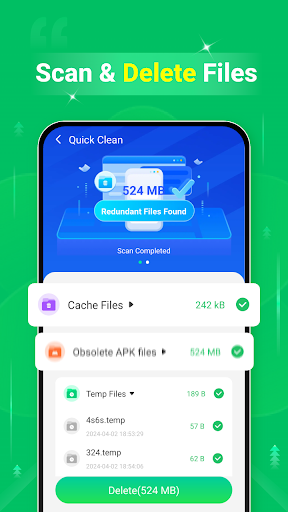
This feature scans your device for unnecessary files such as cache data, residual files, and obsolete applications. Once identified, it deletes these cluttering elements, freeing up valuable storage space and helping your device operate more smoothly.
• Large Files Cleaner:
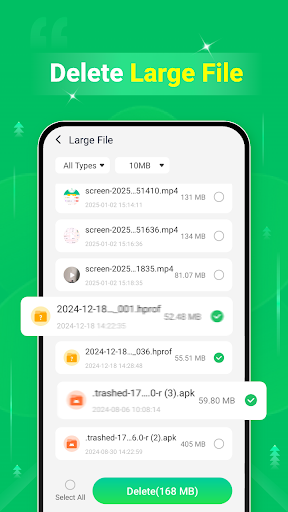
With this tool, you can easily locate and remove large files that occupy significant storage but may no longer be needed. This helps in reclaiming space efficiently, making room for new apps, media, or documents.
• Screenshots Cleaner:
Over time, screenshots can accumulate and take up considerable storage. This feature scans your phone for stored screenshots, allowing you to delete unwanted ones in a few taps and maintain a clutter-free gallery.
Intuitive Interface and Performance Enhancement
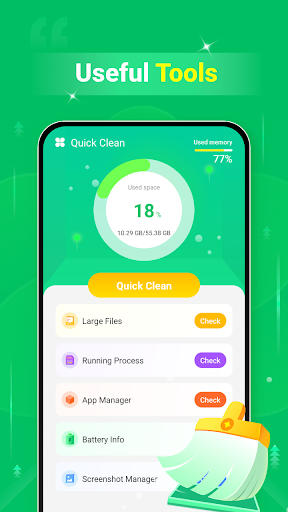
Upon launching Quick Clean - Space Cleaner, users are greeted with a sleek, intuitive interface that simplifies navigation. The straightforward dashboard displays key information about your device's storage status and offers quick access to cleaning tools. This minimalistic design ensures that even tech novice users can operate the app with ease, similar to having a tidy-freak room-mate who always keeps things in order.
Enhanced Device Performance
Regular use of Quick Clean - Space Cleaner results in noticeable performance improvements. By removing unnecessary files and managing app background processes, the app helps your device operate faster and more efficiently. Users report faster app launch times and less lag, which is especially beneficial for older devices struggling with recent updates and intensive apps.
Battery Life Optimization
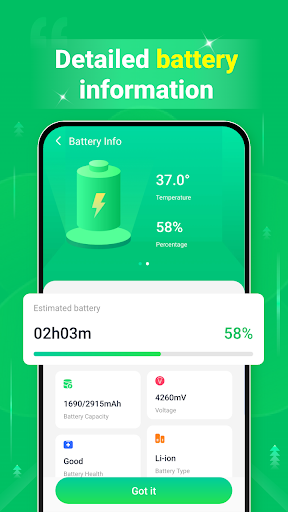
Beyond storage management, the app also contributes to extending battery life. It identifies power-hungry applications running in the background and shuts them down, reducing unnecessary power consumption. This feature is particularly valuable for users who rely on their phones throughout the day and need to conserve energy without sacrificing functionality.
Privacy and Security Assurance
In today’s digital environment, data security is crucial. Quick Clean - Space Cleaner offers features to monitor app permissions and identify potential security risks, ensuring your private information remains protected. Its vigilant approach acts like a security guard, constantly safeguarding your data while optimizing device performance.
Why You Should Try Quick Clean - Space Cleaner
If you’re tired of chasing notifications about limited storage or experiencing sluggish device performance, this app provides an efficient and easy-to-use solution. Think of it as a digital spring cleaning service—anytime you need it—without the hassle. Whether you want to delete unnecessary files, free up space, or simply boost your device’s speed and battery life, Quick Clean - Space Cleaner is designed to deliver a cleaner, faster, and more secure smartphone experience. Its advanced features make it an indispensable tool for maintaining optimal device health and security.
Pros
- User-friendly interface
- Efficient removal of junk files
- Enhances device performance
- Rapid scanning process
- Customizable cleaning options
Cons
- Contains advertisements
- Requires in-app purchases
- Occasional false positives
- Drains battery during operation
- Limited free features











