



Introducing ComicScreen - PDF, ComicReader
If you're passionate about comics and looking for a reliable app to enjoy your favorite digital comic books, ComicScreen - PDF, ComicReader is an excellent choice. Designed to enhance your reading experience, this app supports a wide range of file formats and offers features that cater to both casual and avid comic enthusiasts. Whether you're into traditional image-based comics or PDF documents, ComicScreen makes navigating and managing your collection straightforward and enjoyable.
Key Features of ComicScreen
Versatile File Format Support
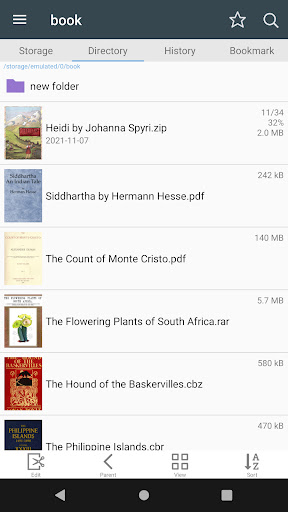
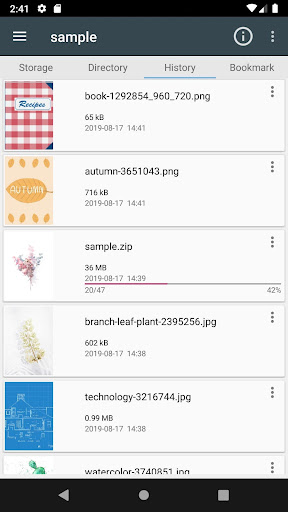
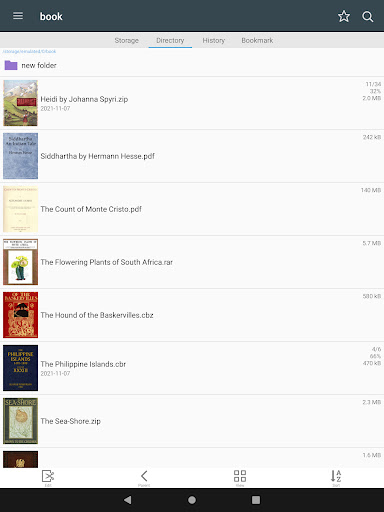
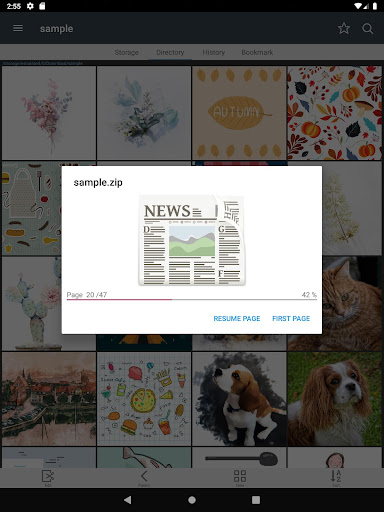
One of the standout features of ComicScreen is its ability to work seamlessly with various compressed files and image formats. The app supports archive types such as zip, rar, cbz, and cbr, as well as standard PDF files, ensuring that no matter your preferred format, you can access your comics with ease. Additionally, it handles multiple image formats, including jpg, png, gif, bmp, tiff, webp, and avif, making it highly versatile for different types of image content.
Advanced Navigation and Viewing Options
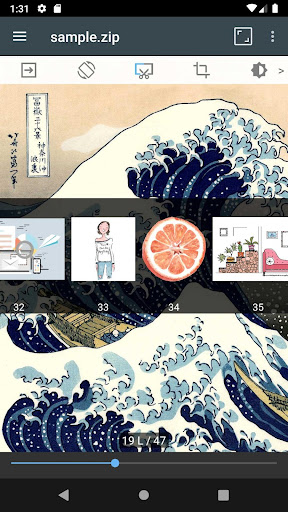
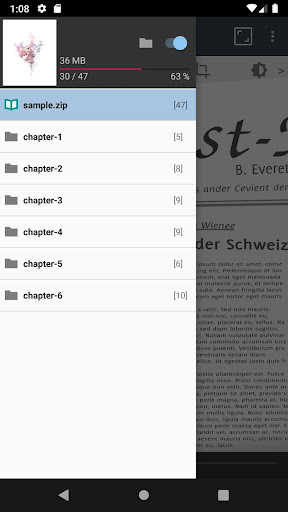
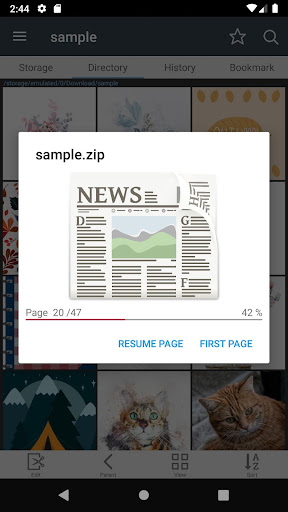
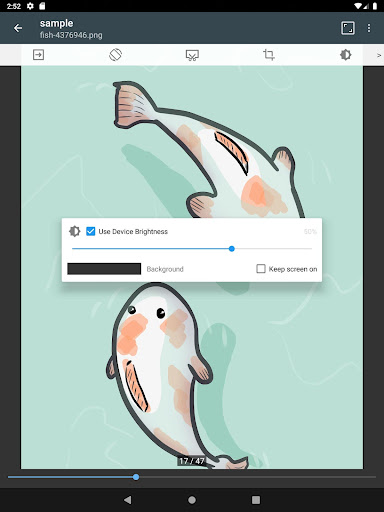
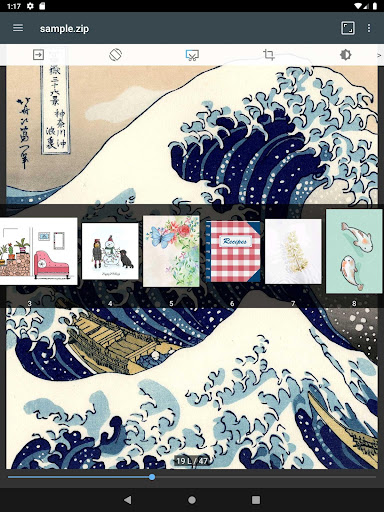
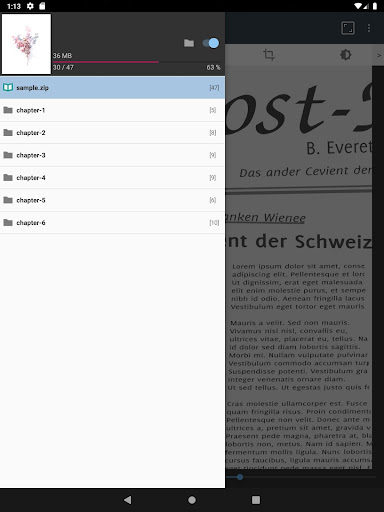
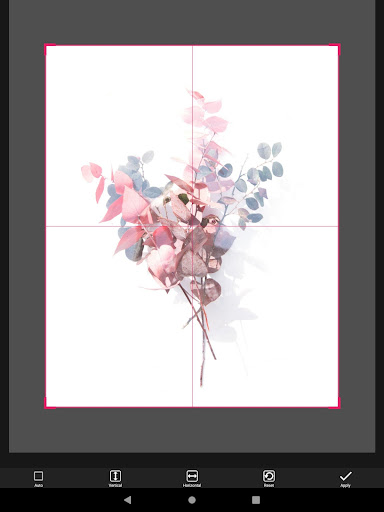
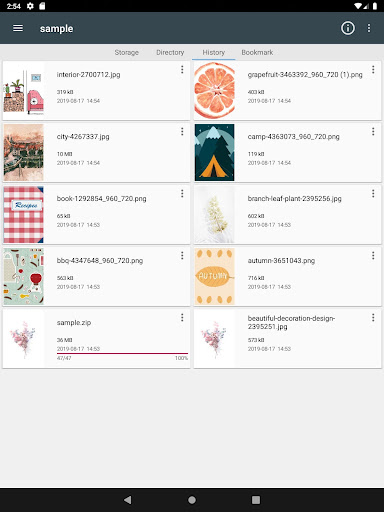
ComicScreen provides intuitive browsing with features like Folder, File Explorer (Search, Rename, Delete) and support for external usb-otg drive. You can connect to network services such as smb and ftp, enabling direct access to your files over a local network. The app supports Drag & Drop for easy file management and allows users to view images in folders directly.For an optimized reading experience, ComicScreen offers smooth image scrolling, bookmark preview for quick navigation to favorite pages, and a zip file quick view feature. You can choose between horizontal view mode (2 pages) for a book-like experience or vertical view mode (1 page) for single-page reading, along with automatic page reordering and chapter drawer support when viewing ZIP files.Additional features like cut margin help streamline image content, and page move by hardware key allows for easy page navigation without touching the screen, ideal for an uninterrupted reading flow.
Enhanced Reading Experience
ComicScreen emphasizes ease of management and display of images, regardless of whether you're viewing images directly or through compressed files. The app is optimized for minimal lag, providing a smooth and immersive viewing experience that is perfect for comic aficionados who appreciate detailed artwork and seamless scrolling.
Why Choose ComicScreen for Your Comic Reading Needs?
If you're a dedicated comic fan, keeping your digital comics organized and accessible is essential. ComicScreen excels in this area by supporting numerous file formats and storage options, including local folders, network connections, and external drives. Its robust features like chapter drawer support for ZIP files, page move preview, and customizable viewing modes make browsing your collection effortless.The app’s user-friendly interface combined with powerful functionalities ensures that even non-technical users can navigate their comic library effortlessly. Its performance stability and quick response times mean you can enjoy hours of reading without crashes or lag, making it ideal for long reading sessions.Furthermore, ComicScreen's focus on supporting compressed files and images ensures that your collection remains compact without sacrificing quality or accessibility. The ability to quick view zip files and automatic page reordering helps you stay organized, while features like bookmark preview help you pick up where you left off in a snap.
Final Thoughts
Overall, ComicScreen - PDF, ComicReader stands out as a comprehensive, versatile, and reliable app for comic book lovers. Its support for multiple formats, wide-ranging features, and high-performance stability make it a top choice for anyone looking to enjoy digital comics effortlessly. Whether you're a casual reader or a dedicated collector, ComicScreen offers the tools needed to make your comic reading journey smooth and enjoyable. Dive into your digital comic world with confidence and experience the difference that a well-designed comic reader can make.
Pros
- Supports multiple file formats.
- Provides fast rendering for large files.
- Offers an intuitive and user-friendly interface.
- Allows customization of reading preferences.
- Enables offline reading access.
Cons
- Has limited annotation options.
- Contains advertisements in the free version.
- Lacks cloud synchronization support.
- Occasionally experiences crashes.
- Requires frequent updates.
You May Like

Lezhin Comics -การ์ตูนและนิยาย
Comics
3.6
FPS Shooting Gun Games Offline
Comics
4.5
WASticker-Sticker for WhatsApp
Comics
4.3
Marvel Unlimited
Comics
4.7
Toomics - Read Premium Comics
Comics
3.9
리디 - 웹툰, 만화, 웹소설, 전자책 모두 여기에!
Comics
4.5
Perfect Viewer
Comics
4.2
DC UNIVERSE INFINITE
Comics
3.4
Tappytoon Manhwa & Novels
Comics
4.3
Learn to Draw Cartoon
Comics
4.2
Manta - Manhwa, Comics, Novels
Comics
3.7
Manga UP!
Comics
4.4