

Introduction to CDisplayEx Comic Reader Lite
CDisplayEx is a lightweight and efficient CBR Reader that stands out as one of the most popular comic book readers available today. Designed to support a wide range of comic formats including .cbr, .cbz, .pdf, and various manga files, this app provides a seamless and enjoyable reading experience for comic enthusiasts of all kinds.
Core Features of CDisplayEx Comic Reader Lite
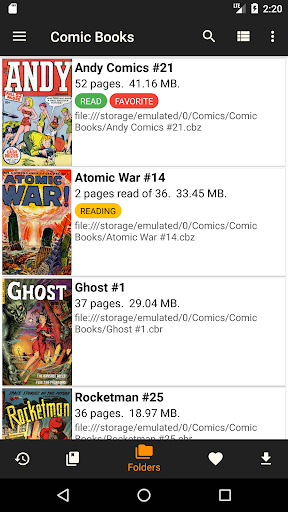
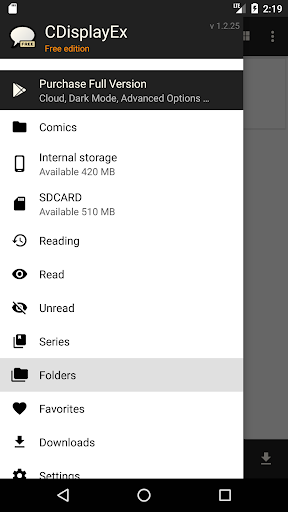
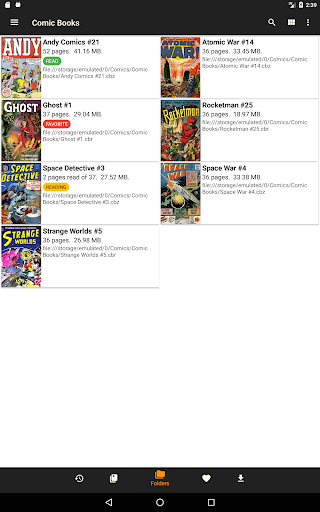
The main appeal of CDisplayEx lies in its ability to load comic books instantly, ensuring that your reading is fluid and free from frustrating delays. Navigating your comics is straightforward—you can browse through your folders to find the desired titles. Moreover, the app offers integrated library management, allowing you to organize your collection by series or automatically suggest the next album to read. An integrated search function further speeds up access, enabling you to find specific volumes quickly.
Additionally, CDisplayEx supports connection to network shares, preloading files onto your device, and performing comprehensive searches—making it versatile for both casual and power users.
User Experience & Interface
For comic lovers, the user interface is intuitive and user-friendly, ensuring you spend less time figuring out controls and more time enjoying your comics. Supporting a broad spectrum of file formats including CBR, CBZ, and PDF, the app handles all your favorite files effortlessly.
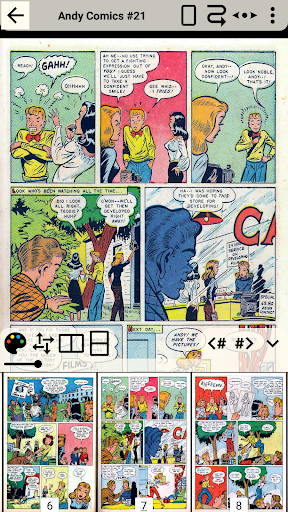
The reading experience is particularly noteworthy—zoom features allow for detailed viewing of intricate panels, while smooth scrolling and continuous page views make flipping through pages feel natural and akin to reading a physical comic. This creates an immersive experience that’s both comfortable and engaging.
Customization and Additional Features
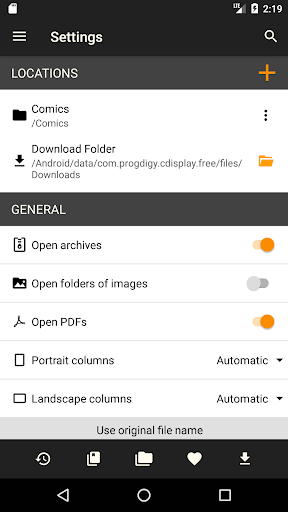
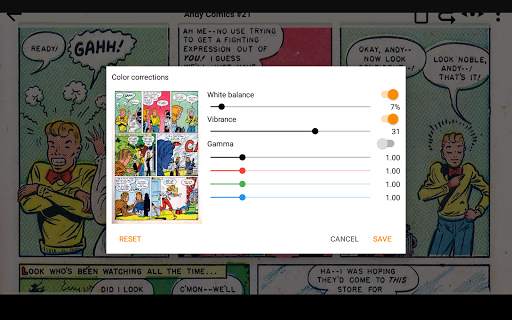
CDisplayEx offers extensive customization options to enhance your reading comfort. You can easily adjust the brightness, contrast, and color temperature to match your environment. Night mode and day mode switching help reduce eye strain during late-night reading sessions, making the app perfect for those late-night comic marathons.
Bookmarking pages allows you to mark important scenes or panels for quick access later. The app’s ability to organize your collection into a custom library ensures your comics are neatly arranged, facilitating effortless browsing and reading continuity.
Performance, Usability, and Compatibility
Performance-wise, CDisplayEx impresses with its speed and responsiveness. Users typically experience no lag or crashes, even when opening larger files, which is critical for maintaining an uninterrupted reading experience. Its lightweight design minimizes resource consumption, making it suitable for older devices or phones with limited storage.
Best of all, CDisplayEx Comic Reader Lite is available for free, allowing anyone to enjoy its powerful features without any cost. This makes it an excellent app choice for casual readers and dedicated collectors alike.
Conclusion
In summary, CDisplayEx Comic Reader Lite offers a comprehensive and user-friendly platform for reading comics and manga on mobile devices. Its support for multiple formats, quick loading, customizable viewing options, and efficient library management make it a top-tier choice for comic fans. Whether you’re just starting your collection or are a seasoned collector, this app provides all the necessary tools to enjoy comic reading anywhere, anytime. Give it a try today and elevate your comic reading experience to new heights!
Pros
- User-friendly interface for easy navigation.
- Supports multiple comic formats.
- Fast loading times for large files.
- Offline reading mode available.
- Customizable viewing options.
Cons
- Ads in the free version.
- Limited features without premium.
- Occasional crashes reported.
- Some formats may not render well.
- No cloud sync support.











