

Discover the Power of Microsoft Designer
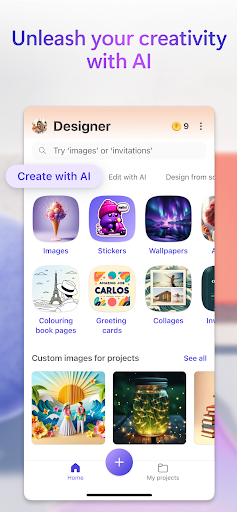
Microsoft Designer is an innovative AI-powered design tool that transforms your creative ideas into stunning visuals in seconds. Whether you're looking to craft eye-catching images, personalize greeting cards, or design social media posts, Microsoft Designer offers a versatile platform to bring your vision to life. With its intuitive interface and robust features, this application is perfect for everyone—from beginners to seasoned designers. Unleash your creativity and explore a world of possibilities with Microsoft Designer, a tool that helps you visually create, design, and edit just about anything you can imagine using artificial intelligence.
Main Features & Capabilities
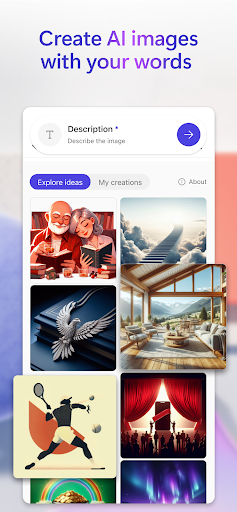
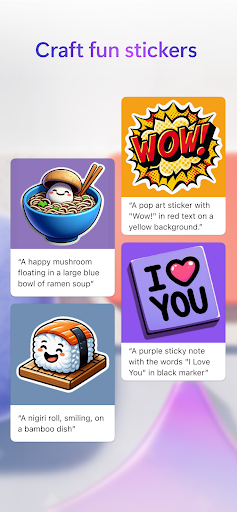
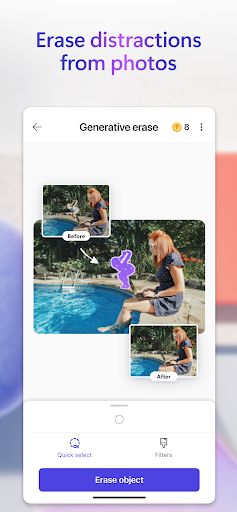
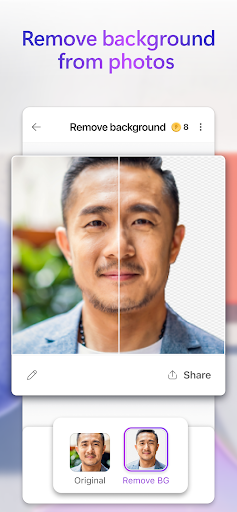
Images: Generate any image you can dream up—think sci-fi scenes, surreal landscapes, or humorous illustrations—simply by describing it. The AI interprets your words to produce vibrant, high-quality visuals that match your imagination. Stick with custom stickers for messaging apps and social platforms that help you stand out with personalized designs. Enhance your photos using AI-based editing tools—remove unwanted objects with the generative erase feature, easily remove background for a cleaner look, or blur backgrounds to emphasize your main subject. Adjust filters, brightness, and resize images to perfectly match your creative vision.
Creative Design Options
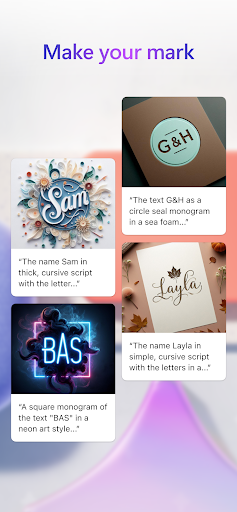
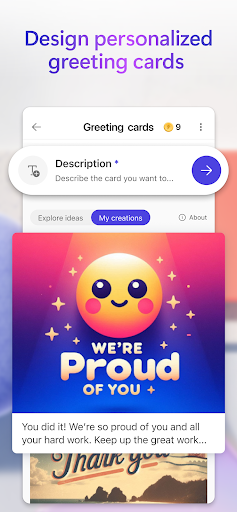
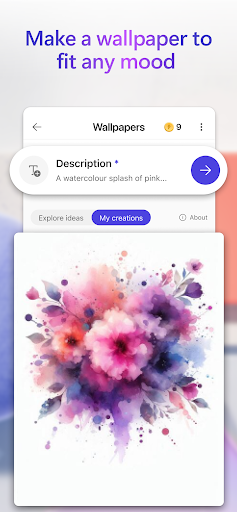
Create unique wallpapers and backgrounds to express your mood or style, and craft thoughtful greeting cards for birthdays, holidays, and special occasions. Personalize monograms for weddings or personal branding, and design eye-catching invitations for events of all kinds. Elevate your social media presence with professionally crafted social posts, and make your digital icons and emojis to communicate visually and add personality to your messages.
Additional Creative Tools
Turn your favorite photos into framed images suitable for sharing, or combine them into beautiful collages that showcase your memories. Design attention-grabbing banners for newsletters or social profiles, and generate coloring book pages for all ages to enjoy. Whether creating backgrounds or custom wallpapers, Microsoft Designer supports endless customization options to make your visuals pop.
Ease of Use & User Experience
Getting started with Microsoft Designer is seamless, thanks to its clean and minimalist user interface. If you're familiar with other Microsoft products, you'll feel right at home. The app employs helpful prompts and an intuitive layout that guides you through the creative process without any stress. Its extensive library of modern templates allows quick customization for social media, presentations, flyers, and more, saving you time while delivering professional results.
Designed for Collaboration
Microsoft Designer supports collaborative editing, enabling you to share your projects with teammates or clients for real-time feedback. This feature makes it an excellent choice for team projects or professional work, streamlining communication and ensuring your designs meet everyone's expectations.
Why Choose Microsoft Designer?
Whether you're a student, marketer, or hobbyist, Microsoft Designer makes designing accessible and fun. Its AI-enhanced tools facilitate effortless creation, reducing the learning curve associated with traditional design software. Plus, the seamless integration with other Microsoft applications like Word, Excel, and PowerPoint increases efficiency when incorporating designs into your projects.
Accessibility & Storage
Microsoft Designer is available for free with a Microsoft account, which also provides 5 GB of cloud storage. This cloud space lets you save your designs, photos, and files across multiple devices, ensuring your creative work is always at hand and easy to access. You can download the app and start creating today, with endless options to make your ideas stand out.
Final thoughts
In a digital world where first impressions matter, having a tool like Microsoft Designer can be a real game-changer. Its combination of AI-powered features, user-friendly interface, and versatile design options empower anyone to craft professional-quality visuals effortlessly. Whether you want to create personalized greeting cards, design social media graphics, or produce unique wallpapers, Microsoft Designer provides all the tools you need to turn your ideas into reality. So why wait? Download Microsoft Designer and start creating something extraordinary today!
Pros
- User-friendly interface enhances creativity.
- Integration with Microsoft 365 boosts productivity.
- Wide variety of templates available.
- Real-time collaboration feature.
- Supports multiple design formats.
Cons
- Limited free version features.
- Requires a Microsoft account to use.
- Occasional performance lags.
- No offline mode available.
- Learning curve for new users.











