
Discover the Ultimate Digital Art & Illustration Experience with HiPaint
Unleash your creativity with HiPaint, the digital art and illustration app perfectly tailored for drawing app for iPad and drawing pad lovers. Designed to cater both to beginners and professional artists, HiPaint offers a seamless, feature-rich environment to bring your artistic visions to life. Whether you're into sketching, doodling, creating detailed illustrations, or painting anime and animation designs, this app makes digital art an enjoyable and effortless process. With smooth brushes, comprehensive layers, and pro-grade tools, you can paint, draw, and design like never before. Download HiPaint now and start your creative journey today!
Key Features of HiPaint: Your Portable Art Studio
Lightweight & User-Friendly Interface
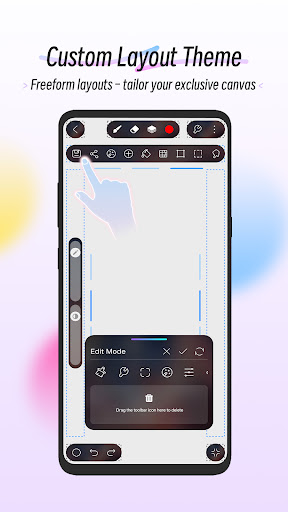
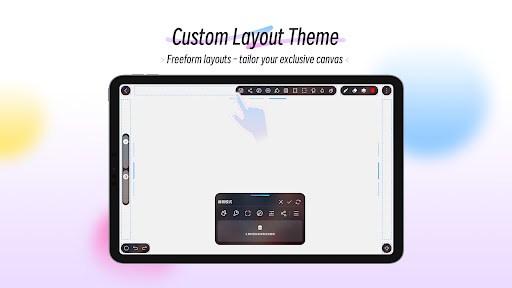
HiPaint features a light user interface that maximizes your workspace, giving you more room for your artistic thoughts. Its simple, intuitive layout allows you to focus solely on your digital drawing without unnecessary distractions. The app includes quick sliders for effortless adjustment of brush thickness and opacity, streamlining your workflow. The recent addition of a dark UI interface makes it easier to work with finger drawing, especially in low light conditions. Personalize your workspace with custom themes & DIY tools, arranging icons through drag-and-drop to match your unique workflow preferences.
Extensive Brush Library & Customization
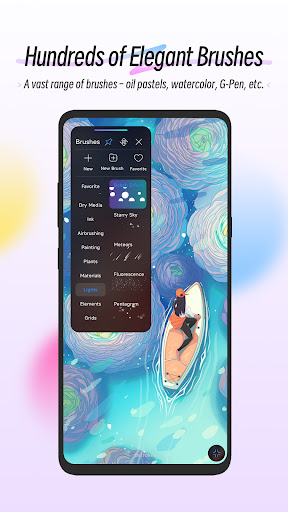
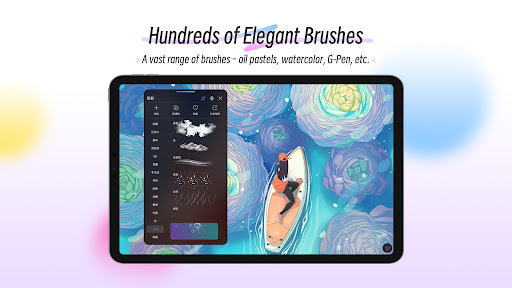
Boasting over 100 brushes, HiPaint provides a rich array of options such as leaf brushes, air brushes, digital pens, sketch brushes, ink brushes, oil brushes, charcoal brushes, and more. Each brush comes with up to 90 customizable parameters, allowing you to fine-tune the settings for realistic effects. For those wanting even more control, the Brush Studio feature enables you to design your own custom brushes.
Advanced Color & Layer Management
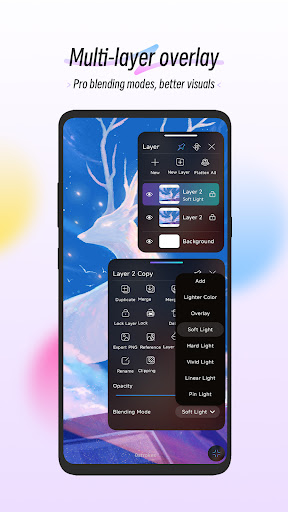
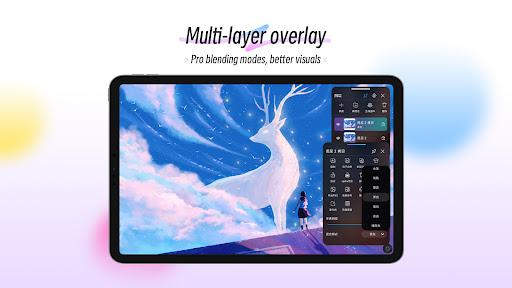
Choose colors with precision using the Eyedropper, Paint Bucket, and the Color Palette. Easily switch between your recent colors and saved palettes for efficient workflow. The layer system supports up to 100 layers with multiple blending modes—over 20—to create complex compositions. Manage your artwork effortlessly with features like layer grouping and adjustable parameters.
Versatile Digital Painting Tools
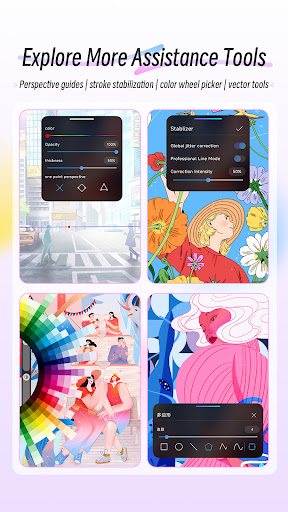
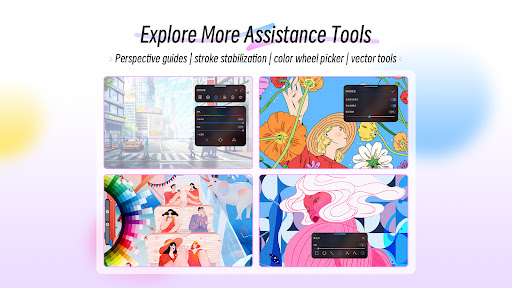
Make your work smoother with the stabilizer that refines strokes in real-time. Insert basic shapes like lines, rectangles, and ovals. Features like canvas flip, symmetry guides, and importing images support speed and accuracy. The reference feature allows you to import images for tracing or inspiration. Clipping masks and stroke stabilization further enhance your digital painting experience.
Powerful Editing & Finishing Effects
Apply creative effects such as Gaussian filters, HSB, and RGB adjustments for color grading. Real-time adjustments to hue, saturation, and brightness enable fine-tuning your artwork. The sketch filter extracts lines, while filters like Gaussian and Motion Blur add depth and movement. Use the sharpen tool for crisp details and finishing touches.
Intuitive Multi-Touch Gestures & Seamless Workflow
Utilize efficient multi-touch gestures such as two-finger tap to undo, pinch to zoom and rotate your canvas, and three-finger tap to redo. Long press activates the Eyedropper. For precision drawing, tap to create perfect circles, squares, and lines at specific angles, giving you a full suite of tools for detailed art creation.
Easy Saving, Exporting, & Sharing
Share your masterpieces directly from HiPaint or export them to continue working on other devices. The app supports high-quality export options, making it easy to showcase your work on social media or save for print. Whether you're just doodling or crafting detailed artworks, HiPaint offers a straightforward way to save and share your creative projects.
Why Artists and Creatives Love HiPaint
When it comes to digital art on mobile devices, HiPaint stands out due to its balanced combination of powerful features and user-friendly design. Its lightweight nature ensures compatibility across various devices, including older models, without sacrificing performance. The app has garnered praise from users who want a professional yet accessible painting solution. With built-in tutorials, a supportive community, and the ability to share art instantly, HiPaint helps artists of all skill levels to explore their creative potential.
Start Your Digital Art Journey Today
Are you looking for a versatile drawing app for iPad or mobile that combines professional tools with an easy-to-navigate interface? Look no further than HiPaint - Sketch Draw Paint it! Whether you're into digital sketching, painting, or animation design, this app provides everything you need to create stunning artwork. Download HiPaint now and bring your ideas to life with just a few taps!
Pros
- User-friendly interface
- Extensive selection of brushes
- Adjustable canvas sizes
- Supports layers for detailed artwork
- Responsive and smooth drawing experience
Cons
- Limited features in the free version
- Performance may sometimes lag
- Some tools require an internet connection
- Advertisements present in the free edition
- Lacks support for vector graphics











