

Introducing the Inbox Homescreen App: The Ultimate Email Organizer and Phone Customizer
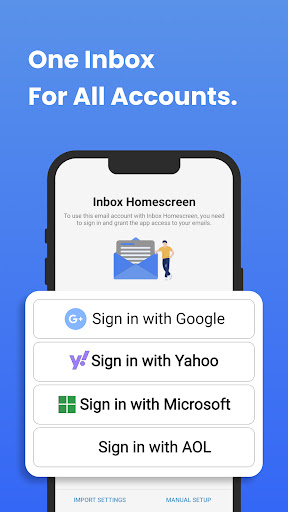
Are you tired of managing multiple email accounts and cluttered home screens? Discover Inbox Homescreen, a comprehensive app designed to streamline your email management and personalize your smartphone experience. Whether you're handling Gmail, Outlook, Yahoo, or other email services, Inbox Homescreen integrates seamlessly, enabling you to access, organize, and send emails effortlessly from a single launcher.
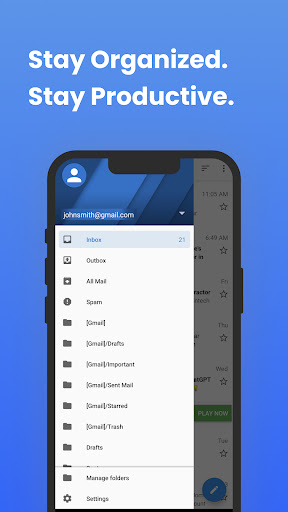
This innovative email launcher offers advanced features to keep your inbox tidy and your workflow efficient. You can set up •Filters to automatically categorize incoming emails into folders like social, work, promotions, or personal. Prioritize important messages to ensure you never miss critical updates, and even schedule emails to be sent at convenient times—saving you time and effort. Customization is at the heart of Inbox Homescreen. Select from various themes and layout options to match your aesthetic preferences, making your email experience not just functional but visually appealing.
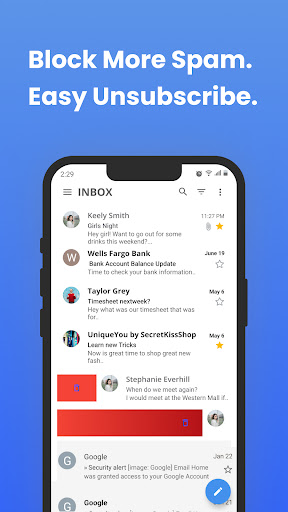
With its intuitive, user-friendly interface, navigating through your emails becomes a breeze. Search functionality is powerful and efficient, allowing you to find specific messages or contacts quickly. The app also features a handy utility bar with commonly used functions, providing quick access to essential tools and boosting your productivity. By simplifying the way you manage emails and organize your smartphone, Inbox Homescreen transforms your digital workspace into a well-structured environment.
Moreover, installing Inbox Homescreen sets the application's search preferences to the supported service, initially defaulting to Yahoo, enhancing your search experience. This feature optimizes your workflow, reducing the time spent hunting for emails or apps, and helps you stay on top of your communication and app management seamlessly.
Key Features of Inbox Homescreen
- Universal Email Integration: Access all your email accounts in one unified interface regardless of the service provider.
- Automatic Email Sorting: Set up rules and filters to categorize incoming emails automatically.
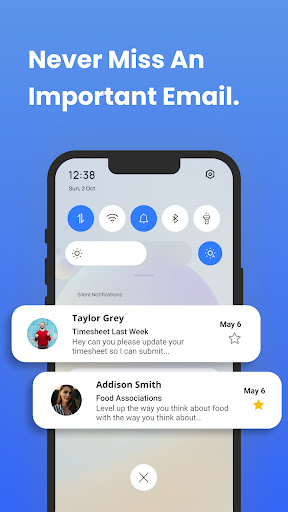
- Priority Management: Highlight and prioritize important messages for immediate attention.
- Email Scheduling: Compose emails and schedule them to be sent later, perfect for managing work and personal communications.
- Custom Themes & Layouts: Personalize the appearance of your email launcher and home screen to match your style.
- Efficient Search: Quickly locate emails or apps with highly responsive search tools.
- Utility Features: Quickly access frequently used functions directly from your organized home screen.
Why Choose Inbox Homescreen for Your Smartphone?
If you dream of a cleaner, more organized smartphone experience, Inbox Homescreen is the perfect solution. From the moment you install this app, you’ll notice a transformation in how you interact with your device. Its sleek and intuitive design creates an accessible workspace where everything is neatly categorized and easy to find.
One of the standout features is its •smart categorization, where your apps and emails are automatically sorted into logical groups. This eliminates the clutter of endless scrolling and helps you focus on what truly matters. The quick access bar allows you to pin your favorite apps for instant activation, streamlining your daily routines. The seamless and smooth operation of Inbox Homescreen ensures a frustration-free experience on various devices, making it suitable for users of all levels of tech proficiency.
Most importantly, this app promotes productivity and organization, empowering you to take control of your digital environment. The satisfaction of a tidy homescreen, combined with efficient email management, makes Inbox Homescreen a must-have tool for anyone eager to optimize their smartphone usage.
Start Your Journey to a More Organized Digital Life Today!
In summary, Inbox Homescreen merges powerful email management features with comprehensive home screen customization. Its ability toAutomatically sort emails, allow for personalized themes, and provide quick access to essential functions makes it an indispensable app for modern smartphone users. Whether you're looking to declutter your inbox or revive your phone's layout, Inbox Homescreen is the perfect companion to elevate your mobile experience. Give it a try and enjoy a smarter, more organized digital life!
Pros
- Customizable widget sizes
- Seamless integration with the calendar
- Minimalistic design improves concentration
- Quick access to commonly used apps
- Supports multiple email accounts
Cons
- Limited options for themes
- Occasional synchronization problems
- No offline mode available
- Limited support for third-party apps
- Requires frequent updates











