
Introducing OBDocker - The Ultimate OBD2 Car Scanner App
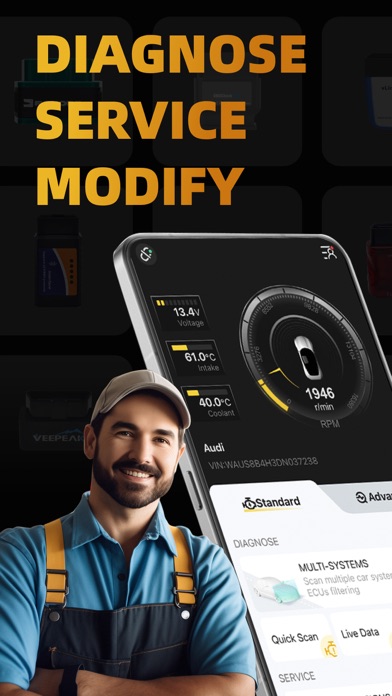
Are you tired of ambiguous dashboard warning lights and curious about your vehicle's health? OBDocker is a professional OBD2 car scanner application designed to turn your smartphone into a powerful diagnostic tool. Crafted with user-friendliness and sophistication in mind, this app allows you to diagnose, service, and customize your vehicle with ease and precision. Whether you're a car enthusiast or a daily commuter, OBDocker helps you save time and money by providing real-time insights into your car's performance.
Key Features of OBDocker
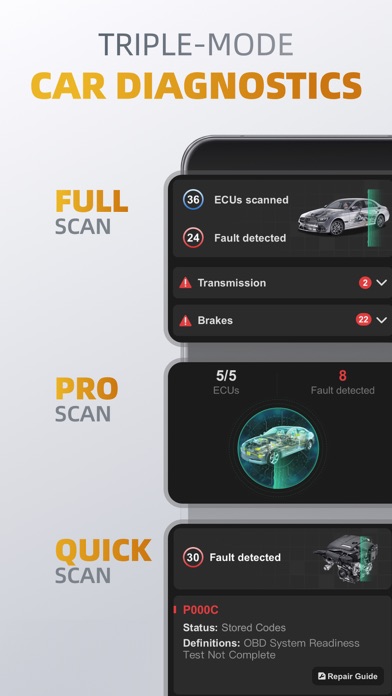
Triple-Mode Diagnostics
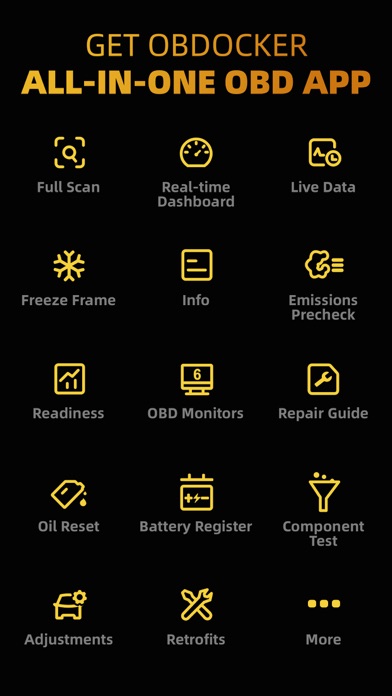
Full-Systems Diagnose: With one click, perform OE-level diagnostics on your entire vehicle system.
Multi-Systems Diagnose: Scan multiple ECU systems such as TMS, SRS, ABS, TCM, BCM, and more, to get comprehensive vehicle insights.
Quick Scan: Rapidly read and clear engine fault codes to maintain optimal driving efficiency.
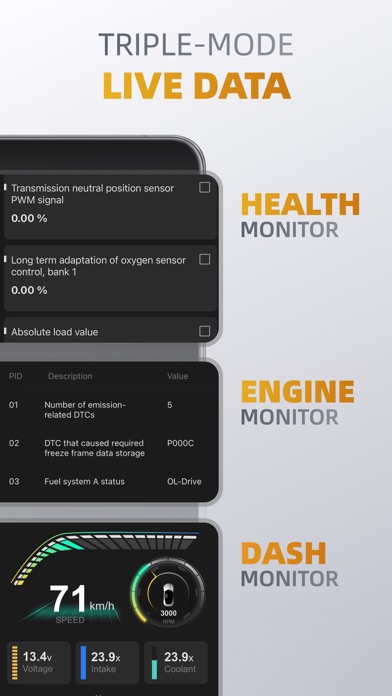
Triple-Mode Live Data
Health Monitor: Track the performance of various vehicle systems in real time.
Engine Monitor: Keep a close watch on your engine's vital parameters for optimal operation.
Dashboard Monitor: Visualize your vehicle's metrics dynamically, making diagnostics intuitive and accessible.
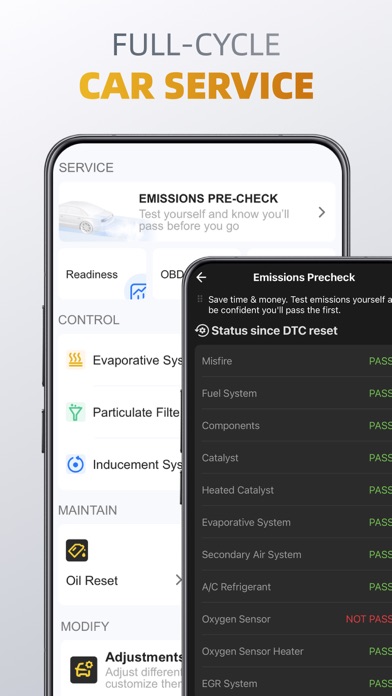
Full-Cycle Service
Emissions Pre-check: Test your vehicle emissions to ensure compliance before official inspections.
Control Tests: Conduct EVAP Leak Tests, DPF and Inducement System Reinitializations to keep your vehicle running smoothly.
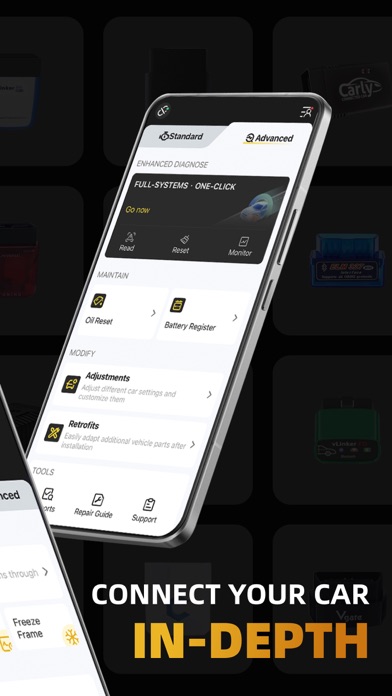
Oil Reset: Reset oil change reminders and maintenance lights effortlessly to keep accurate service records.
Battery Registration: Register new battery replacements to optimize battery management systems.
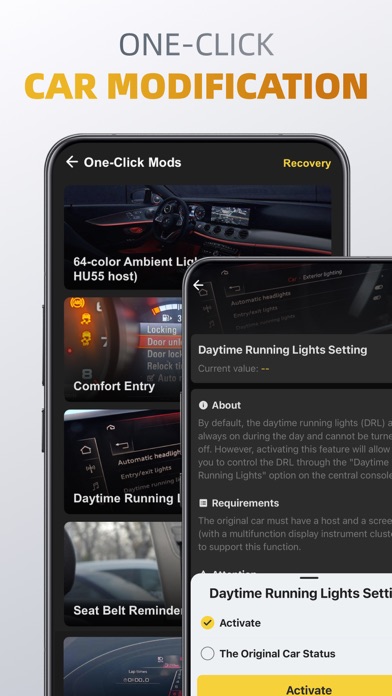
On-Click Modification
Adjustments: Change various vehicle settings with just one click, customizing your driving experience.
Retrofits: Easily adapt and configure additional vehicle parts after installation, enhancing vehicle features.
Supported OBD Adapters for Optimal Experience
High Performance: Use adapters like Vlinker Series, OBDLink Series, MotorSure OBD Tool, and Carista EVO for the best results.
Middle Performance: Compatible with genuine ELM327 / ELM329 adapters, including Veepeak Series, Vgate iCar Series, and more.
Low Performance (Not Recommended): Cheap Chinese clones ELM are discouraged due to limited functionality.
Vehicle Compatibility
Standard Mode: Compatible with all OBD2 / OBD-II or EOBD vehicles worldwide, covering most cars manufactured after 1996.
Advanced Mode: Supports specific brands including Toyota, Lexus, Nissan, Honda, Hyundai, Volkswagen, BMW, Mercedes-Benz, Ford, Chevrolet, and more. The app is continuously expanding supported models.
Pricing and Subscription Plans
OBDocker offers a free trial that unlocks full features for a limited period. To access unlimited diagnostics and advanced functionalities, users can choose from Pro or Pro Max subscription plans.
Note: Vehicle ECUs vary in sensor support; OBDocker cannot display data not provided by your vehicle.
Why Choose OBDocker?
If you've ever been puzzled by warning lights or wanted a deeper insight into your vehicle's performance, OBDocker is the ultimate solution. Its intuitive interface makes diagnosing your car straightforward, even for those without technical background. From reading and clearing fault codes to live sensor monitoring and vehicle customization, this app covers all you need for confident vehicle maintenance. Plus, its compatibility with a broad range of cars and adapters ensures that most users can utilize its features effectively.
Regular updates bring new capabilities, making OBDocker a reliable companion on your automotive journey. Whether you're checking engine health, resetting maintenance indicators, or performing system modifications, this app puts professional-grade diagnostics right in your pocket. Embrace the power of knowledge and take control of your vehicle's health with OBDocker.
Pros
- User-friendly interface suitable for beginners
- Compatible with various car makes and models
- Provides real-time diagnostic data
- More affordable compared to other scanners
- Simple setup and easy connection to vehicles
Cons
- Limited advanced features
- Occasional connectivity problems
- Requires purchasing additional hardware
- Limited support for older vehicle models
- App updates are infrequent











