

Overview of the TP-LINK tpCamera App
Key Features of TP-LINK tpCamera
- Free cloud service for life: Enjoy unlimited access to your video recordings without any recurring fees, making this a cost-effective home surveillance option.
- Quick registration and setup: The app offers an intuitive onboarding process, enabling even non-technical users to connect their cameras swiftly and effortlessly.
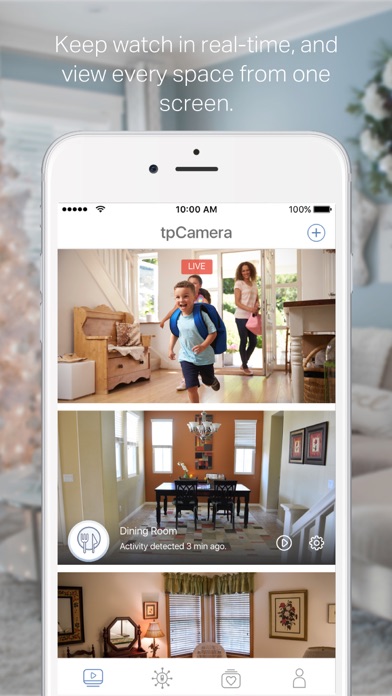
- Multi-camera management: Manage and stream live videos from multiple cameras simultaneously, giving you a comprehensive view of your property.
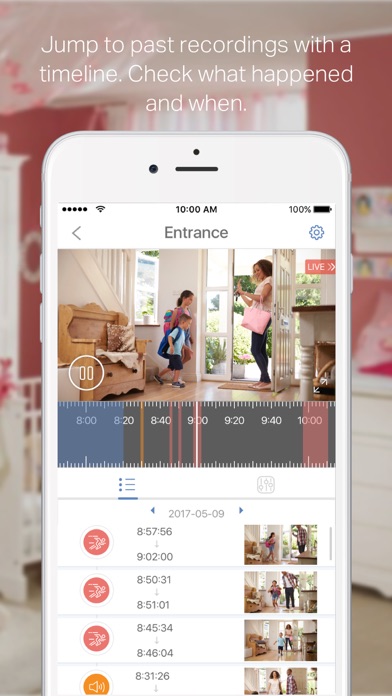
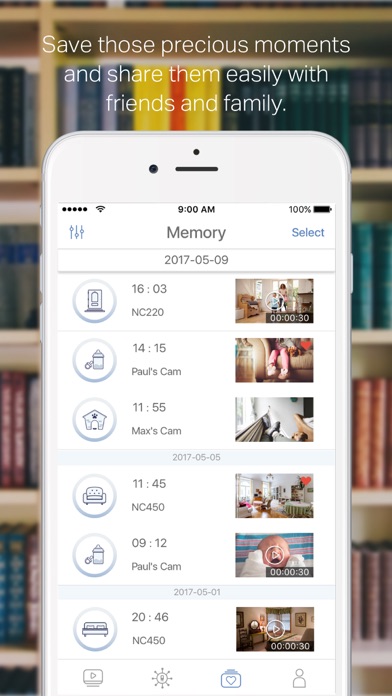
- Photo and video storage: Save important moments by capturing snapshots or recording videos, all accessible through the app to relive cherished memories.
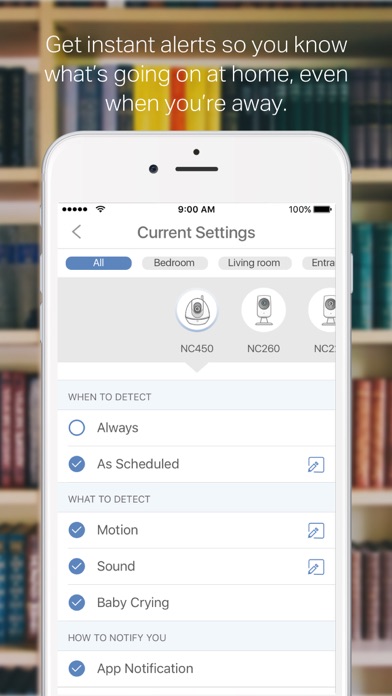
- Real-time alerts: Get instant notifications on your device whenever motion is detected, keeping you informed of any activity at your home.
- Two-way audio: Communicate directly through your camera, perfect for interacting with pets, family members, or visitors remotely.
Supported Devices and Languages
The tpCamera app is compatible with a variety of devices including:
- NC200
- NC210
- NC220
- NC230
- NC250
- NC260
- NC450
Available in multiple languages such as English, French, German, Spanish, Portuguese, Italian, Russian, Polish, Traditional Chinese, Korean.
User Experience and Practical Use
Many users find the tpCamera app to be incredibly user-friendly. Setting up the app is straightforward, with clear instructions guiding you through connecting your cameras, even if you're not tech-savvy. The interface is sleek and logically structured, making navigation simple and enjoyable.
One of the standout features is the real-time notification system. It alerts you instantly to any movement detected by your cameras, giving you quick awareness of activities happening around your property. The two-way audio capability is another highlight, allowing live communication through your cameras — whether to greet visitors or check on pets.
Daily use proves the app's reliability, with consistent live feeds and minimal lag. Managing multiple cameras is seamless; users can switch between feeds effortlessly with a swipe gesture, providing a comprehensive view of different areas at a glance.
Areas for Improvement
While the tpCamera app delivers impressive features, it does have minor quirks. For instance, the alert sensitivity settings could benefit from more customization, as sometimes notifications are triggered by small movements, shadows, or passing cars. Adjusting these settings would improve user control and reduce unnecessary alerts.
Furthermore, although the app is generally stable, users would appreciate more frequent updates that enhance performance, introduce new features, and address minor bugs. Continuous improvement will ensure the app remains a top choice for remote home security.
Conclusion
Pros
- Simple setup process
- Excellent video streaming quality
- Remote monitoring via mobile application
- Supports multiple devices
- Alerts for motion detection
Cons
- Needs a stable internet connection
- Cloud storage requires a subscription
- Application may crash occasionally
- Limited features available for free
- No desktop version available











