
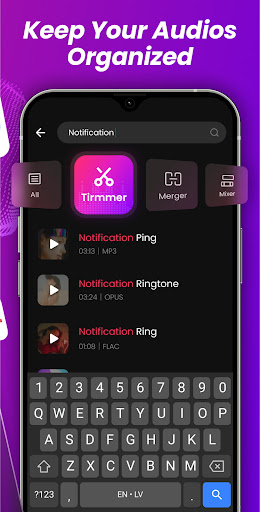
Introduction to Audio Editor, MP3 Cutter
Searching for a professional audio editor and music editor? Want to effortlessly edit audio or cut music across multiple formats? Look no further — Audio Editor, MP3 Cutter is your best choice! Experience the power of precise audio cutting and editing with millisecond accuracy. Whether you need to trim unwanted segments, keep or delete specific parts, or refine your music tracks, this versatile tool has you covered. It functions as a handy music cutter and song editor, making your audio editing tasks straightforward and efficient.
Key Features of Audio Editor, MP3 Cutter
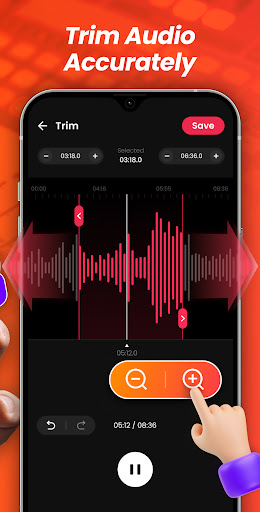
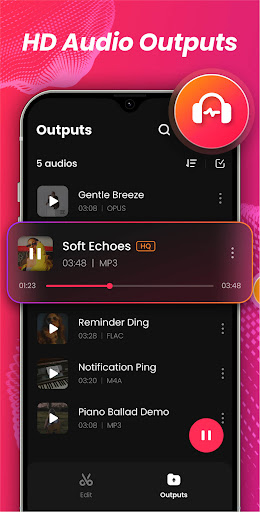
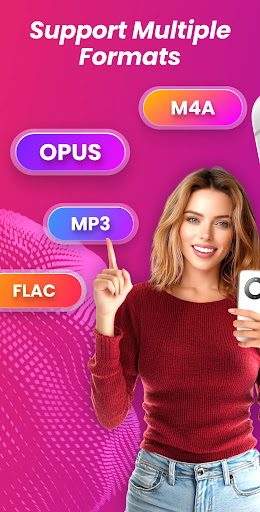
Zoomable Visual Waveforms offer pinpoint accuracy for trimming and editing — you can zoom in for detailed adjustments or view the entire waveform for quick navigation. Supporting a wide range of formats such as AAC, OGG, FLAC, MP3, WAV, OPUS, and M4A, this app ensures compatibility with virtually any audio file. Enjoy unlimited editing with no restrictions, giving you endless creative freedom in producing the perfect sound clips. The intuitive user interface makes navigation simple, whether you’re a beginner or an experienced user.
Three Trimming Modes
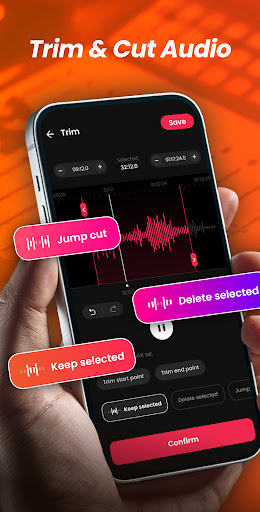
- Keep selected: delete both ends and preserve the chosen segment.
- Delete selected: remove the selected segment and seamlessly splice the remaining parts.
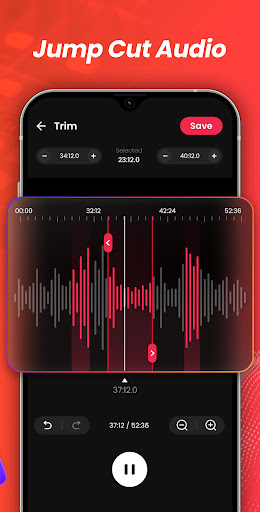
- Jump cut: cut multiple segments at once and combine the remaining sections into a cohesive audio file.
- Delete selected: remove the selected segment and seamlessly splice the remaining parts.
- Jump cut: cut multiple segments at once and combine the remaining sections into a cohesive audio file.
Precise and Customizable Editing
With the zoomable waveform, you can fine-tune your edits with pinpoint accuracy. The app allows you to set custom start and end times for trimming, and offers fast forward/rewind features in 0.1s increments to help you perfect your cuts easily.
Audio Merging and Effects
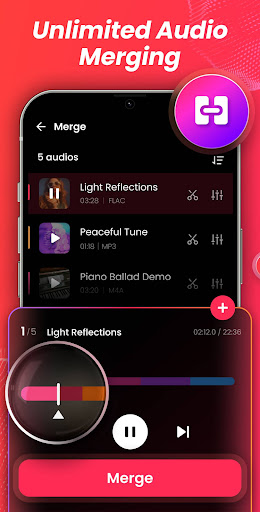
The app provides a strong built-in audio merger tool to combine multiple audio files into one seamless track. You can also add fade-in and fade-out effects, set overlaps, and create professional-sounding medleys or compilations — ideal for content creators, DJs, or casual users wanting to craft unique music mixes.
Upcoming Features
Looking ahead, Audio Editor, MP3 Cutter plans to introduce powerful new features such as an audio mixer for processing multiple tracks simultaneously and a ringtone maker to personalize your device’s incoming call sounds. These additions will further expand its capabilities as a comprehensive sound editor and music editing solution.
Why Choose Audio Editor, MP3 Cutter?
This app distinguishes itself not only through its powerful features but also by its ease of use. Quickly trim, cut, merge, and refine your music files without unnecessary complexity. It supports a broad spectrum of formats, making it perfect for editing everything from high-fidelity FLAC files to common MP3 clips. Whether you want to create personalized ringtones, notification sounds, or professional music snippets, this tool delivers reliable performance in a lightweight package.
Ideal for All Users
Designed for both beginners and professional users, the app offers an unmatched user-friendly experience that minimizes the learning curve. Plus, with free unlimited edits, you can perfect your sound projects without restrictions or hidden costs. Whether you're editing audio for personal use or professional projects, Audio Editor, MP3 Cutter provides the versatility and precision you need.
Conclusion
In today’s world of digital sound editing, simplicity combined with advanced features makes Audio Editor, MP3 Cutter a standout choice. From cutting music for ringtones to assembling complex sound collages, this app simplifies your workflow while delivering professional results. Its broad format support, intuitive design, and upcoming enhancements ensure it remains a top contender for your audio editing toolkit. Download Audio Editor, MP3 Cutter today and give your audio projects a professional touch. Your perfect sound clip is just a few taps away!
Pros
- User-friendly interface for straightforward editing
- Compatible with a variety of audio formats
- Enables accurate cutting and trimming
- Provides effects to improve audio quality
- Supports batch processing of multiple files
Cons
- Contains advertisements that may be distracting
- Free version has limited features
- Occasional crashes have been reported
- Lacks support for cloud storage integration
- Export options could be more extensive











