

Introduction to LightCut - AI Auto Video Editor
In the fast-paced world of content creation, videos have become a vital part of social media engagement. If you're searching for a powerful yet easy-to-use video editor app that leverages cutting-edge AI technology to simplify your editing process, LightCut is an outstanding choice. This free AI video editing app combines rich templates, dynamic effects, and AI-powered features to help users produce stylish videos and vlogs effortlessly. Whether you are a beginners or a seasoned professional, LightCut offers a comprehensive toolkit to craft captivating videos in just a few taps.
Key Features of LightCut - AI Auto Video Editor
AI-Powered Auto Video Creation
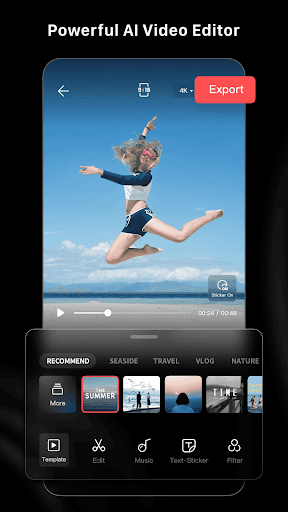
One of LightCut's standout features is its AI-powered auto editing capability. Simply select your video clips or photos, and the app's intelligent engine analyzes the content within seconds. The One-Tap Edit feature then automatically compiles your media into a high-quality, polished video story. This process simplifies what traditionally takes hours, allowing users to generate professional-looking videos quickly. Whether you're documenting a trip, creating lifestyle vlogs, or sharing sports moments, LightCut's AI ensures your footage looks its best with minimal effort.
Rich and Trendy Video Templates
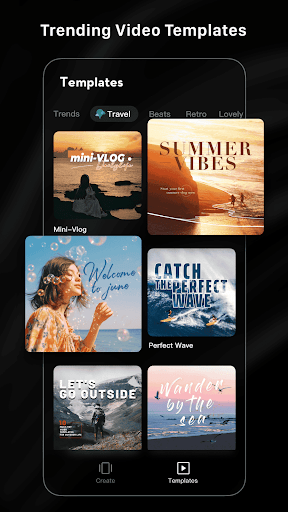
LightCut offers an extensive collection of trendy video templates suitable for various styles and themes. Users can choose from categories like travel, road trips, nature, urban scenes, fashion, lifestyle vlogs, sports, and aerial footage. Selecting a template is straightforward: just pick your preferred style and tempo, and the app automatically creates an engaging video. These stylish video templates enable anyone to produce eye-catching content within minutes, boosting creativity without the need for advanced editing skills.
Innovative Shooting Modes with Inspire Cam
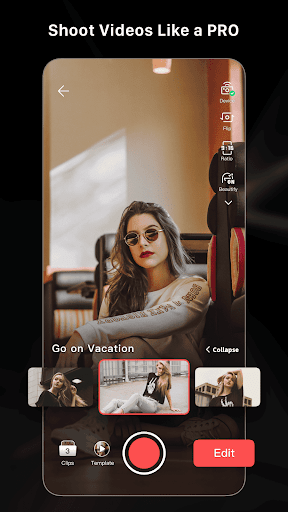
For capturing stunning footage, LightCut features the Inspire Cam shooting modes. If you're unsure how to film or edit, these modes offer comprehensive step-by-step guides that help you shoot like a pro. The creative templates assist in capturing fascinating shots, and the built-in guidance makes the entire process straightforward. The all-in-one approach to video shooting and editing ensures your final product is captivating and professional-looking.
Advanced Editing Tools for Professionals and Beginners
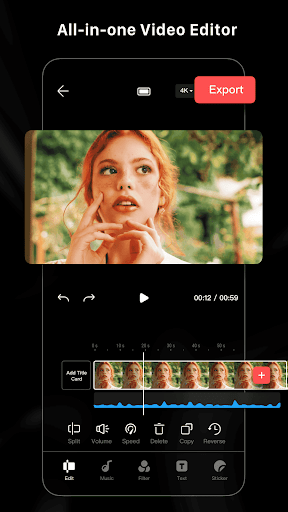
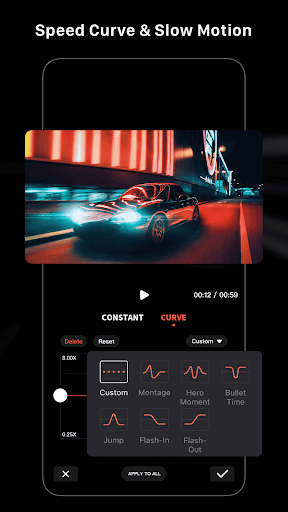
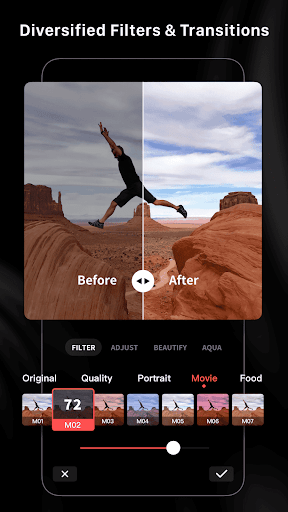
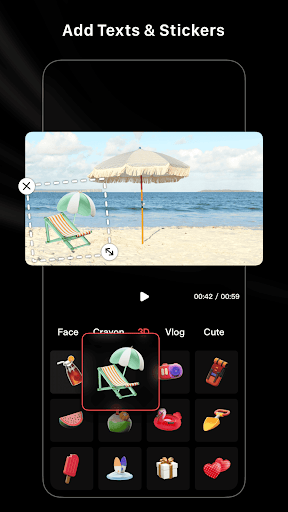
LightCut equips users with powerful editing tools that include video trimmer, video cutter, slow/fast motion adjustments, and various filters, effects, and transitions. These tools allow for fine-tuning your videos, adding special effects or customizing clips to your preference. Additionally, you can insert stickers, font styles, and music tracks to create personalized and engaging content. The interface is designed to be intuitive, making sophisticated editing accessible to beginners while providing professional-grade features for experienced editors.
Creative Flexibility and Licensing
The app includes hundreds of free music tracks that are fully licensed, allowing you to enhance your videos without worries about copyright issues. Users can also split videos into multiple clips, use various filters, and combine clips seamlessly, offering maximum creative flexibility. Most importantly, LightCut is ad-free and watermark-free, ensuring your videos look clean and professional.
Why Choose LightCut for Video Editing?
LightCut sets itself apart as a superfast and user-friendly video editor. Its intelligent AI engine ensures rapid processing, so you spend less time editing and more time creating. The app's efficient design makes it perfect for beginners who want to produce quality videos easily, as well as seasoned content creators looking for quick editing solutions. The combination of rich templates, advanced editing features, and seamless user experience makes LightCut an invaluable tool in today’s competitive social media landscape.
Whether you're crafting a short vlog, making travel videos, or creating engaging social media content, LightCut helps you elevate your videos effortlessly. With natural integrations of keywords like AI video editing, video templates, and professional editing tools, it enhances your content creation process. The result? Eye-catching videos that stand out, gain attention, and potentially go viral.
Summary
If you are on the lookout for an intuitive video editor app that combines AI-powered automation with rich customization options, LightCut stands out as a top choice. Its ability to generate stylish videos in just seconds, along with a variety of trendy templates and professional editing tools, makes it ideal for both amateurs and professionals. Whether you want to create social media content, personal vlogs, or marketing videos, LightCut offers everything you need in a sleek and accessible package. Give it a try today and turn your footage into stunning visual stories with just a few taps!
Pros
- User-friendly interface suitable for beginners.
- AI-powered editing features that save time.
- Extensive selection of transitions and effects.
- Supports exporting in high resolution.
- Receives regular updates with new features.
Cons
- Limited features in the free version.
- May experience lagging on older devices.
- Requires subscription for access to premium features.
- Some effects could be improved.
- Lacks offline editing capabilities.











