

Introduction to Notes Launcher: Notepad, To-do
Are you tired of managing a chaotic collection of sticky notes, reminders, and scribbles? Notes Launcher: Notepad, To-do is designed to bring simplicity and organization to your daily life. This versatile app acts as your personal digital assistant, helping you capture thoughts, manage tasks, and secure sensitive information with ease. Whether you're a busy professional, student, or someone who just loves to stay organized, Notes Launcher offers a range of features that make note-taking and task management intuitive and efficient.
Seamless Note-Taking and To-Do Management
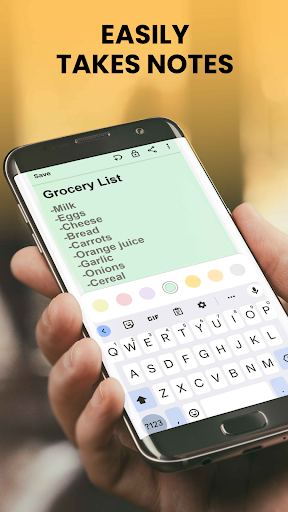
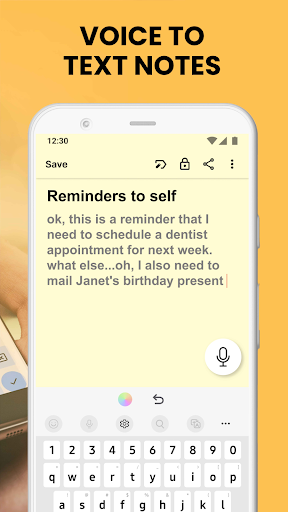
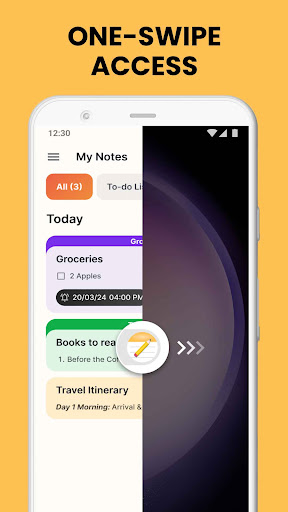
Notes Launcher allows you to quickly jot down ideas and important information right from your home screen. With a simple swipe to the right, you can create quick notes or detailed to-do lists without opening the app itself. This quick-access feature ensures you never miss recording an important thought or upcoming task. You can make grocery lists, holiday plans, work projects, or personal reminders, checking off items as you complete them. The app's smooth and minimalist interface makes note creation effortless, helping you stay productive with minimal hassle.
Customizable and Personalizable Features
Widgets and Home Screen Shortcuts
The app offers customizable widgets that display the time, weather, and other essential information directly on your home screen. Use home screen shortcuts to quickly access your notes and to-do lists, streamlining your workflow. Additionally, personalize your device with a variety of themed wallpapers to match your style and mood, creating a more engaging and personalized user experience.
Color-Coding and Categorization
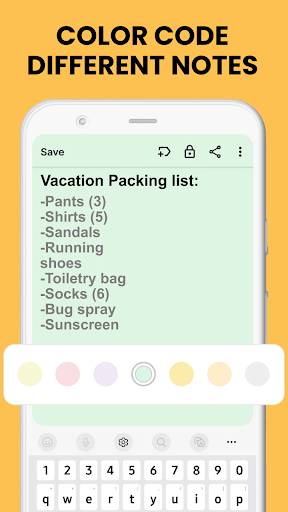
Organize your notes effectively by color-coding them. Whether you’re managing work tasks or personal plans, color-coding helps you prioritize and find information swiftly. You can also categorize notes into custom groups like “vacations” or “emergencies,” making retrieval and management more structured.
Enhanced Note Security and Search
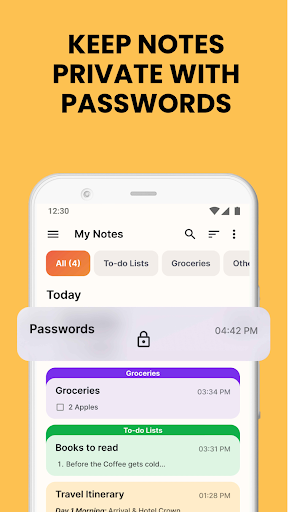
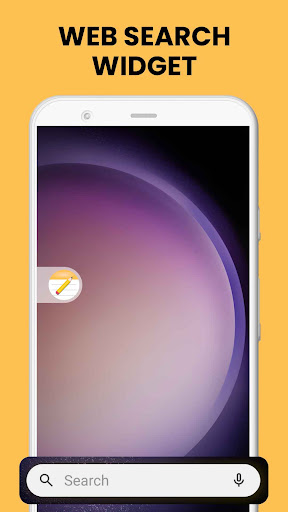
Security is a crucial feature of Notes Launcher. You can lock sensitive notes containing passwords, bank details, or medical information with a secure lock feature. This ensures your private data remains protected from prying eyes. The app also boasts a powerful search function, allowing you to quickly locate specific notes or information by entering keywords or phrases. This makes managing an extensive collection of notes incredibly efficient.
Rich-Text Editing and Sharing Capabilities
The app includes text formatting tools, enabling you to style your notes with different font sizes, italics, underline, and lists — both bulleted and numbered. Sharing your notes is just as simple. Whether you’re planning a trip or working on a group project, you can effortlessly share your notes via email, social media, or messaging platforms. This makes Notes Launcher an excellent tool for collaboration and quick communication.
Additional Functionalities to Boost Productivity
Beyond basic notes, Notes Launcher offers several supplementary features to enhance your productivity:
- Synchronization: Keep your notes synchronized across multiple devices, so your information is always up-to-date regardless of whether you’re using a smartphone or tablet.
- Search: Find any note instantly with the app’s intuitive search tool.
- Sorting: Organize your notes by modification date or creation order for quick access.
- Color Coding & Categorizing: Effortlessly prioritize and group notes for easy retrieval.
Efficiency and User Experience
In my personal experience, Notes Launcher: Notepad, To-do stands out for its sleek and straightforward design. Its minimalist approach means no unnecessary clutter, making navigation a breeze. The synchronization feature is particularly useful for users who switch between devices regularly, ensuring their notes are always at hand. Additionally, the app’s ability to categorize and color-code notes adds a new level of organization that simplifies managing complex projects or busy schedules.
Final Thoughts
If you're seeking a reliable, user-friendly, and feature-rich app to streamline your note-taking and task management, Notes Launcher: Notepad, To-do is an excellent choice. It helps transform scattered information into well-organized digital notes, reducing stress and increasing productivity. From personal reminders to professional tasks, this app makes managing your life easier. And the best part? It’s free, easy to uninstall, and can be tailored to fit your unique workflow.
Give Notes Launcher a try today and experience a new level of organization. For any questions or suggestions, feel free to explore the FAQ section or contact the developers through their contact form.
Pros
- Intuitive user interface
- Seamless to-do list integration
- Customizable themes
- Lightweight and fast
- Syncs across devices
Cons
- Limited collaboration features
- No offline access
- Ads in free version
- Limited widget options
- No advanced formatting tools











