

Unroll.Me - Email Cleanup
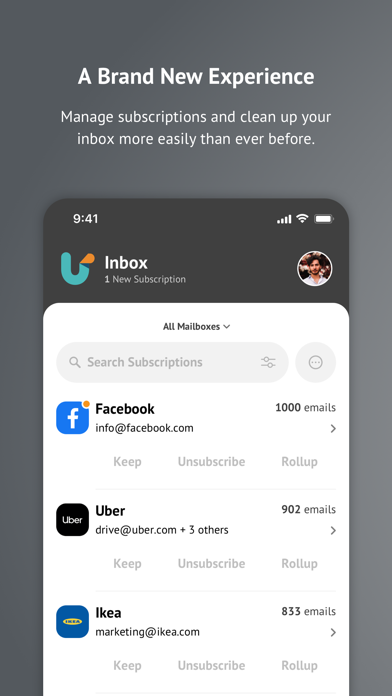
Are spam and subscription emails flooding your inbox? Do you have hundreds, if not thousands, of useless emails making your cluttered mailbox impossible to navigate? Worry no more! Unroll.Me to the rescue! Cleaning your inbox has never been so easy, or looked so good! With Unroll.Me, we’ll show you all the subscription emails in your inbox, and give you full control over what you want to do with them. Easily block unwanted emails, keep the ones you want, and rollup those that you don’t want to block, but also don’t necessarily want to see in your inbox.
Here’s what you can expect from Unroll.Me:
- View all subscription emails flooding your inbox and we’ll update this as we detect new subscriptions.
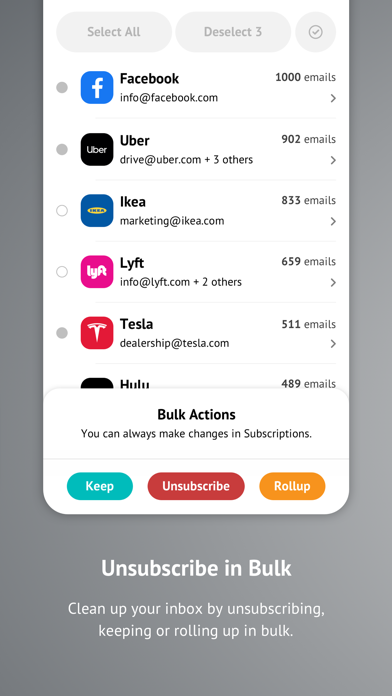
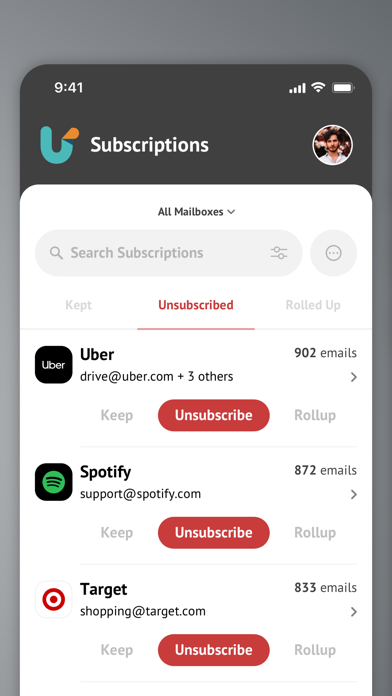
- Block, keep, and rollup your subscription emails, either in bulk or individually.
- Search your subscriptions easily so you can find that one company that won’t stop spamming you.
- Want to block an email subscription that you kept or rolled up? No worries, you can edit any and all changes that you’ve made to your subscriptions in the Subscriptions tab.
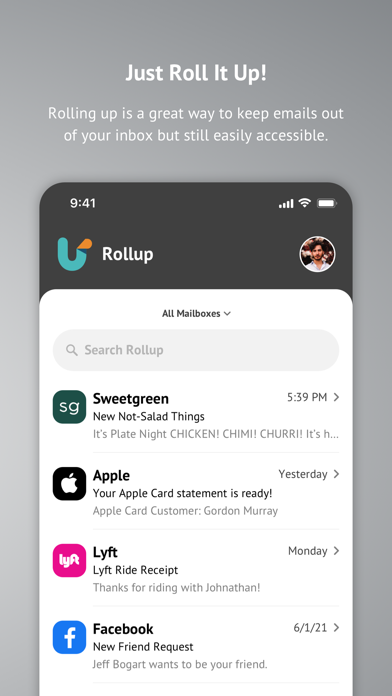
- View your rolled up emails - this updates once a day and we’ll send you a daily digest email of all new mail you received from your rolled-up subscriptions.
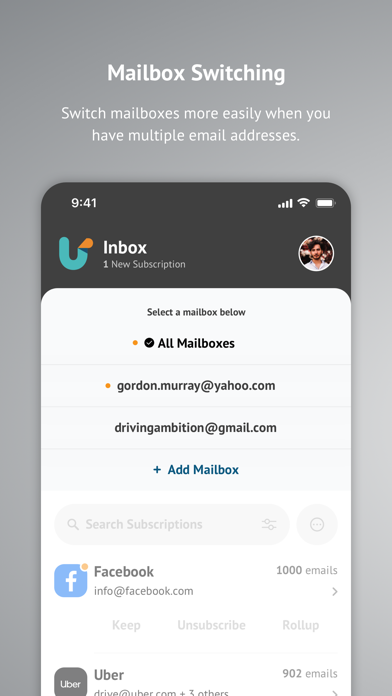
- Support for multiple email accounts and tackling subscriptions across all accounts with Unroll.Me.
- Support for the following email providers: Gmail, iCloud, Yahoo!, AOL, Outlook, and Google Apps. More to come…
Stop stressing over your inbox and get back to spending time on what matters to you. Download Unroll.Me and reclaim your “you time”. Love Unroll.Me? Leave a review and let us know what you think!
Why Choose Unroll.Me for Efficient Email Management
If you’ve ever felt overwhelmed by the sheer volume of emails cluttering up your inbox, then Unroll.Me might just be the app for you. This innovative tool promises to streamline your email management by helping you easily unsubscribe from unwanted emails and organize the ones you want to keep. Let’s explore what makes Unroll.Me a must-have app for your smartphone and how it can transform your digital life.
Getting Started with Unroll.Me
Setting up Unroll.Me is straightforward and quick. Simply download the app, and within a few simple steps, you’re ready to start decluttering your inbox. The app scans your email accounts and presents you with a comprehensive list of your subscriptions. Imagine having your own personal email assistant that keeps your inbox tidy and organized.
Seamless Unsubscribing
One of the standout features of Unroll.Me is its effortless unsubscribe process. With just a tap, you can eliminate those unwanted newsletters and promotional emails that clutter your inbox daily. This feature allows you to declutter your email account without the hassle of manually searching for the tiny unsubscribe link buried in each email. It’s a game-changer for those tired of constant spam.
The Rollup Feature
Ever wished you could bundle all your subscription emails into a single, manageable digest? The Rollup feature makes this possible. You can compile all your favorite subscriptions into one daily email, choosing when you want to receive it. This way, your inbox stays light, and you stay informed on your own schedule. It’s perfect for those who want to stay updated without losing control of their email flow.
Prioritizing Privacy and Security
Concerned about privacy when allowing an app access to your email? Unroll.Me prioritizes your privacy by employing secure protocols to manage your emails. You always have control to revoke access if needed. While it’s important to stay cautious, users generally find the security measures reassuring, and the convenience offered by Unroll.Me outweighs potential concerns.
Final Thoughts: Simplify Your Inbox with Unroll.Me
If you’re tired of feeling overwhelmed by the constant influx of emails, Unroll.Me offers an effective solution. Its simple setup, powerful unsubscribe options, and convenient Rollup feature help manage your emails more efficiently than ever before. By organizing your subscriptions and reducing clutter, you can spend less time dealing with inbox chaos and more time on what truly matters.
Take control of your digital life today — download Unroll.Me and experience a cleaner, more manageable inbox. Transform your email experience and enjoy the peace of mind that comes with better organization and reduced spam.
Pros
- Efficient decluttering of your inbox.
- User-friendly interface.
- Quick setup process.
- Supports multiple email services.
- Free to use.
Cons
- Limited customization options.
- Occasional syncing problems.
- Intrusive advertisements.
- Privacy issues related to data handling.
- Unavailable on certain platforms.











