


Overview of MMGuardian Parental Control
In today's digital age, ensuring the safety of children while they navigate the online world is more important than ever. MMGuardian Parental Control is a comprehensive app designed specifically for parents to monitor and manage their child's smartphone activity seamlessly. It enables parents to view messages, receive safety alerts, and set limits for screen time and application usage, fostering a safer digital environment for children. This application works in tandem with a companion app installed on your child's device—whether that's an iPhone or an Android phone—and is operated from the parent's smartphone. With easy setup and user-friendly features, MMGuardian Parental Control is a trusted tool for proactive parental monitoring.
Key Features of MMGuardian Parental Control
Remote Monitoring and Alerts
Once installed on your child's phone, the MMGuardian Parental Control app allows parents to view messages, monitor web browsing activity, and observe app usage. It also provides the ability to see who your child is calling or messaging, ensuring transparency and safety. The app sends instant alerts when concerning content is detected, such as messages related to • sexting, • cyberbullying, • drugs, or signs of • suicidal thoughts. Alerts cover texts, social media chats—including Facebook Messenger, WhatsApp, TikTok, Instagram, Snapchat, Kik, and Discord—and even web searches, giving parents an early warning system to prevent potential harm.
App and Web Usage Control
Parents can block or limit access to specific applications and websites, helping to manage • screen time and prevent unhealthy internet habits. The app also enables interim control features, such as quickly locking or unlocking the device, which can be invaluable during bedtime or study hours. The ability to set app usage limits fosters responsible digital consumption in children.
Location Tracking & Device Management
Another standout feature is the real-time location tracking, which reassures parents about their child's whereabouts. Additionally, the app can remotely lock or unlock the device, helping in emergencies or when restrictions are needed. Both parent and child devices must be registered with the same email account to synchronize controls and reports effectively.
Screen Time & Web Filtering
Parents can establish rules for daily • screen time limits and apply web filtering to block inappropriate content. These controls support responsible online behavior and help curb excessive device usage. The app relies on internet data to transmit reports and commands, making it essential that both devices have network connectivity.
Usage and Subscription Details
Getting Started
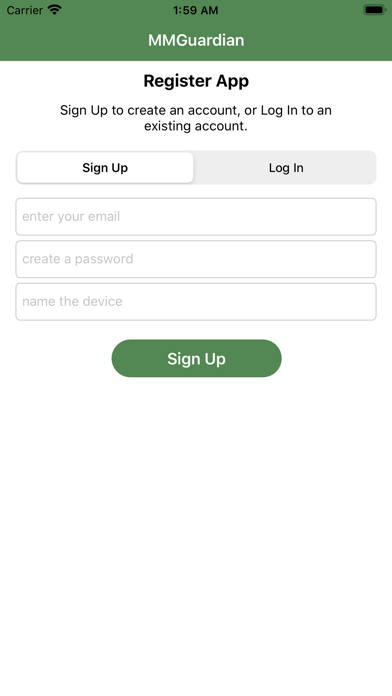
The app offers a free 14-day trial during which all features are accessible. After the trial, only basic functionalities like device location remain operational unless a subscription is purchased. During setup, parents are guided through downloading the child app from the relevant app store—Apple App Store or Google Play Store—and registering both devices with the same email for seamless operation.
Subscription Plans
Subscriptions are available at $4.99/month or $49.99/year for monitoring a single child's device. Family plans, designed for up to five children, are priced at double these rates. Paying for a subscription unlocks additional premium features such as detailed activity reports, web filtering, and app management, providing comprehensive oversight for parents seeking maximum control.
Safety and Privacy Commitment
Security and privacy are core to MMGuardian Parental Control. The app encrypts all data transmissions, safeguarding sensitive information. It also adheres to a transparent privacy policy, respecting the rights of children to privacy while providing parents with necessary tools for safety management. The focus is on protecting children from online risks, including cyberbullying, sexting, and exposure to inappropriate content, rather than intrusive surveillance.
Advantages of Using MMGuardian Parental Control
Many parents find MMGuardian Parental Control an invaluable tool for responsible parenting in the digital era. Its comprehensive features empower parents to stay informed without crossing boundaries, fostering open communication about internet safety. With user-friendly setup, reliable monitoring, and an array of controls, this app helps prevent online threats and supports healthier digital habits. The location tracking, message scanning, and web filtering capabilities together build a protective digital fence for children, giving parents peace of mind.
By integrating content filtering and real-time alerts, MMGuardian Parental Control makes it easier to guide kids towards safer online practices. Its design encourages conversations about responsible device use, cyber safety, and the importance of boundaries. Ultimately, it offers a balanced approach where parents can keep an eye on their children's online activities while respecting their privacy—striking the right balance for modern parenting.
Pros
- Comprehensive monitoring features
- User-friendly interface
- Real-time alerts
- Customizable settings
- Supports multiple platforms
Cons
- Limited free version
- Occasional app crashes
- High battery consumption
- Complex configuration for certain features
- Premium features may be expensive











