

Discover the Power of Papercopy - Tracer: The Ultimate App for Digital Tracing and Sketching
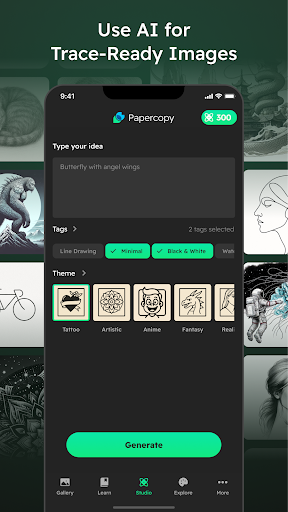
Are you an aspiring artist, a designer, or simply someone who loves doodling? If so, Papercopy - Tracer is an innovative and user-friendly app designed to streamline your creative process. Perfect for copying images from your screen onto paper or digital canvases, this versatile tool caters to both beginners and experienced creatives seeking a quick and efficient way to trace and replicate images with precision. Let's explore what makes Papercopy - Tracer a must-have on your device.
Key Features of Papercopy - Tracer
The core appeal of Papercopy - Tracer lies in its intuitive features that simplify the tracing process. Whether you're working on a complex illustration or a simple sketch, the app offers a range of tools to enhance your creative workflow:
Easy Image Import and Adjustment
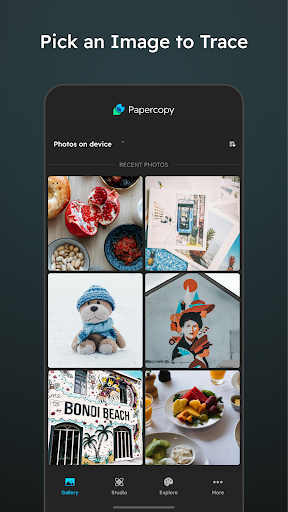
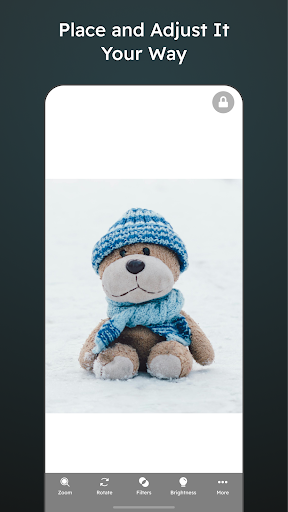
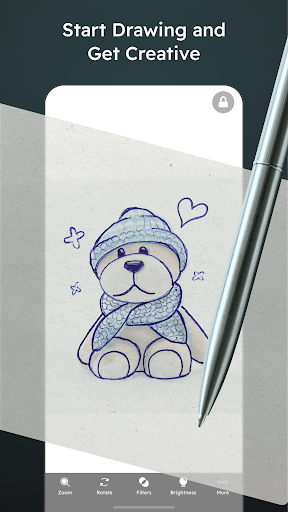
Getting started is effortless. Simply open your image within the app — support for gallery images makes it convenient. After selecting your photo, you can easily zoom, rotate, and move it around to align it perfectly over your display. The adjustable transparency feature allows you to set the opacity of your image, making it easier to see and trace details accurately.
Screen Freezing for Precision
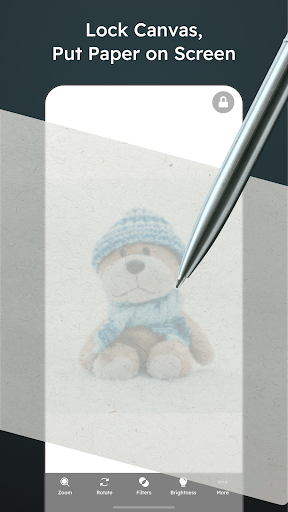
One of the standout functionalities is the ability to freeze the screen. When you freeze your image, it remains static—even if your device moves or if you accidentally tap around—so you can focus entirely on tracing without interruptions.
Enhanced Tracing Tools
For artists who need precision, Papercopy - Tracer offers a useful grid overlay. This feature helps ensure correct proportions and symmetry, making your sketches look professional. The app also supports multi-touch gestures, enabling smooth zoom in and out, pan, and rotate actions — providing a digital lightbox experience right at your fingertips.
How Papercopy - Tracer Boosts Your Creativity
Whether you're a beginner exploring the fundamentals of drawing or a seasoned artist refining your craft, Papercopy - Tracer is designed to make your creative sessions more productive and enjoyable. Its lightweight nature means it won't drain your device's battery or slow down your workflow, allowing you to sketch on the go, whether lounging at home or during a commute. The app's clean interface and seamless navigation invite you to focus solely on your art without unnecessary distractions.
Perfect for Quick Doodles and Detailed Projects
From casual doodles to detailed illustrations, Papercopy - Tracer adapts to your needs. Its straightforward tools make it easy to quickly trace images for personal projects, craft ideas, or learning purposes. Plus, the app's versatility means you can use it across various creative domains, including graphic design, concept art, or even educational activities like art classes.
Why Choose Papercopy - Tracer?
Unlike other tracing apps that bombard users with ads or have complicated interfaces, Papercopy - Tracer emphasizes simplicity and effectiveness. Its user-centric design facilitates a smooth learning curve, making it accessible to everyone. Whether you're at home, in a classroom, or on the move, this app acts as a digital sketchbook, ready to assist with your artistic pursuits anytime you need.
Embrace Your Creativity with Papercopy - Tracer
In summary, Papercopy - Tracer is more than just a screen-to-paper copying tool — it's a comprehensive tracing app that inspires creativity, enhances precision, and simplifies the artistic process. If you're passionate about drawing, designing, or simply exploring your artistic talents, giving this app a try could be the next step toward unlocking new creative possibilities. Easy to use, highly functional, and engaging, Papercopy - Tracer is your perfect companion for all things artistic.
Pros
- User-friendly interface for easy navigation.
- High accuracy in tracing and sketching.
- Supports various file formats.
- Regular updates with new features.
- Operates offline without internet connection.
Cons
- Limited features in the free version.
- Occasional lag on older devices.
- Advertisements present in the free version.
- Steep learning curve for new users.
- No synchronization across devices via cloud.











