

Discover the Features of Control Center - Panel Plus
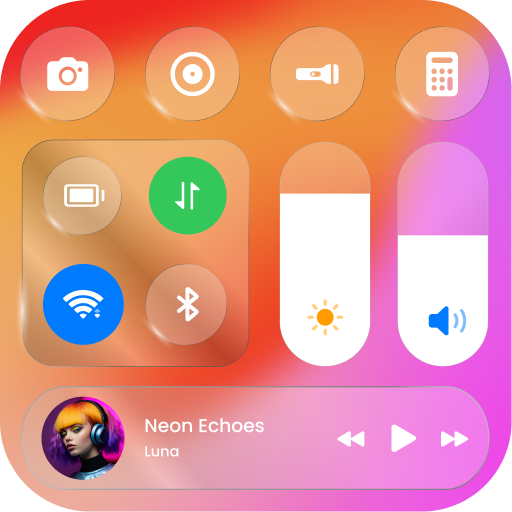
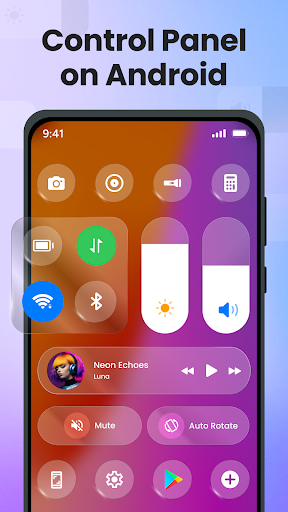
Control your Android apps in style and transform the way you interact with your device using Control Center - Panel Plus. Designed to mimic the familiar control center experience found on iOS, this app offers a sleek, customizable, and efficient way to manage your Android device's functions. Whether you're adjusting brightness, toggling Wi-Fi, or accessing quick settings, Control Center - Panel Plus brings convenience right to your fingertips with an intuitive interface.
Seamless Control and Customization
With Control Center - Panel Plus, you get quick access to essential features such as:
- Brightness and Sound: Quickly adjust your screen brightness and volume levels to suit your environment in a stylish way.
- Dark Mode: Switch to dark mode for easier viewing during nighttime hours, reducing eye strain and saving battery life.
- Connect to Wi-Fi: Easily enable or disable Wi-Fi connectivity with just one tap, streamlining your connection management.
- Screen Recording: Capture tutorials, gameplay, or any screen activity effortlessly, making content creation simple.
- Silence Notifications: Mute notifications instantly to enjoy peace and quiet when needed.
- Lock Screen Orientation: Prevent accidental screen rotations by locking the orientation manually.
- Bluetooth Connection: Manage Bluetooth connections easily without navigating through settings menus.
- Airplane Mode: Enable airplane mode quickly during flights or in quiet environments.
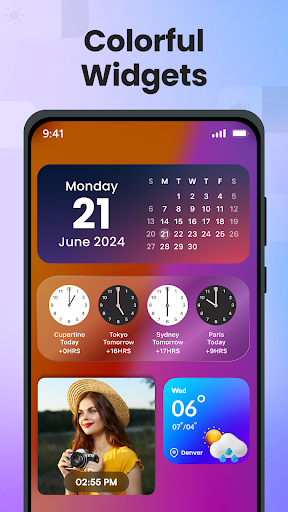
- Cool Widgets: Access various stylish widgets to customize and decorate your home screen.
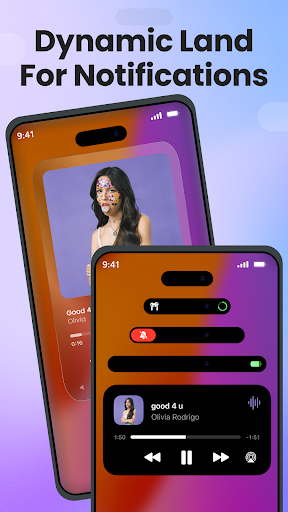
- Dynamic Land: Manage notifications in a fashionable way with dynamic land features for better interaction.
- Flashlight: Illuminate your surroundings using your device's flashlight in dark environments.
- Screenshot: Capture your device screen with a single click to save important moments or information.
Personalize Your Control Panel
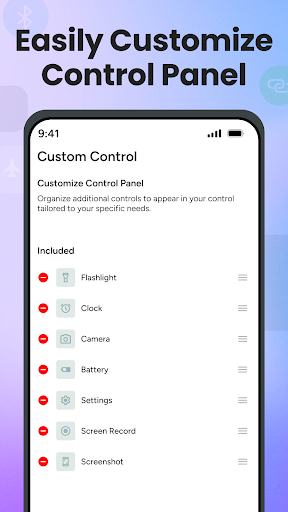
One of the standout aspects of Control Center - Panel Plus is its high level of personalization. You can tailor the control panel to match your style by changing colors, adjusting the size and shape, and selecting your preferred apps and settings for quick access. This personalization ensures that your control center feels like a natural extension of your device, enhancing both aesthetic appeal and usability.
Enhanced User Experience with Accessibility
The app utilizes Accessibility Services to provide a seamless and integrated experience. This allows features like displaying the control panel and quick actions such as volume adjustment or music control to function smoothly. Rest assured, Control Center - Panel Plus prioritizes your privacy; it does not collect or share personal data through accessibility features. The focus is on delivering a secure, user-friendly experience that enhances your device interaction without compromising privacy.
Easy Setup and Performance
Getting started with Control Center - Panel Plus is straightforward. The app is lightweight and doesn’t consume excessive system resources, ensuring your device runs smoothly. The design is minimalist and intuitive, enabling quick customization and effortless access to all the features you need. Whether you're a power user or a casual user, this app offers a reliable, fast, and visually appealing control hub for your Android device.
Why You Should Try Control Center - Panel Plus
If you're looking to enhance your Android experience with a sleek, customizable, and efficient control panel, Control Center - Panel Plus is the perfect solution. It combines practicality with style, bringing all your essential controls into a centralized hub that you can personalize to match your unique preferences. The app's seamless performance ensures that it’s always ready when you need it, helping you manage your device with ease and elegance. Take control of your Android device today and enjoy a more streamlined, stylish, and functional user experience.
Pros
- Intuitive user interface design.
- Highly customizable settings.
- Quick access to settings.
- Low battery consumption.
- Supports multiple languages.
Cons
- Contains ads in free version.
- Limited features without premium.
- Occasional lag on older devices.
- No widget support.
- In-app purchases are expensive.











