
Frequently Asked Questions
What is Control Center - Panel Plus and how does it enhance my smartphone experience?
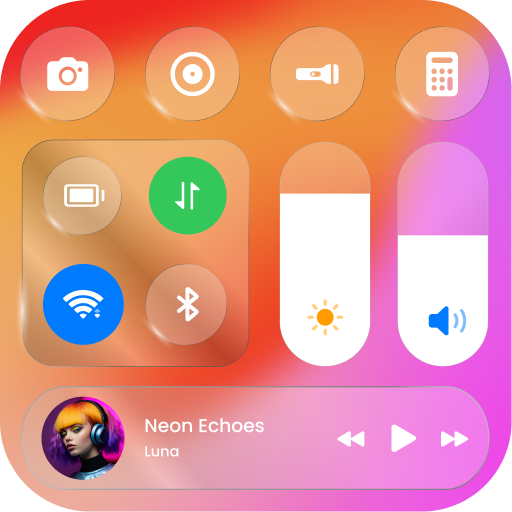
Control Center - Panel Plus is an application that improves your smartphone's accessibility and efficiency by providing quick access to essential settings and apps. It offers a customizable control panel similar to iOS, enabling you to toggle Wi-Fi, Bluetooth, adjust brightness, and more from a single convenient location. This app simplifies navigation by bringing important controls to your fingertips, thereby enhancing overall usability.
How customizable is Control Center - Panel Plus?
Control Center - Panel Plus features a highly customizable interface, allowing users to personalize the panel according to their preferences. You can add or remove shortcuts, rearrange icons, and select from various themes and layouts. This customization enables you to prioritize the controls and apps you use most often, making the panel both functional and visually appealing for your needs.
Is Control Center - Panel Plus compatible with all Android devices?
Although designed to work with a broad range of Android devices, there may be some limitations due to manufacturer restrictions or Android version variations. It is advisable to verify the app's compatibility with your specific device in the Google Play Store before installation, ensuring all features function properly on your smartphone.
Does Control Center - Panel Plus consume a lot of battery or system resources?
Control Center - Panel Plus is built to be lightweight and efficient, minimizing its impact on battery life and system resources. It operates smoothly in the background, providing quick access to controls without causing significant battery drain or performance issues. Many users report minimal influence on overall device efficiency, making it suitable for daily use.
Are there any privacy concerns with using Control Center - Panel Plus?
The app emphasizes user privacy and security by avoiding unnecessary permissions and only accessing essential system controls like network settings. The developers are committed to safeguarding user data and do not collect personal information without user consent, providing a secure user experience.
You May Like

Zedge™ Wallpapers & Ringtones
Personalization
4.7
ThemeKit - Themes & Widgets
Personalization
4.7
Launcher OS™
Personalization
4.4
Fonts Keyboard Themes & Emoji
Personalization
4.7
Make Money: Play & Earn Cash
Personalization
4.5
Themes
Personalization
4.1
Pixel 4D™ Live Wallpapers
Personalization
4.7
Wallpapers HD - Backgrounds 4K
Personalization
4.7
LED Keyboard: Colorful RGB
Personalization
4.5
Microsoft Launcher
Personalization
4.7
Edge Lighting - Borderlight
Personalization
4.8
Themepack - App Icons, Widgets
Personalization
4.7