





Discover the Handy Art Reference Tool: Your Portable Companion for Artistic Inspiration
Are you an artist seeking a quick and reliable way to access art references without the hassle of awkwardly posing your limbs in front of a mirror? The Handy Art Reference Tool is the perfect solution, designed to elevate your drawing experience and streamline your creative process. Whether you're a professional illustrator, a hobbyist, or just passionate about honing your skills, this app offers an intuitive platform packed with versatile features to help you master complex poses and anatomy with ease.
Comprehensive 3D Poses and Customization Capabilities
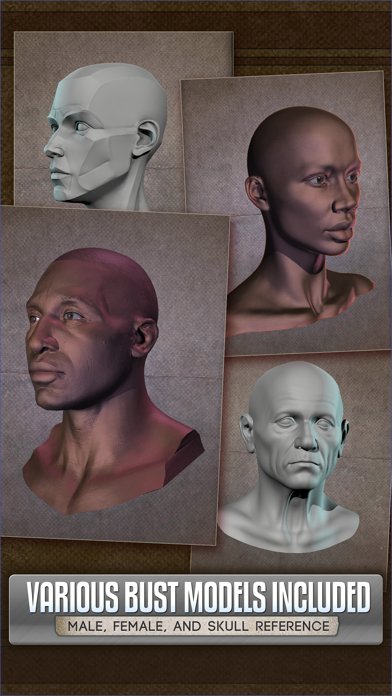
One of the standout features of Handy is its extensive collection of rotatable 3D limbs, including hands, heads, feet, and skulls, all available in a variety of dynamic and static poses. These models allow artists to explore perspectives from any angle—simply rotate, zoom, or move them to suit your reference needs. What’s more, you can customize and edit your own poses for hands, feet, and skulls, making this tool adaptable to your specific drawing style and project requirements. This flexibility saves you countless hours that would otherwise be spent awkwardly posing limbs or searching for suitable references.
Lighting and Realism at Your Fingertips
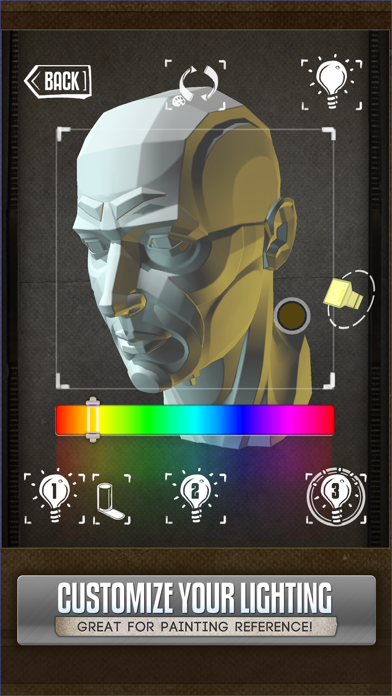
Lighting plays a crucial role in creating realistic and compelling artwork. Handy offers fully adjustable 3-point lighting setups, allowing you to simulate various lighting scenarios. Whether you're aiming to capture dramatic shadows or subtle highlights, the app provides easy controls to manipulate how light interacts with your models. For example, you can use this feature to observe how shadows fall from different angles on head busts or animal skulls, which is invaluable for painters and illustrators striving for realism.
Expanded Content for Creative Inspiration
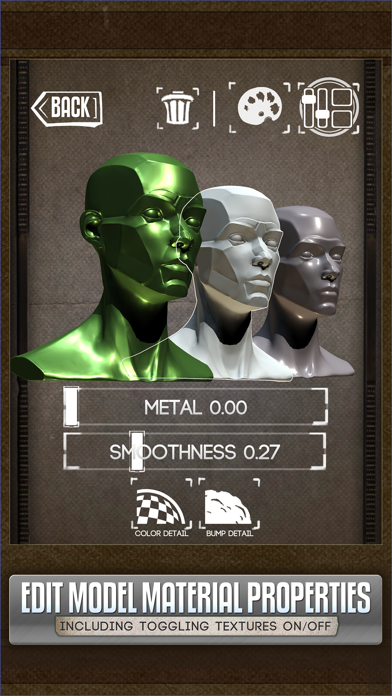
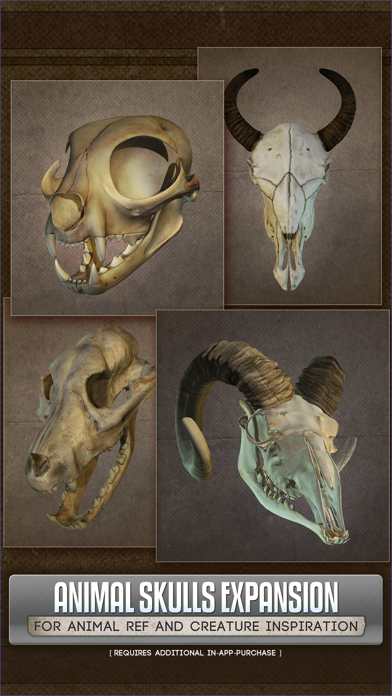
Beyond human anatomy, Handy enriches your library with specialized packs, including the Animal Skulls collection. With over ten species—from lions to wolves—these references are perfect for anatomical studies, creature design, or fantasy illustrations. Additionally, the app features foot rigs (available through additional purchase), expanding its utility for dynamic character poses. The recent v5 update introduces an exciting feature: editing model materials. Artists can now selectively turn textures on or off, adjust specularity, or apply color tints. This level of customization makes Handy an essential tool for comic artists, painters, and digital illustrators seeking unique visual effects.
User-Friendly Interface and Offline Accessibility
Designed with simplicity in mind, Handy boasts an elegant and intuitive interface. Navigating through models, customizing poses, and adjusting lighting is straightforward, even for users new to 3D referencing tools. Plus, once references are downloaded, the app functions offline—an excellent feature for artists on the go or in locations with limited internet access.
Enhanced SEO Keywords for Art Creation
If you're frustrated with finding hand drawing references or struggle with capturing complex anatomy reference images, Handy Art Reference Tool is your ultimate companion. Its extensive library of 3D pose models, artistic anatomy references, and customization options make it an indispensable part of any artist’s toolkit. Whether you're working on character design, portrait art, or creature illustration, this app helps you understand light and shadow and develop a better grasp of human and animal anatomy.
Final Verdict
In summary, the Handy Art Reference Tool seamlessly combines versatility, customization, and user convenience to become a must-have app for artists dedicated to improving their craft. It effectively functions as a pocket-sized art studio offering access to pose references, references for anatomy, and creative tools that enhance your artistic workflow. Whether you're sketching at home, on the move, or in a studio, this app empowers you to draw with confidence and accuracy. Embrace this innovative reference solution and watch your artwork reach new levels of realism and expressiveness.
Pros
- Extensive library for art references
- Easy-to-navigate interface
- Frequent updates
- Images available in high resolution
- Access offline
Cons
- Limited free functionalities
- Sometimes app may crash
- Requires significant storage space
- Lacks community features
- Subscription cost may be high











