
Introduction to Stick Nodes Pro - Animator
Have you ever imagined transforming simple stick figures into lively, animated stories? Look no further than Stick Nodes Pro - Animator. This powerful stickman animation app brings your creative ideas to life with an intuitive interface and a robust set of features. Designed with both beginners and experienced animators in mind, this app turns your mobile device into a mini animation studio, enabling you to craft impressive animations easily and share them with a vibrant community.
Main Features of Stick Nodes Pro - Animator
User-Friendly Interface and Accessibility
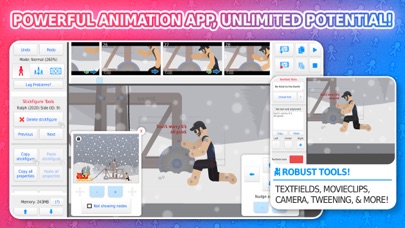
Stick Nodes Pro offers a clean, straightforward layout that makes animation creation accessible to all users. Whether you're a novice or a seasoned animator, you'll find it easy to start sketching your stick figures, add frames, and bring your characters to life.
Advanced Animation Tools
The app supports frame-by-frame animation, allowing precise control over each movement. Its automatic frame-tweening feature helps create smooth transitions between frames, enhancing the overall fluidity of your animations. The onion skin mode provides latest and previous frames simultaneously, assisting in creating seamless motion.
Sound and Effects Integration
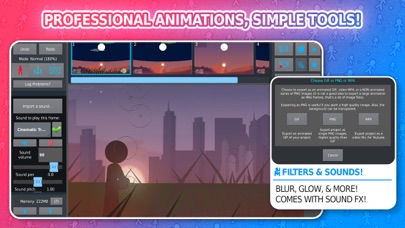
Bring excitement to your projects by incorporating sound effects and background music. You can add audio to specific frames, making your animations more engaging and dynamic. The app also offers various filters like glow, blur, and transparency to customize the look and feel of your stick figures.
Versatile Drawing and Customization
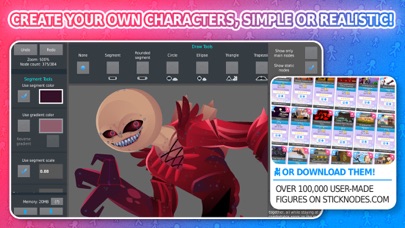
Create any stick figure imaginable with a variety of shapes, colors, and gradients. You can scale and color each segment individually, apply visual effects, and even join figures together to simulate holding or wearing objects. This flexibility allows for highly detailed and expressive characters.
Community and Sharing
Join a thriving community where animators share their work, exchange ideas, and download stick figures created by others. The platform hosts over 30,000+ stickfigures available for download, providing endless inspiration. Projects can be exported as GIFs and MP4 videos for easy sharing online or with friends.
Support for Various Platforms and Files
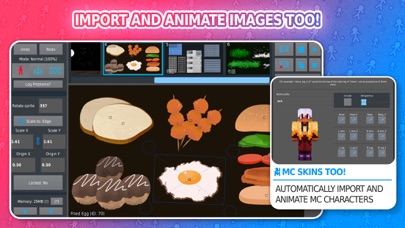
The app is compatible with pre-3.0 Pivot stickfigure files and supports saving, opening, and sharing projects, stickfigures, and movie clips. Recent updates include importing and animating Minecraft™ skins, adding more fun options for users.
Extra Features in the Pro Version
The Pro version unlocks additional capabilities to enhance your animation experience:
- No startup ads
- No watermark on exports
- Add sound effects to frames
- Export to MP4 videos (not just GIF)
- More stickfigure filters like blur, glow, and others
These features make Stick Nodes Pro ideal for aspiring animators who want more control and professional-quality output.
Languages and Community Engagement
The app supports multiple languages including English, Español, Français, Japanese, Filipino, Português, Russian, and Türkçe. This accessibility helps foster a global community of animation enthusiasts.
Visit the official website and social media platforms like Facebook, Reddit, Twitter, and YouTube to stay updated with the latest news, tutorials, and community creations.
Why Choose Stick Nodes Pro - Animator?
If you're searching for an intuitive, powerful, and fun animation app, Stick Nodes Pro - Animator is the perfect choice. It’s especially great for learning animation in educational settings or for hobbyists passionate about storytelling through stick figures. With continuous updates and a supportive community, your creativity has no limits. Start creating, sharing, and inspiring today with this versatile animation tool!
Pros
- User-friendly interface simplifying animation creation
- Extensive toolset for creative expression
- Effortless exporting to GIF and video formats
- Frequent updates introducing new features
- Capability to handle multi-layered animations
Cons
- Steep learning curve for newcomers
- Limited library of sound effects
- Occasional crashes on older devices
- Possibility of requiring in-app purchases
- Lacks cloud backup for projects









