


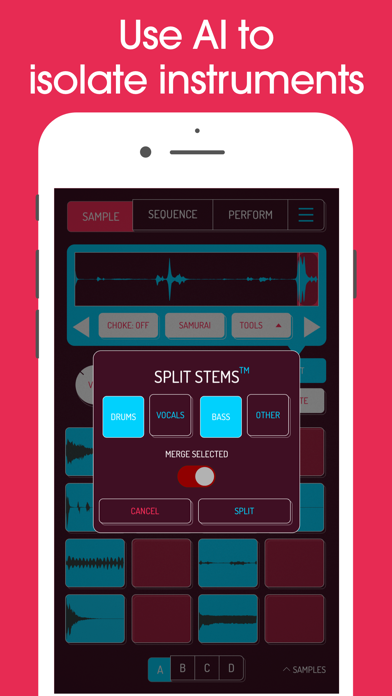

Discover the Versatility of Koala Sampler
Are you searching for a game-changing music app that combines portability with professional-quality features? Look no further than Koala Sampler, the ultimate pocket-sized sampler. Designed for musicians, producers, and sound enthusiasts alike, Koala allows you to craft beats, manipulate sounds, and produce tracks—all from your smartphone.
Unleash Your Creativity with an Intuitive Interface
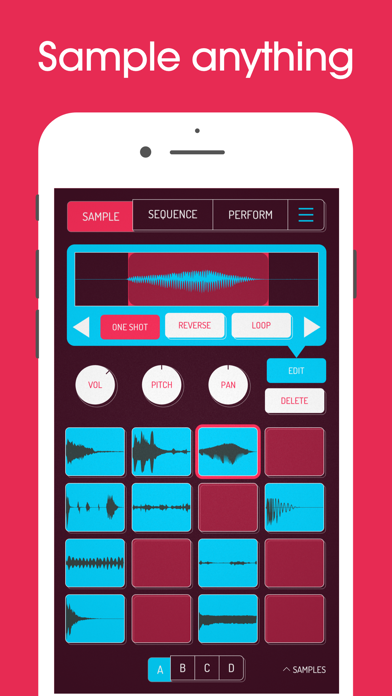
Right from the start, Koala Sampler impresses with its super intuitive interface. The developers have prioritized ease of use, ensuring that both beginners and seasoned producers can navigate and create effortlessly. Whether you're recording samples, applying effects, or assembling your track, the seamless workflow keeps you in the creative flow without getting bogged down by complex menus or micro-editing. This focus on simplicity makes it fun and fast to turn ideas into finished vocal or instrumental samples.
Key Features That Elevate Your Music Production
Sample Recording and Manipulation
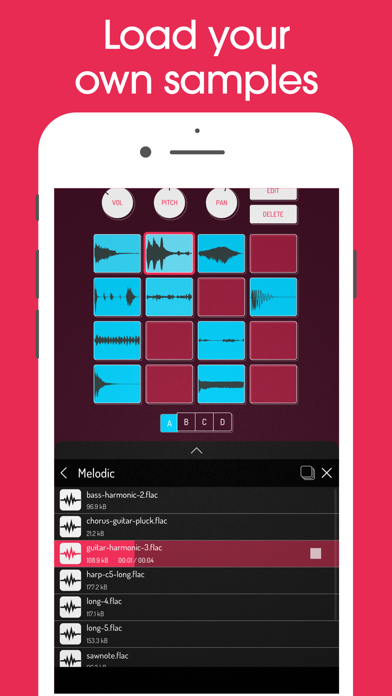
The core strength of Koala Sampler is its ability to record up to 64 samples using your phone's microphone or load your own sounds. You can transform your voice or any environment sound into a unique sample and then layer it within your project. Additionally, the app allows you to resample the output, routing it back through effects to explore endless sonic textures.
Built-in Effects and Sound Shaping
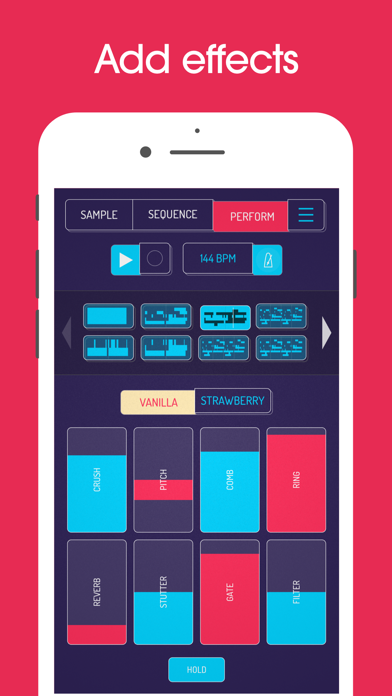
The app comes packed with 16 superb built-in effects and 8 microphone effects to shape your sounds creatively. From distortion and reverb to octaves and robotic effects, these tools give you professional-grade sonic control. Moreover, you can adjust attack, release, tone, and more on individual samples for precise sound design.
Sequencing and Looping
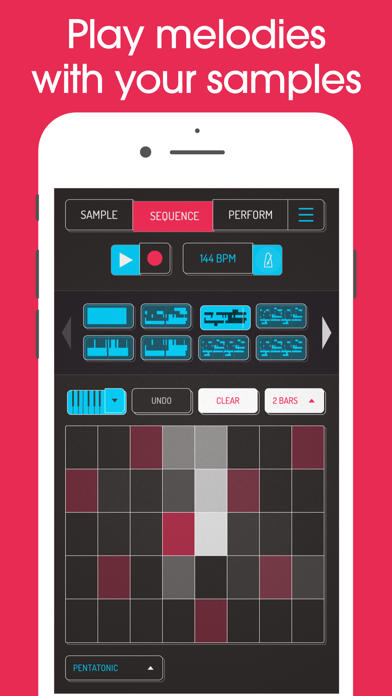
The high-resolution sequencer empowers you to create complex beats and patterns. Features like quantize and swing help you craft the perfect groove. You can also mute, solo, and set samples to One-shot, Loop, or even Reverse playback for varied effects. Copy, paste, and merge sequences with drag-and-drop simplicity to assemble your tracks swiftly.
Import, Export, and MIDI Control
Import your own samples or export your finished work as high-quality WAV files. The app is also MIDI controllable, allowing you to play your samples on external keyboards and integrate with other gear for live performances or studio setups.
Advanced Features for the Pros (via In-App Purchase)
For users seeking pro-level features, the SAMURAI upgrade unlocks professional-quality timestretch in four modes, a piano roll editor, and auto-chop capabilities. These tools bring your sample manipulation to the next level, supporting more intricate compositions and edits.
The Creative Toolkit: Effects for DJs and Producers
Microphone Effects
- More Bass
- More Treble
- Fuzz
- Robot
- Reverb
- Octave up
- Octave down
- Synthesizer
DJ Mix Effects
- Bit-crusher
- Pitch-shift
- Comb filter
- Ring modulator
- Reverb
- Stutter
- Gate
- Resonant High/Low Pass Filters
- Cutter
- Reverse
- Dub
- Tempo Delay
- Talkbox
- VibroFlange
- Dirty
- Compressor
Why Musicians Love Koala Sampler
Many artists and producers praise Koala for its affordability and powerful features. As one enthusiast put it, "Been putting that $4 Koala sampler to good use lately. Undeniably great tool that puts some of these expensive beat boxes to shame. A must cop." Its compact design and robust functionality make it ideal for creating beats, editing samples, or just having spontaneous fun with sounds anytime, anywhere.
Final Thoughts: Is Koala Sampler Right for You?
If you're seeking a versatile, user-friendly, and powerful music creation app, Koala Sampler is unquestionably worth exploring. It offers endless sonic possibilities, supports external gear, and brings professional-grade features to your pocket. Whether you're a beginner or a seasoned musician, this app encourages experimentation and helps you realize your musical ideas quickly and effortlessly. Dive into the world of samplers, beats, and sound design today and see where your creativity takes you!
Pros
- Intuitive interface for quick sampling
- High-quality audio output
- Supports multiple audio formats
- Easy integration with other music apps
- Low latency performance
Cons
- Limited features in the free version
- Requires in-app purchases for full access
- Occasional crashes on older devices
- No built-in tutorial for beginners
- Limited effects compared to competitors











