


Introducing the Solocator - GPS Field Camera
Solocator is a versatile GPS camera designed specifically for fieldwork, outdoor adventures, and professional photo documentation. Whether you're conducting surveys, inspections, or simply capturing travel memories, Solocator enhances your photos by overlaying crucial location data directly onto each image. It’s like carrying a pocket-sized navigator combined with a camera, enabling users to document their surroundings with precision and ease.
Powerful Features for Precise Photo Documentation
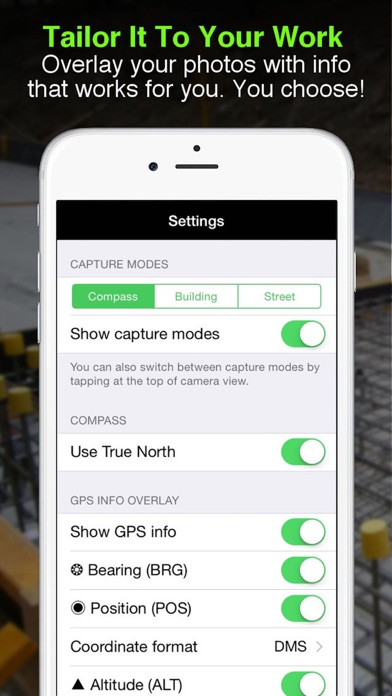
One of the standout features of Solocator is its ability to overlay a wide array of location and camera data onto your photographs. You can choose to stamp photos with GPS position (latitude & longitude in various formats), altitude, direction (bearing), and even street address when using the Industry Pack. Additionally, you can display local date & time based on your GPS location, UTC time, and show cardinal directions to help orient your photos accurately.
The app also supports overlays like tilt & roll angles, crosshairs for precise targeting, and options to use abbreviations or Unicode characters for clarity. Users working in building or construction projects can display specific building orientations, such as North elevation, in the Building mode. This customization ensures your documentation is tailored exactly to your needs, whether for professional reports or personal travel logs.
Flexible Camera Controls and Autoflow
Solocator is compatible with both back and front selfie cameras, supporting pinch zoom and standard camera features like self-timer, flash, and exposure adjustments. It allows you to take autosave photos—capturing both the overlayed version and an original, unmarked photo simultaneously—streamlining your workflow for field data collection.
Organize, Share, and Export Effortlessly
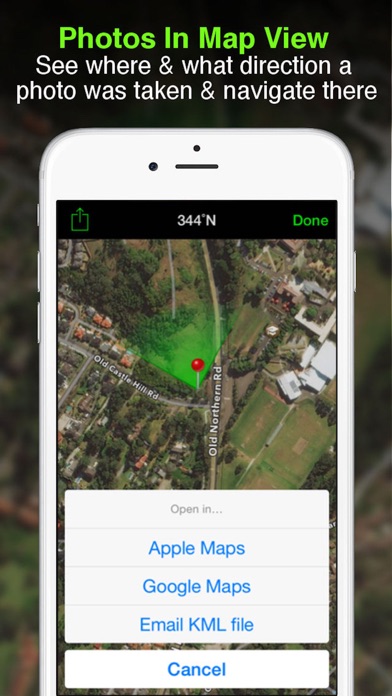
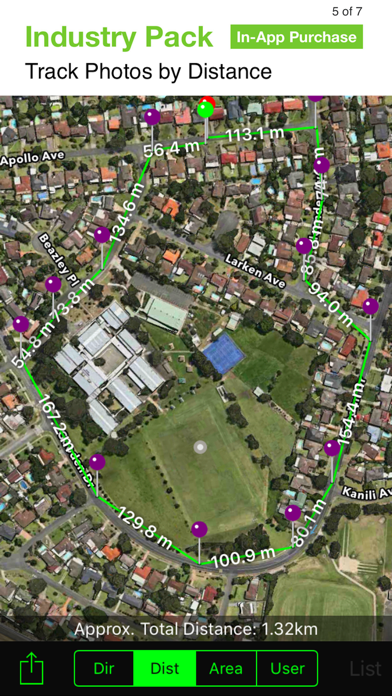
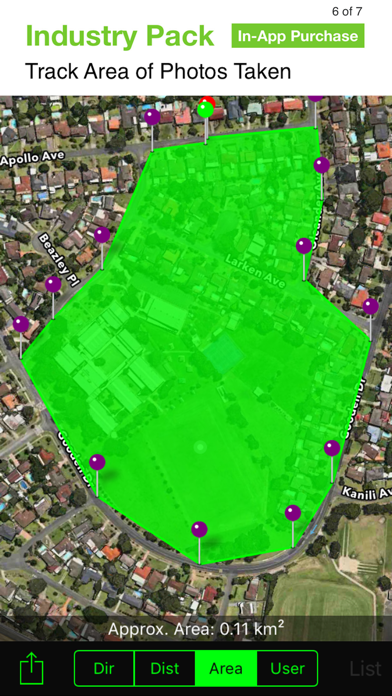
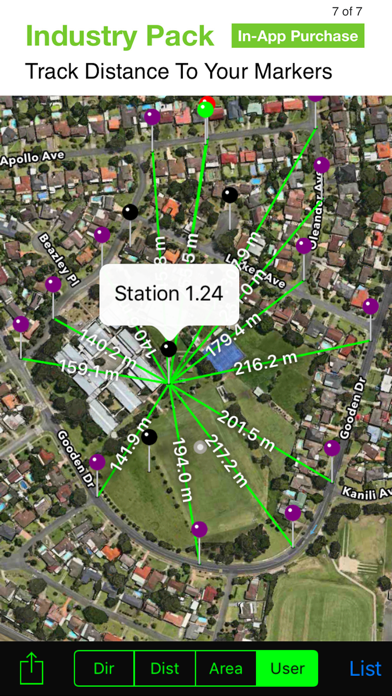
Photos are smartly sorted by time, location, and project name (if using the Industry Pack), making it easy to find specific images afterward. The app offers integrated map views where you can see photo locations and directions, perfect for field navigation. Share your images individually, as zip files, or send via email, including detailed metadata such as Exif data, GPS accuracy, altitude, and more, ensuring your recipients have all the information they need.
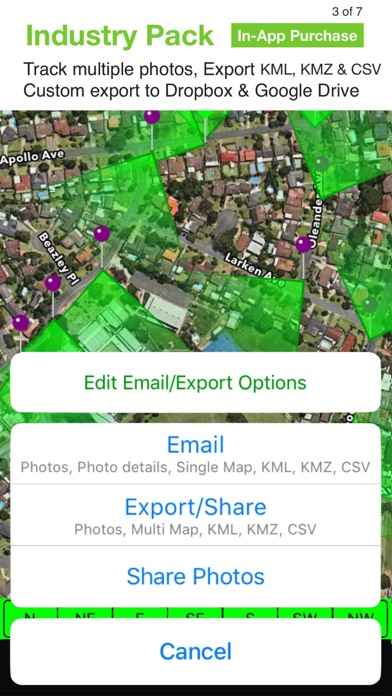
For professional use, Solocator supports exporting photo data in KML, KMZ, or CSV formats. You can then import these files into mapping or GIS software, making it an invaluable tool for surveyors, engineers, and environmental specialists.
Enhanced Field Notes and Customization with Industry Pack
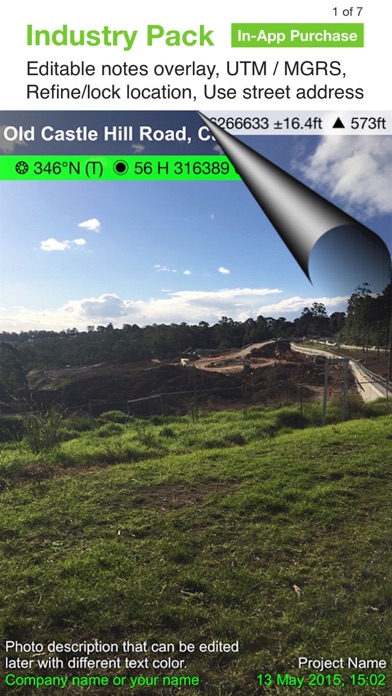
The optional Industry Pack (available via in-app purchase) unlocks additional features like editing project name, description, and watermark. You can add project details, assign job or ticket numbers, and personalize watermarks for branding. Furthermore, users can define custom export filenames by selecting fields such as project, date, description, or custom text, making file management straightforward.
You can also batch edit multiple photos' notes and overlay fields at once, saving valuable time during large projects. Additional capabilities include adding street addresses or alternative coordinate formats like UTM and MGRS, providing flexibility for various professional standards.
Seamless Cloud Integration and Data Management
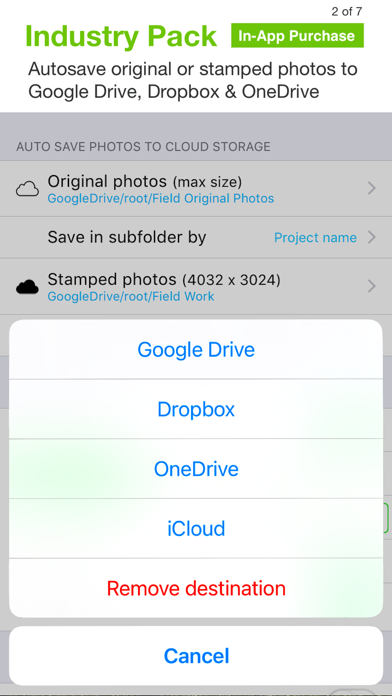
Solocator simplifies the process of cloud storage integration. You can autosave original and stamped photos directly to popular cloud services such as Google Drive, Dropbox, OneDrive (Personal & Business), SharePoint, and Teams. Photos can be organized automatically into folders named by date or project, ensuring your data is safe, accessible, and well-organized.
Export and share not only images but also extensive photo metadata in KML, KMZ, or CSV formats, making it easy to incorporate your documentation into GIS systems or detailed reports.
Advanced GPS Features for Precision in the Field
For users working in environments with challenging GPS signals, Solocator offers refine & lock GPS location features. This enables more precise positioning, especially around buildings or dense areas, ensuring your photo data remains accurate. Additionally, the app provides a compact view mode for quick, streamlined use without sacrificing essential information.
Even devices without a compass can access Solocator's features, and directional data will activate automatically once you upgrade or switch to a compatible device with a magnetometer. This flexibility ensures broad usability across different hardware.
Conclusion: Your Digital Field Journal
Whether you're a professional surveyor, construction inspector, researcher, or an outdoor enthusiast, Solocator - GPS Field Camera offers a comprehensive solution for capturing geotagged, data-rich images. Its customizable overlays, seamless sharing options, and integration with cloud storage make it a powerful tool for accurate documentation in the field. With features designed to improve your workflow, enhance your photos, and support detailed mapping and reporting, Solocator truly acts as your personal digital field journal.
Embrace the combination of practicality and adventure with Solocator, and never miss capturing a location detail again. Happy snapping!
Pros
- Accurate GPS tagging for photos.
- User-friendly interface for quick captures.
- Provides multiple overlays for contextual information.
- Captures high-resolution images.
- Integrates seamlessly with cloud services.
Cons
- Limited free features available.
- Occasional app crashes reported.
- Battery drains rapidly during usage.
- Maps load slowly.
- Lacks night mode for low-light photography.











