
Discover the Ultimate Remote Control App For All TVs
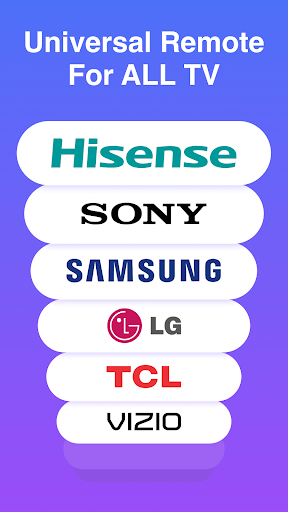
Are you tired of rummaging through couch cushions or scrambling for multiple remotes every time you want to watch TV? Look no further! The Remote Control App For All TVs is a versatile, user-friendly application designed to transform your smartphone into a universal remote. Whether you own a Samsung, LG, Sony, or any other brand, this innovative app simplifies your TV control experience with its extensive features and compatibility.
All-in-One Solution for Effortless TV Management
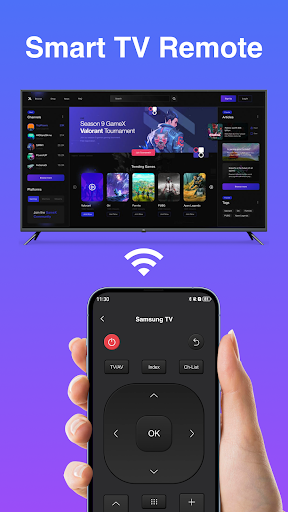
This remote control app truly is an all-encompassing solution for controlling virtually every TV brand out there. From popular brands like Samsung, LG, and Sony to less common manufacturers, the app offers seamless compatibility. Setting up the app was straightforward—installing it and pairing it with my TV took less than five minutes. Once connected, I could effortlessly switch channels, adjust volume, power my TV on or off, and access the TV’s menu directly from my phone. This convenience eliminates the need for multiple remotes cluttering your space and brings about a new level of ease in managing your entertainment system.
Feature-Rich Experience for Modern TV Control
The Remote Control App For All TVs is packed with an array of features designed to enhance your viewing experience. Its highly customizable interface allows you to rearrange buttons according to your preferences—making frequently used functions easily accessible. The voice command feature is an especially handy addition; simply speak into your device, and the app handles the rest—it's like having a personal TV butler at your service.
Additionally, the app transforms your smartphone into a sleek, intuitive touch remote via an integrated touchpad, ensuring navigation feels smooth and natural. Want to control multiple TVs in different rooms? No problem! The app supports multiple devices, allowing you to manage all the TVs around your house from a single, centralized platform. This removes the hassle of juggling between different remotes and various remote control apps, simplifying your entertainment setup.
Intuitive Interface and User-Focused Design
The application's interface is designed with simplicity and user-friendliness in mind. Even if you're not particularly tech-savvy, you'll find it easy to operate. All controls—from power toggles to volume adjustments—are clearly labeled and accessible. The app ensures that every functionality is just a tap away, making the TV control experience straightforward and stress-free.
One aspect I particularly appreciated was the absence of intrusive ads. Many free applications tend to bombard users with pop-up ads or unnecessary notifications, but this app remains clean and unobtrusive. It's refreshing to enjoy a seamless and focused user experience, thanks to developers who prioritize usability over monetization gimmicks.
Why You Should Try the Remote Control App For All TVs
In today’s fast-paced digital world, convenience is key. The Remote Control App For All TVs is an indispensable tool for those who want to streamline their home entertainment systems, reduce clutter, and enjoy more control at their fingertips. Its extensive compatibility, rich feature set, and intuitive interface make it stand out from other remote control apps. Whether you're a tech enthusiast or simply someone tired of misplaced remotes, this app offers a reliable and efficient way to manage your TV experience.
Just download the app, complete the quick setup, and unlock a new level of entertainment convenience. Say goodbye to the frustration of losing remotes and juggling multiple devices—take control with this all-in-one remote control solution for your smart home entertainment needs!
Pros
- Simple setup process compatible with all TV brands.
- Intuitive and user-friendly interface.
- Supports voice commands for convenience.
- Integrates smoothly with smart TVs.
- Receives regular updates introducing new features.
Cons
- Limited features with older TV models.
- Requires a stable internet connection.
- Occasional advertisements may be intrusive.
- Some features are accessible only through a paid plan.
- May not support all regional TV brands.











