
Introducing the Micro SD Card Formatter
Are you tired of dealing with a malfunctioning or full Micro SD card? The Micro SD Card Formatter app is a powerful, user-friendly tool designed to effortlessly format and recover your Micro SD card. Whether your memory card is damaged, corrupted, or simply needs a clean slate, this application provides a reliable and efficient solution to restore your Micro SD card to optimal condition, all from the convenience of your phone.
This SD card formatter is an all-in-one SD card repair tool that makes managing data on your device easier than ever. It allows you to safely erase, format, and recover files—such as pictures, videos, and other important data—without risking loss. The app is lightweight, fast, and designed for widespread compatibility, supporting various storage types including internal storage and external SD cards.
With intuitive features, the SD card formatter app addresses common issues like inability to write or transfer files, unexpected changes in size, or errors preventing data modifications. It even helps you clean up memory, transfer files between your phone and Micro SD card, and restore your data efficiently. Whether you're a casual user or a tech enthusiast, this app is your go-to for maintaining optimal performance of your SD memory devices.
Main Features of the Micro SD Card Formatter
Comprehensive Formatting Options
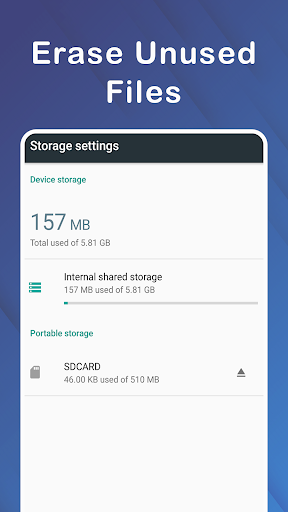
This app enables you to format your SD card or internal storage effortlessly. You can choose to clean your memory, ensuring space is cleared and your device runs smoothly. It also supports selecting the memory type—whether internal storage or external SD card—for precise formatting tailored to your needs.
File Browsing and Management
Navigate through all folders and files on your device or Micro SD card. The app allows you to easily view, select, and manage your data, making it straightforward to back up important files or delete unnecessary ones.
Data Recovery & Repair
One of the standout features is the ability to recover files from damaged SD cards. If your memory card has become unreadable or corrupted, this app offers a reliable solution. It helps to repair the card and restore lost files, giving you peace of mind that your valuable data is safe.
Enhanced User Experience
Designed to be simple and effective, the lightweight SD card formatter prioritizes user-friendliness. Its clean interface makes it accessible for users of all experience levels, and its quick processing ensures minimal wait times during formatting and recovery tasks.
Why Choose the Micro SD Card Formatter?
If you're seeking a reliable SD card fixer or a formatting app that guarantees efficient and secure operations, this app is your perfect companion. It’s especially useful for those who frequently switch data between devices or need to repair corrupted cards without risking data loss.
The SD card recovery app supports multiple scenarios, including formatting damaged Micro SD cards and recovering files after accidental deletion or corruption. Whether you’re preparing a card for a camera, smartphone, or gaming device, this versatile tool adapts seamlessly to different file systems and usage purposes.
In essence, this user-friendly SD card formatter empowers you to manage your storage with confidence. It enhances your device's performance, ensures data safety, and extends the lifespan of your Micro SD card. Download the app today and experience the convenience of effortless memory management—your data's health and your device’s efficiency depend on it.
Pros
- Efficiently formats micro SD cards.
- Supports various file systems.
- User-friendly interface.
- Quick format option available.
- Compatible with most card brands.
Cons
- Limited advanced settings.
- No recovery feature for lost data.
- Requires manual updates.
- Ads in the free version.
- No cloud backup support.











