

Introduction to Blue Iris
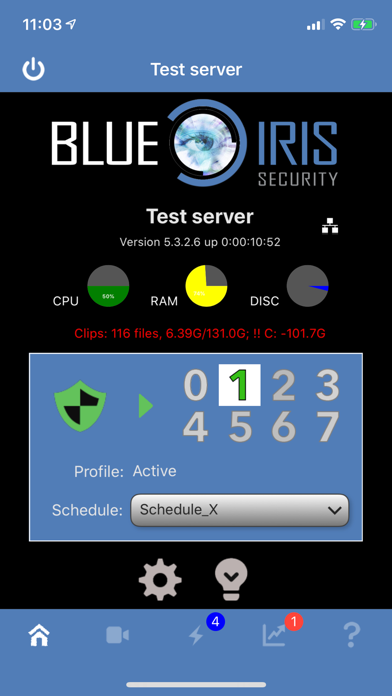
The Blue Iris app is a dedicated client for the Blue Iris Windows PC software, providing a seamless way to manage your home surveillance system from an Android device. To utilize this app effectively, users need to have Blue Iris version 5.x installed and actively running on a Windows PC. Connecting the app to the PC software involves following simple instructions outlined in the Networking section of its Help file. By acting as a single point of contact for your home camera network, this app eliminates the need to insecurely expose individual cameras to the internet, enhancing your security. It employs a secure, session-based protocol that ensures no passwords are transmitted in plain text, safeguarding your privacy.
Key Features of Blue Iris
- Manage multiple Blue Iris installations
- Control traffic signal icons, schedule, and profile selection
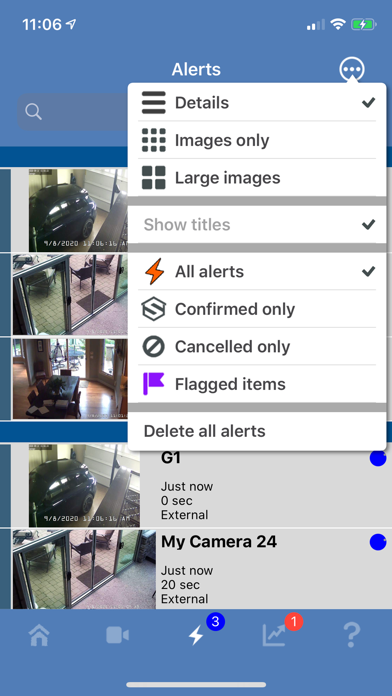
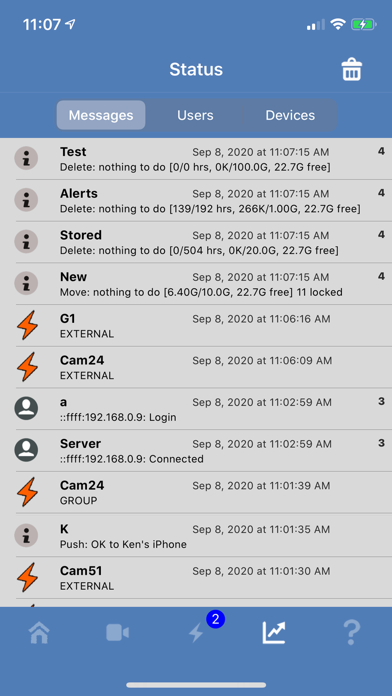
- Receive Android push alerts when a camera is triggered or a critical status message occurs
- Fast H.264 streaming for smooth video playback
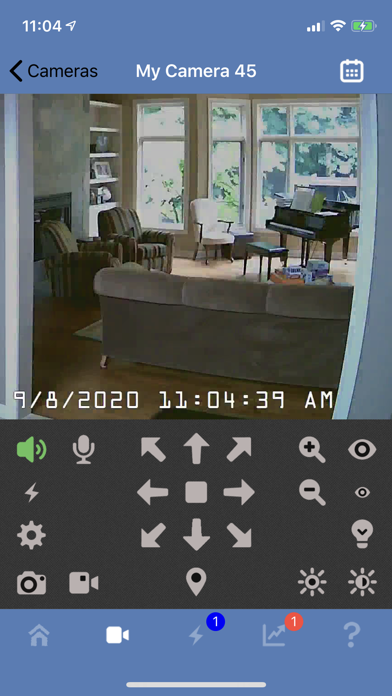
- Control PTZ, IR, and more capabilities for cameras compatible with Blue Iris PC
- Listen to and talk to any camera supported at the Blue Iris PC
- Navigate cameras effortlessly via tapping and swiping
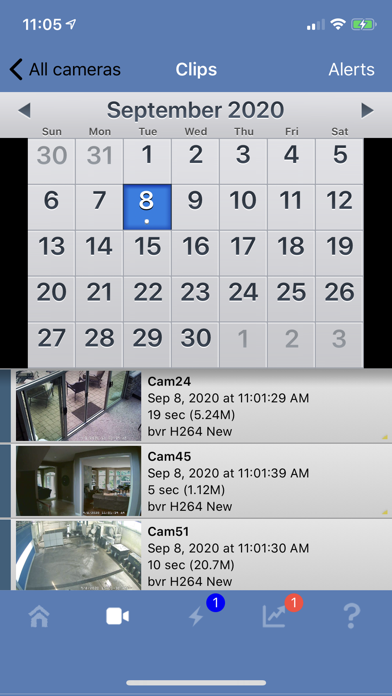
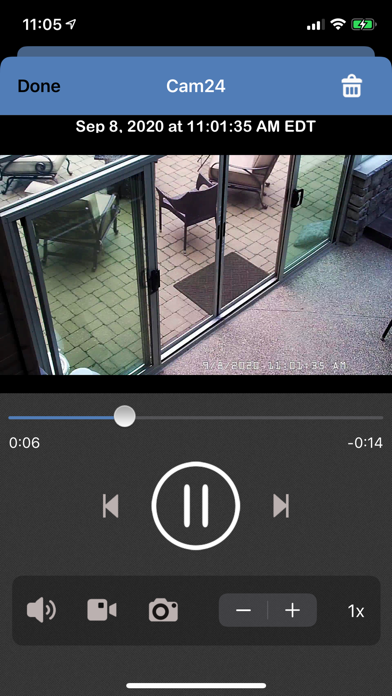
- Review stored recordings on the Blue Iris PC, with playback speeds up to 64x
- Selectively delete recordings from the system
- Remotely control DIO output signals on compatible devices
Review and Experience with Blue Iris
Setting Up and User Experience
Looking to enhance your home security with a robust surveillance solution? Installing the Blue Iris app proved to be quite straightforward. Its user-friendly setup process guided me through each step, making it accessible even for those with limited technical expertise. The app's compatibility with a wide variety of cameras means you aren’t restricted to a single brand, allowing you to build a versatile security system tailored to your needs.
Impressive Features and Ease of Use
Once configured, the app surpassed my expectations. Live viewing of cameras is smooth and reliable, ensuring real-time surveillance. The motion detection and audio detection features are both quick to alert and accurate, which is vital when responding to possible security threats. I particularly appreciated the ability to record footage, enabling review of incidents or continuous monitoring to ensure peace of mind. The scheduling options add convenience, letting me decide when my cameras are active—ideal for varying routines whether I’m at home or away.
Customization and Remote Access
One of my favorite aspects of the Blue Iris app is its high level of customization. Tailoring settings such as motion sensitivity or zone monitoring ensures the system works exactly as you need it to. The intuitive interface makes adjustments straightforward, even for beginners. Furthermore, remote access allows me to check on my security feeds from anywhere in the world—whether I’m at a café or on vacation. This flexibility provides unparalleled peace of mind, knowing your surveillance system is always at your fingertips.
Overall Verdict
In conclusion, Blue Iris is more than just a simple surveillance app; it’s a comprehensive security solution that combines ease of use with powerful features. Its compatibility with numerous cameras, robust alert system, and remote accessibility make it a top choice for homeowners and security enthusiasts alike. Whether you’re just starting out in the world of home security or looking to upgrade an existing system, Blue Iris stands out as a reliable, feature-rich app that delivers peace of mind. Give it a try, and you’ll see why it’s quickly becoming a favorite in the home surveillance community.
Pros
- Advanced camera management features
- High-quality video streaming
- Remote access via mobile app
- Customizable alerts and notifications
- Supports a wide range of camera brands
Cons
- Complex setup process
- Expensive subscription fees
- Resource-intensive on devices
- Limited customer support
- Occasional software bugs











