
Manga Translator: The Ultimate Comic Translation App
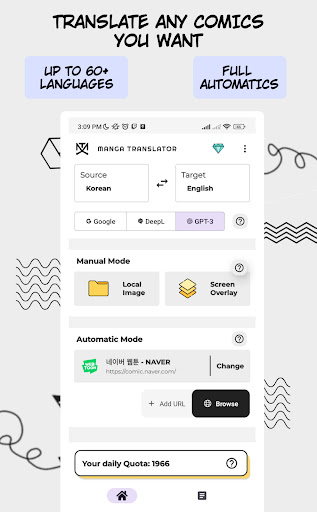
Imagine a world where you can enjoy your favorite manga regardless of the language barrier. The Manga Translator app is designed to revolutionize how comic enthusiasts access international content. With this innovative application, you can seamlessly translate dialogue in comics from over 50 languages, including English, Japanese, Chinese, and Korean. Whether you're a casual reader or a dedicated fan, the app offers a powerful solution to enjoy comics in your preferred language.
Key Features That Enhance Your Reading Experience
Accurate & Fast Translation
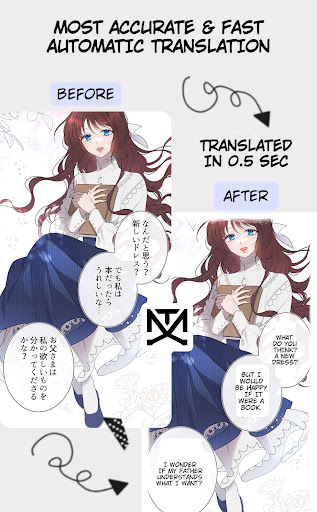
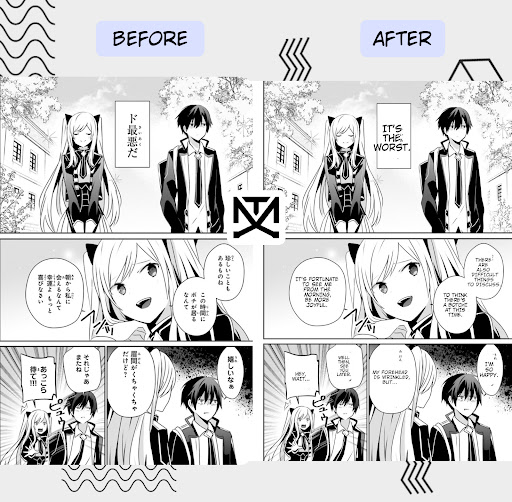
The Manga Translator boasts the most accurate and rapid translation capabilities on the market. It automatically recognizes text within comic images and overlays the translated text directly onto the images. This means you can read your manga without interruptions, with the translation appearing naturally alongside the original artwork.
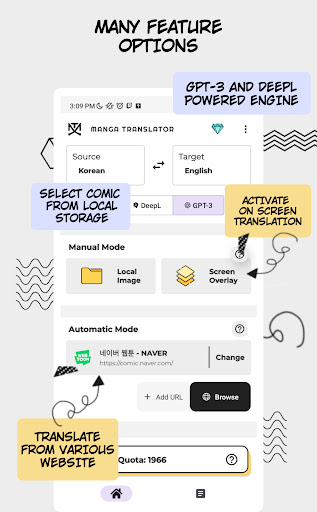
Overlay Mode for Easy Translation
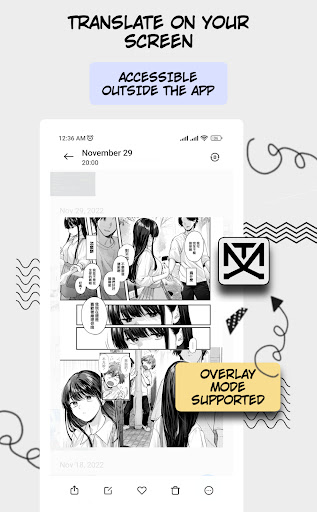
Using the Overlay mode, you can effortlessly translate dialogue by simply pointing your device’s screen at the manga. The app detects text instantly, translating it and drawing the result into the image without any manual copying. This hands-free experience makes comic reading more intuitive and enjoyable.
Automatic Detection & Reordering
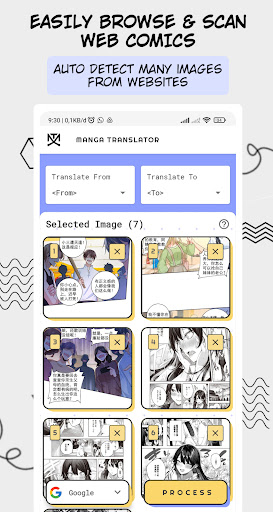
The application can auto detect text on images and translate it seamlessly. Moreover, you can reorder selected images to your preferred viewing sequence, ensuring your reading flow matches your preferences, especially when dealing with multiple panels or pages.
In-App Browser & Easy Content Access
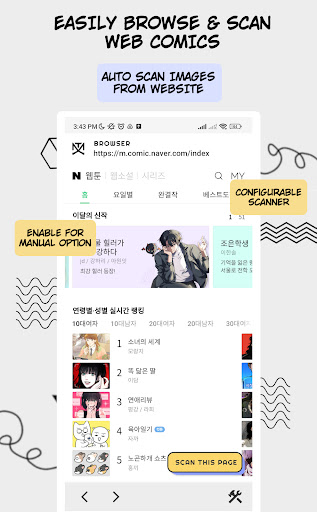
Need to browse web comics? The Manga Translator includes an in-app browser for quick navigation. You can paste the URL of a comic chapter, and the app will automatically fetch and translate the content, saving you time and effort.
Multilingual Support & Offline Mode
The app supports translation from and into English, Japanese, Chinese, Korean, and many more. Plus, it offers an offline mode to translate comics even without an internet connection, making it ideal for on-the-go manga reading.
Automatic Saving & History
All translated results are automatically saved locally into your History section, so you can revisit your favorite translations anytime without re-scanning the image or re-translating.
Enhanced Reading with Additional Features
Real-Time Translation
One of the standout features is the real-time translation. Hover your camera over the text, and see instant translations appear directly on your screen. It’s perfect for impatient readers craving quick comprehension.
Text-to-Speech Functionality
For a more immersive experience, the app offers a text-to-speech feature, reading the translated dialogue aloud with surprisingly natural voice synthesis. This is great for multitasking or those who prefer listening over reading.
Ad-Supported & Premium Options
While the free version is rich with features, it includes ads that occasionally appear. For an ad-free experience, users can upgrade to the premium version. Nonetheless, even with ads, the app provides excellent value for manga fans looking to enjoy translated comics effortlessly.
Final Thoughts
Overall, the Manga Translator app is a game-changer for anyone passionate about manga and comics across different languages. Its user-friendly interface, rapid translation, and numerous supportive features make it an essential tool for diverse readership. Whether you're a seasoned manga lover or just starting your journey into international comics, this app will significantly enhance your reading experience. Dive into stories beyond language barriers and discover new worlds with ease—try Manga Translator today and transform the way you enjoy comics!
Pros
- User-friendly interface
- Quick translation process
- Supports multiple languages
- Offline mode option available
- High accuracy in text recognition
Cons
- Limited free features
- Occasional translation inaccuracies
- Advertisements present in free version
- Requires camera permission
- Lacks text editing capabilities