

Introducing TurboScan™ Pro: Your Portable PDF Scanner
Have you ever found yourself in a situation where you needed to scan a document, receipt, or whiteboard, but there was no physical scanner around? Look no further—TurboScan™ Pro: PDF scanner is here to revolutionize the way you digitize your everyday documents. This innovative app transforms your smartphone into a powerful, full-featured scanner, enabling you to create high-quality multipage PDFs or JPEGs quickly and effortlessly. With over three million users choosing TurboScan, it’s clear this app stands out as a reliable tool for students, professionals, and anyone who values convenience and precision in document scanning.
Transform Your Smartphone into a High-Performance Scanner
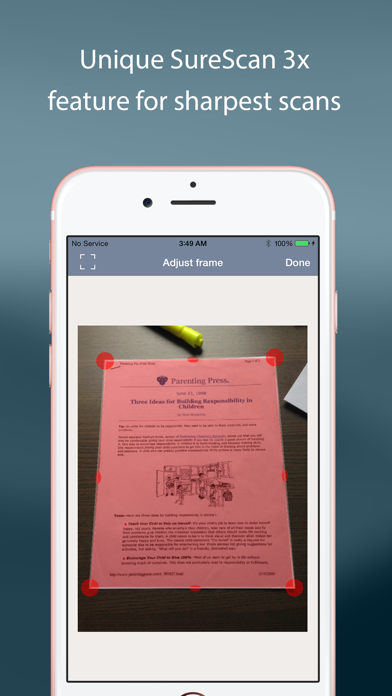
Once installed, TurboScan™ Pro immediately impresses with its clean and intuitive interface. Navigating through its features is seamless, allowing users to scan a variety of documents—including receipts, notes, whiteboards, and even photos—within seconds. The app leverages advanced algorithms to accurately detect document edges and correct perspective distortions, ensuring that your scans are crisp and aligned. Whether you’re capturing a crumpled receipt or glossy magazine pages, TurboScan maintains excellent clarity and detail in every scan.
Precision Scanning with Advanced Features
TurboScan sets itself apart with features designed to produce professional-quality scans. Its core functionality includes automatic edge detection and perspective correction, which simplifies the scanning process and guarantees clean, straight results. For challenging lighting conditions, TurboScan offers the proprietary SureScan mode, which takes three pictures in quick succession to enhance sharpness and detail, especially in dim environments. This makes it ideal for low-light scenarios or when capturing documents with complex backgrounds.
Effortless Editing and Organization
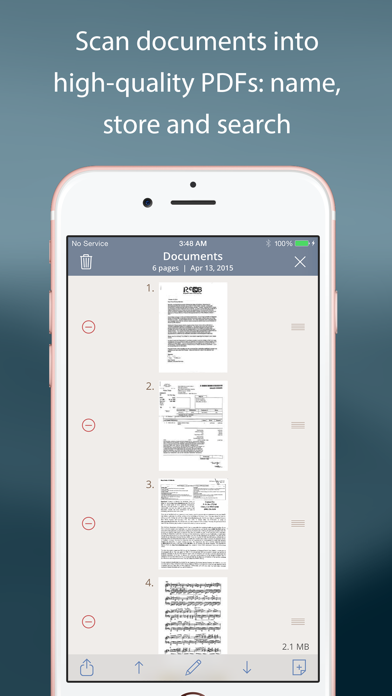
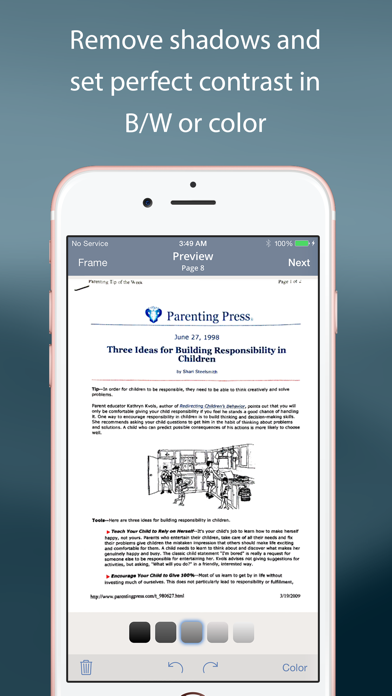
After capturing your documents, TurboScan provides robust editing tools. You can easily adjust brightness, contrast, and color settings to ensure your scans look perfect—whether you need a black-and-white, color, or enhanced version. The app also enables you to re-order, add, or delete pages within a multipage PDF, giving you full control over your digital documents. Additionally, you can copy pages between stored scans, assigning meaningful names and utilizing the app’s search feature to organize your files efficiently.
Seamless Sharing and Cloud Integration
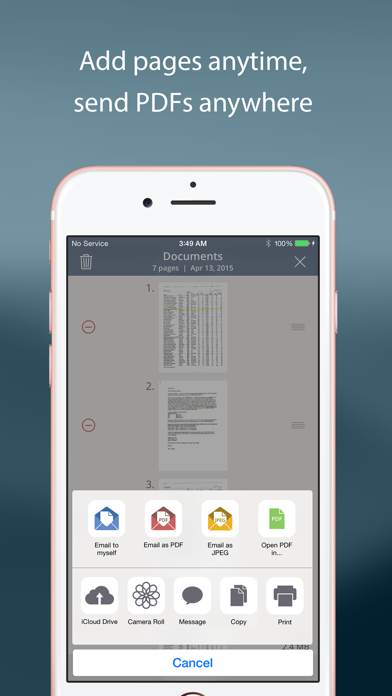
Sharing your scans is straightforward with TurboScan. You can email documents directly as PDFs, JPEGs, or PNGs with just one tap. The app also supports direct uploads to popular cloud storage services like Dropbox, Evernote, Google Drive, and OneDrive, ensuring your files are always accessible and backed up. For those who prefer printing, TurboScan supports printing via Cloud Print or other compatible print apps. Its compact attachment size and adjustable resolution make it easy to send or store your documents without hassle.
Tips for Optimal Scanning Results
For the best scanning experience, ensure your documents are flat and well lit. Including some margin around the edges helps with edge detection accuracy. Use the phone’s flash in low-light conditions, but be mindful of glare on glossy surfaces. If you notice overexposure or blurry images caused by the flash, adjust the flash settings within the app. Following these simple tips ensures sharp, clear scans every time.
Continuous Improvement and Support
TurboScan is constantly evolving, with developers keen on incorporating user feedback. The app processes all scans directly on your device, maintaining your data privacy and security without needing an internet connection. If you encounter issues or want to share suggestions, the support team is accessible via email, demonstrating their dedication to user satisfaction and ongoing enhancement of the scanner’s capabilities.
Why TurboScan™ Pro Is the Best Choice for On-the-Go Document Scanning
Whether you're a student digitizing lecture notes, a business professional managing contracts, or someone who simply needs a reliable way to scan documents in everyday life, TurboScan™ Pro offers unmatched speed, quality, and ease of use. Its intelligent algorithms, professional-grade features like SureScan, and seamless sharing options make it the ultimate mobile scanning solution. This app has earned its place on millions of smartphones worldwide, providing a convenient and efficient way to digitize vital documents anywhere, anytime.
Pros
- Fast and dependable document scanning
- Produces high-quality PDF files
- Intuitive and easy-to-use interface
- Compatible with various file formats
- Operates offline without internet dependency
Cons
- Limited editing capabilities
- No integration with cloud storage services
- Paid application without a free version
- OCR sometimes produces errors
- Does not offer advanced sharing options











