

Introducing FolderSync Pro: The Ultimate File Management and Sync App
Are you tired of managing files across multiple devices and cloud services? FolderSync Pro is designed to simplify your digital life by providing effortless synchronization between local folders on your device and various cloud storage providers. Whether you're backing up your precious photos, music, or important work documents, FolderSync Pro makes it easier than ever to keep your files organized, secure, and accessible from anywhere.
Seamless Synchronization for Your Files
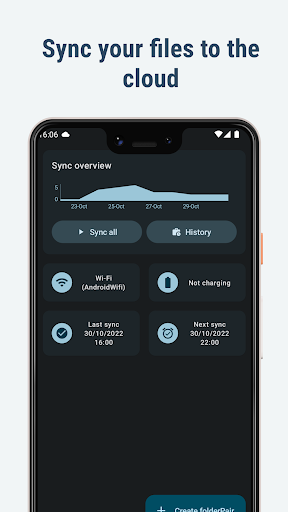
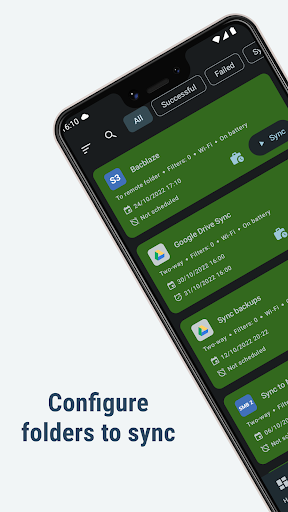
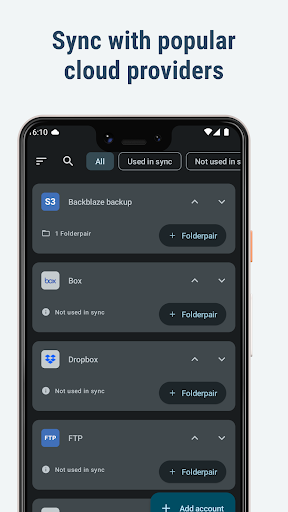
FolderSync Pro offers intuitive and automatic file syncing, acting like your personal assistant in managing data. The app supports synchronization between your Android device and a multitude of cloud storage services such as Google Drive, Dropbox, OneDrive, Amazon S3, Box, Mega, and many more. This extensive support ensures that no matter which cloud provider you prefer, FolderSync Pro can handle it efficiently.
Features Designed for Ease and Control
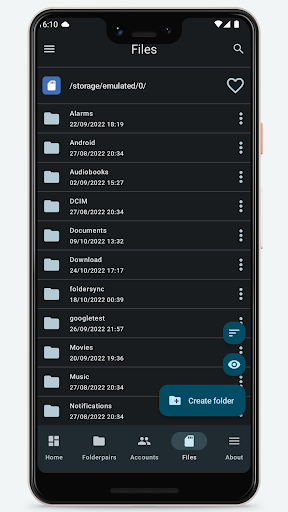
Getting started with FolderSync Pro is straightforward thanks to its user-friendly interface. The setup process is simple, enabling even non-technical users to begin syncing files instantly. The app includes a full file manager, allowing you to easily manage your files both locally and in your cloud accounts—copy, move, delete, create, or organize your data with ease.
Advanced Options for Power Users
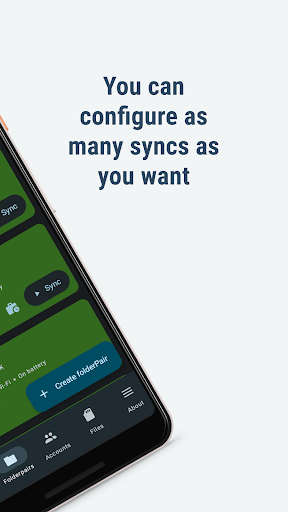
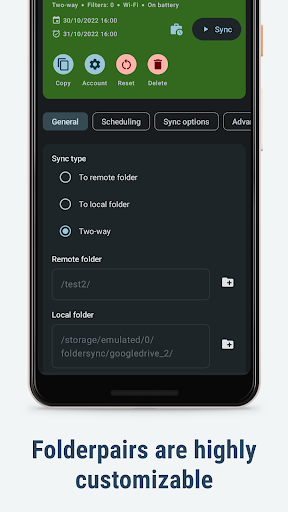
For advanced users, FolderSync Pro offers sophisticated features like scheduling sync tasks, setting up filters to sync only specific files, and managing multiple accounts simultaneously. Integration with automation tools like Tasker allows for personalized, fine-grained control over your synchronization processes, making routine backups or updates automatically and without manual intervention.
Supports a Wide Range of Cloud Providers & Protocols
With support for over 20 cloud providers—including Google Cloud Storage, HiDrive, Kolab Now, livedrive Premium, luckycloud, MyDrive.ch, NetDocuments, NextCloud, OwnCloud, and Yandex Disk—FolderSync Pro ensures comprehensive compatibility. Additionally, it supports multiple transfer protocols like FTP, FTPS, SFTP, WebDAV, and Samba/SMB, allowing flexible file transfers across different server types and network setups.
Maximum Security & Compatibility
Security is paramount in FolderSync Pro. The app implements secure transfer protocols to protect your data during transmission. It also supports root file access on rooted devices for advanced file management and can automatically start after device reboot, ensuring your scheduled syncs continue uninterrupted. Permissions like ACCESS_FINE_LOCATION and INTERNET are used to facilitate features like network detection and server discovery, enhancing stability and security.
Why Choose FolderSync Pro?
If you're a user who regularly relies on multiple cloud services and needs reliable, automated file backups, FolderSync Pro is your best choice. It eliminates manual uploads, reduces the risk of data loss, and keeps your files synchronized across devices and platforms effortlessly. Whether you're a casual user or a tech enthusiast, the app offers the flexibility and depth of features necessary to customize your file management workflow.
Stay Updated and Supported
For the latest updates, detailed FAQs, and support, visit the FolderSync support page. To see what’s new, check out the change log, and for a comprehensive understanding of the app’s capabilities, refer to the FAQ documentation.
Conclusion
FolderSync Pro stands out as a robust, secure, and versatile file synchronization tool, ideal for anyone aiming to streamline their file management process across multiple cloud platforms. Its combination of ease of use, powerful features, and broad device compatibility makes it an essential app for optimizing your digital storage and backup strategy. Say goodbye to chaotic file management and hello to seamless, automated synchronization—try FolderSync Pro today!
Pros
- User-friendly interface
- Supports multiple cloud storage services
- Automatic synchronization of files
- Customizable synchronization settings
- Free of advertisements
Cons
- Paid application
- No free version available
- Initial configuration might be complicated
- Limited advanced features
- Occasional synchronization errors
- Requires setup of a cloud account











