
EasyTether Pro Overview
EasyTether Pro is a versatile application designed to share your smartphone's internet connection with other devices such as laptops and tablets. Whether you're on the move or facing internet issues, this app offers a reliable way to stay connected without the need for traditional Wi-Fi hotspots. Its wide compatibility across various operating systems and support for multiple tethering options make it a popular choice among users seeking convenience and security.
Key Features of EasyTether Pro
Supported Platforms and Tethering Methods
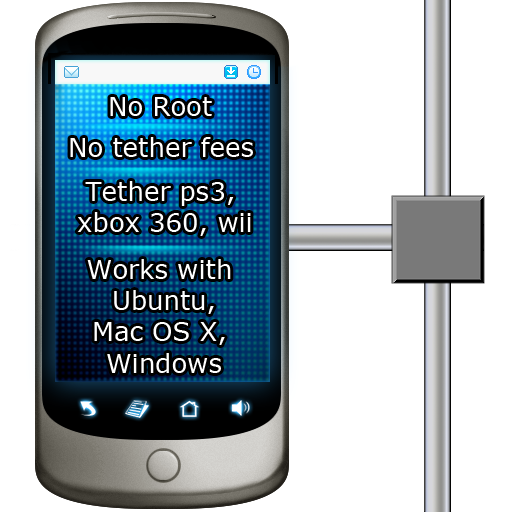
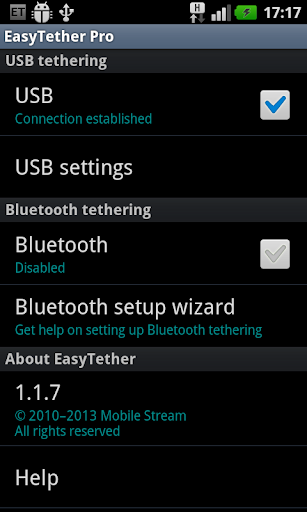
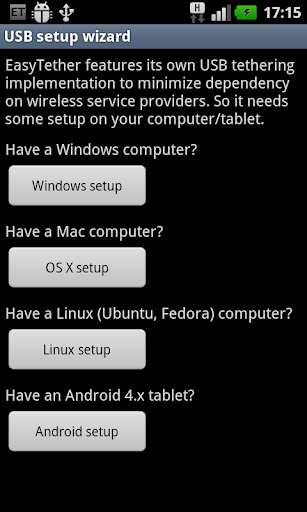
The app supports USB tethering for Windows, Mac OS X, and Linux computers, as well as Android 4.x tablets. For wireless options, it offers Bluetooth tethering compatibility for Windows devices and Android 4.0.3+ tablets. Additionally, EasyTether Pro enables Internet connection sharing for gaming consoles like PS3, Xbox, and Wii through Windows or Mac systems, making it a comprehensive solution for various device types.
Ease of Use and Setup
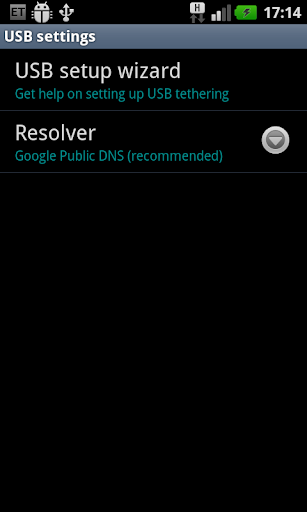
Getting started with EasyTether Pro is straightforward. Simply run the app on your phone and follow the intuitive setup wizard. The process involves installing the corresponding client software on your computer, which includes clear instructions to streamline the setup. Whether you prefer USB, Bluetooth, or Wi-Fi tethering, the app makes connecting devices quick and hassle-free, requiring no root access or special tethering plans from your carrier.
Cost and Compatibility
The app involves a one-time fee, offering a cost-effective solution without recurring charges. Note that some carriers may hide the original EasyTether app, but since EasyTether Pro operates independently of carrier restrictions, users can freely use it without interference. All paid versions of EasyTether function identically, so you can purchase the one visible to you without concern. It is recommended to uninstall any previous EasyTether versions before installing the Pro edition to avoid conflicts.
Performance and Security
Stable and Fast Connection
Many users, including myself, have experienced a stable and fast Internet connection with EasyTether Pro. Whether browsing, streaming, or participating in video calls, the app maintains reliable performance with minimal interruptions. Naturally, your internet speed depends on your phone’s network quality and data plan, but overall, the tethered connection holds well under typical usage scenarios.
Enhanced Privacy and Security
In comparison to free tethering apps, EasyTether Pro emphasizes data security. It transmits your data securely, reducing the risk of interception by unauthorized parties. This focus on privacy makes it a trusted choice for users who prioritize safe and private internet sharing.
Why Choose EasyTether Pro?
EasyTether Pro stands out for its broad device compatibility, ease of setup, and ability to bypass carrier restrictions. This means you don’t need to worry about additional charges or special plans—simply connect and share your internet connection seamlessly. Plus, the app does not require rooting your device, making it suitable for users wary of modifying their phones' software.
Its security features also provide peace of mind, ensuring your data remains protected during sharing. Despite a one-time payment, the convenience and security offered make EasyTether Pro a worthwhile investment for anyone needing dependable internet access on multiple devices, especially in situations where traditional connectivity options are unavailable.
Final Thoughts
In today’s connected world, staying online is essential, whether for work, entertainment, or communication. EasyTether Pro offers a reliable, secure, and user-friendly solution for tethering your smartphone’s internet to other devices. Its versatility across operating systems, support for various tethering methods, and strong security measures make it an excellent choice for frequent travelers and those facing connectivity challenges. If you’re in need of a dependable tethering app, consider giving EasyTether Pro a try—you’ll find it a valuable tool for maintaining a seamless internet connection wherever you are.
Pros
- Provides a stable connection with most devices.
- Supports a variety of tethering methods.
- Features easy setup and an intuitive interface.
- Does not require root access.
- Works across multiple platforms.
Cons
- The initial cost may be a barrier for some users.
- Offers limited options for customer support.
- Connections can sometimes drop unexpectedly.
- May not work with all carrier plans.
- Setup might require some technical expertise.











