



Guitar Pro: The Ultimate Mobile Tool for Guitarists
The Guitar Pro application is a powerful mobile companion for guitar enthusiasts seeking to view, play, and compose tablature effortlessly. Designed to bring the renowned Guitar Pro tab-editing experience to your mobile device, this app allows players of all skill levels to practice their favorite songs and share musical ideas anytime and anywhere. Whether you're a beginner trying to learn new techniques or a seasoned guitarist working on complex compositions, Guitar Pro offers a comprehensive set of features tailored for your musical journey.
Key Features of Guitar Pro Mobile
Powerful Score Player
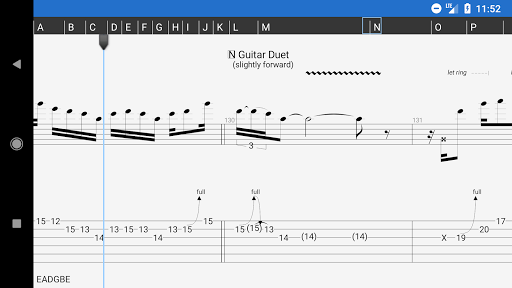
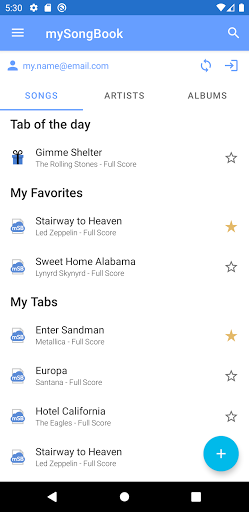
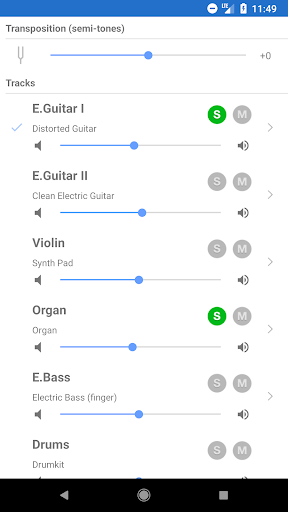
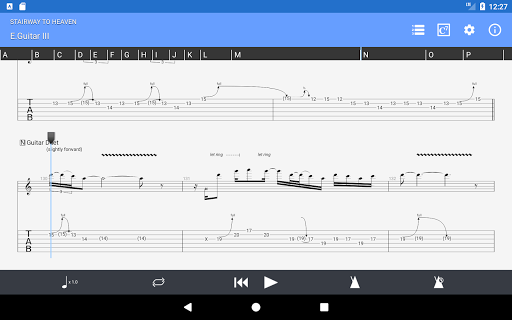
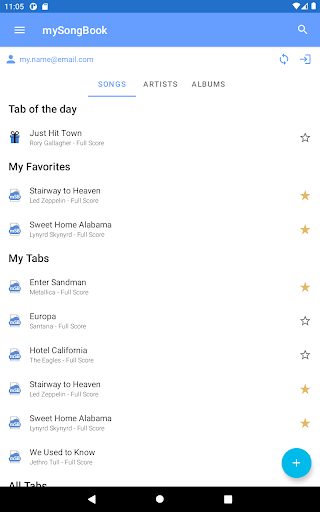
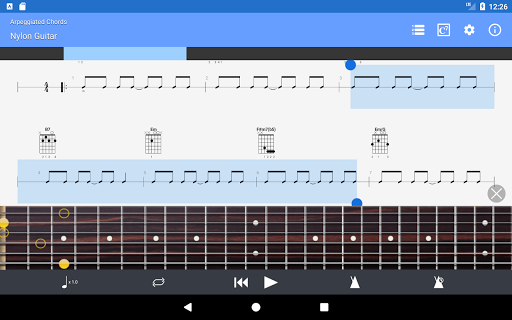
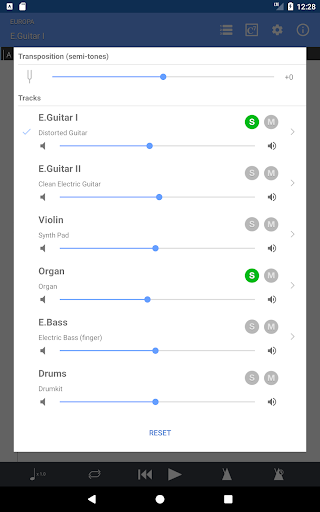
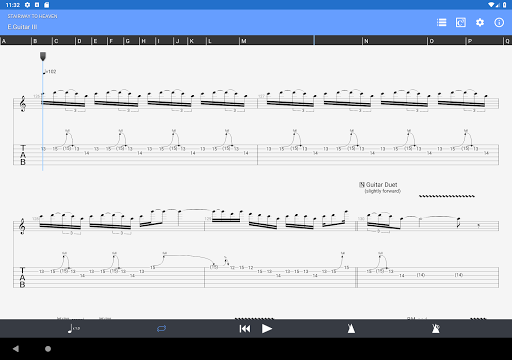
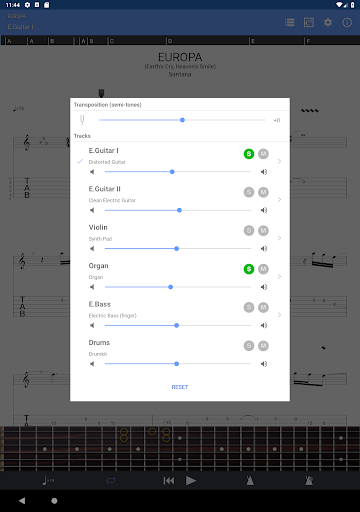
Supporting GP3/4/5/6/7/8 (.gp) file formats, the app enables seamless playback of various score types, including tab with rhythms, slash notation, and standard notation. It integrates smoothly with the mySongBook portal to access a vast library of sheet music, with options to load files via WiFi, web browser, or email. The built-in sound engine provides a multitrack player with controls like volume, solo, mute, and soundbanks, delivering a realistic listening experience.
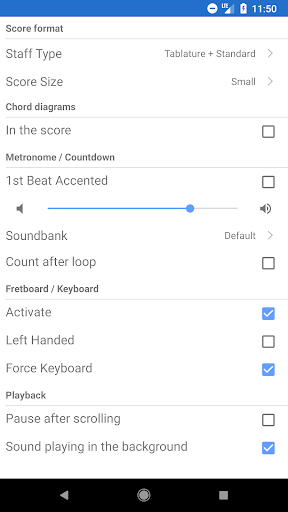
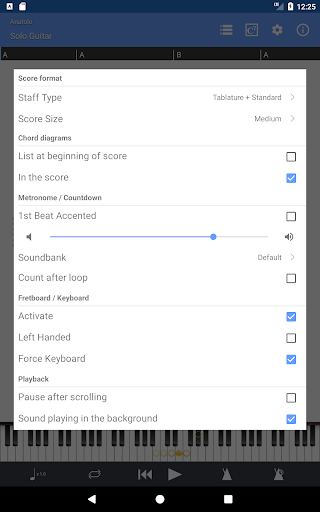
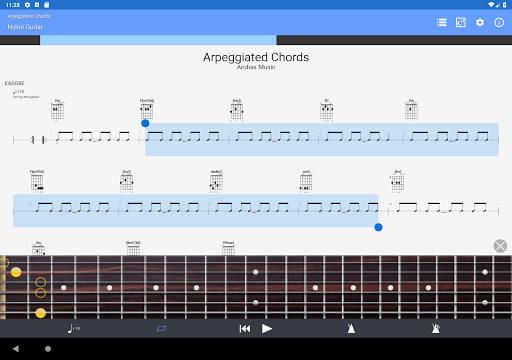
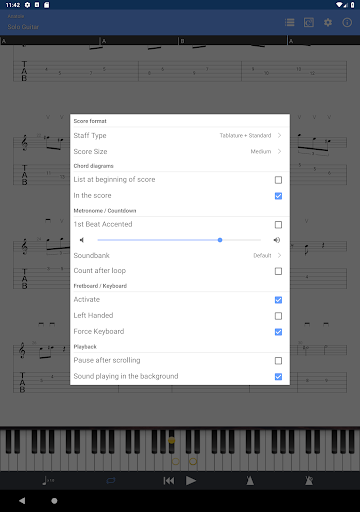
Additional tools include a metronome with visual countdown, three zoom levels for comfortable viewing, a virtual fretboard for guitar or bass (suitable for both right- and left-handed players), and a virtual keyboard. On-the-fly tempo adjustments and global transposing by half-tones make practicing flexible and efficient. Looping selected sections and easy navigation between song parts enhance your practice sessions. Files can also be shared directly via email, making collaboration simple.
NotePad for Creating and Editing Tablature
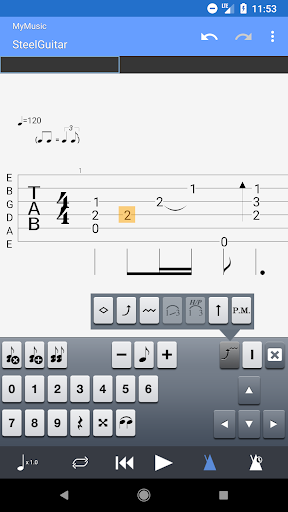
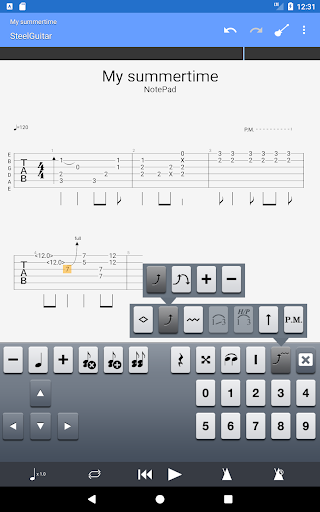
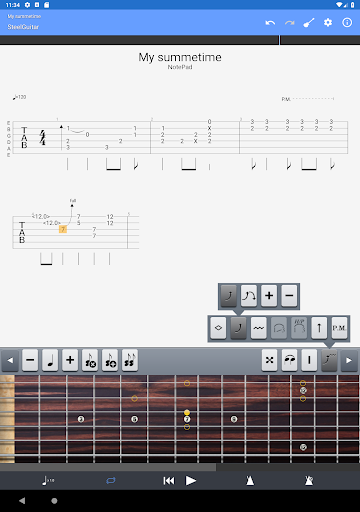
The NotePad feature allows users to create and edit single-track tablatures for various instruments including guitar, bass, banjo, ukulele, and mandolin. Supporting 4- to 8-string instruments, the tool includes 19 built-in sounds with customizable tuning and tempo. You can export your ideas into Guitar Pro 6 and 7 formats, facilitating continued work on your compositions using the desktop version. This feature is ideal for jotting down riffs, arpeggios, and song ideas on the go.
While editing capabilities are focused on individual tracks, note that editing existing files' standard notation or drum tracks is not available within the mobile app. Its primary strength lies in quick editing and idea capture for your musical projects.
User Experience and Practical Use
Upon launching Guitar Pro, users are greeted with a sleek, intuitive interface designed to accommodate both novices and experienced players. Access to a vast library of tabs makes it easy to find and learn new songs, enhancing your practice routine. The app's advanced playback capabilities, including looper and tempo controls, allow for focused practice on challenging sections, promoting faster mastery.
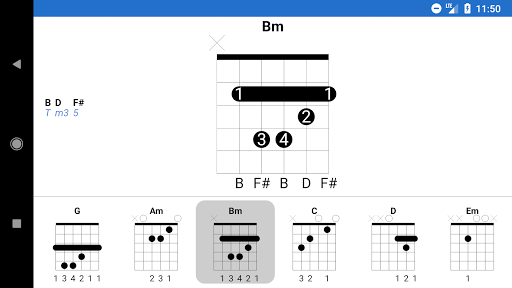
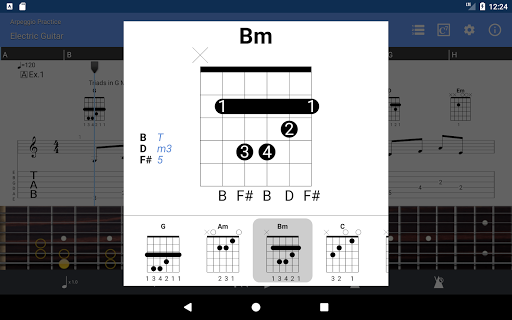
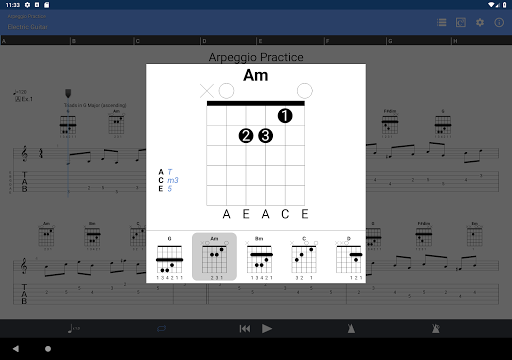
The inclusion of virtual instruments like bass, drums, and piano extends the possibility to arrange full compositions, turning the app into a mini studio within your pocket. With features like a chord library and metronome, your timing, rhythm, and skill-building are well-supported. The realistic sound engine ensures that playback sounds authentic and engaging, making practice sessions more enjoyable and productive.
Limitations and Additional Notes
While Guitar Pro mobile offers many useful features, it does have some limitations compared to its desktop counterpart. The audio track feature is not available in the mobile app; you can play files with embedded audio, but the audio itself won't be visible or controllable. Additionally, editing standard notation or drum tracks is restricted; the app mainly focuses on modifying single-track tablatures via the NotePad tool.
Why Guitarists Should Use Guitar Pro
Since picking up the guitar, I’ve been searching for a tool that not only facilitates learning but also inspires creativity. Guitar Pro has exceeded my expectations with its comprehensive features and user-friendly design. The extensive library of tabs, combined with capabilities like multi-instrument virtualizations and flexible practice tools, make it an indispensable resource for any guitarist. Whether you're working on riffs, practicing scales, or composing new music, this app supports your growth at every stage.
Its realistic sound engine, chord library, and easy access to offline tabs foster efficient practice sessions. The ability to export your ideas and seamlessly transition between mobile and desktop versions means your workflow remains smooth and uninterrupted. Overall, Guitar Pro is a feature-rich, reliable, and highly adaptable app that will elevate your guitar playing and songwriting process.
Final Recommendation
If you're serious about enhancing your guitar skills, Guitar Pro is a must-have app that caters to all your musical needs. Its blend of powerful tools, intuitive interface, and extensive library make it an excellent choice for guitarists looking to learn, compose, and perform more effectively. Don't miss out on this ultimate mobile guitar companion—download Guitar Pro today and experience the difference it can make in your musical journey.
Pros
- Comprehensive library of chords suitable for all skill levels.
- High-quality sound engine for playback performance.
- Supports various file formats.
- User-friendly interface complemented by tutorials.
- Receives regular updates introducing new features.
Cons
- Full access requires a subscription.
- Limited features available in the free version.
- Mobile app can experience occasional bugs.
- Can be resource-heavy on older devices.
- Lacks real-time collaboration features.











